
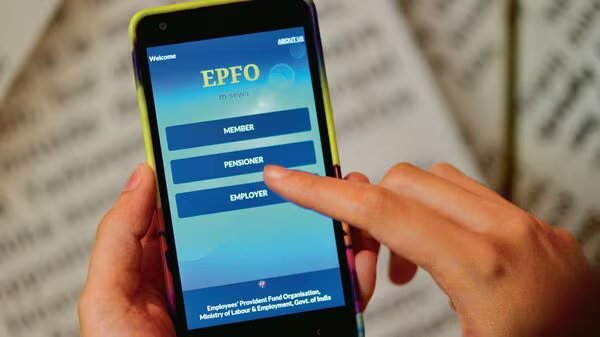

The EPFO passbook is an essential document for salaried employees to track provident fund contributions and balances. If the EPFO portal is undergoing scheduled maintenance, members should know how to download their passbook before downtime and what alternatives are available until services resume.
The EPFO passbook is one of the most important documents for employees covered under the Employees’ Provident Fund Organisation (EPFO). It records monthly employer and employee contributions, interest credited to the account, and the available PF balance. During scheduled maintenance of the EPFO portal, members may experience temporary disruptions while trying to access or download their passbook. Knowing how to prepare in advance and what options remain available can help avoid unnecessary inconvenience, especially if the passbook is needed for financial verification or personal record keeping.
Why EPFO Portal Maintenance Affects Passbook Access
Like most large government digital platforms, the EPFO website periodically undergoes scheduled maintenance to improve security, upgrade systems, or perform server-related work. During these maintenance windows, certain online services may be unavailable or function intermittently.
The EPFO Member Passbook portal is among the services that can be temporarily affected. Users attempting to log in during this period may receive maintenance notifications or encounter errors while accessing their accounts.
Such maintenance is generally planned and temporary. Once the scheduled work is completed, services are restored without requiring members to take any additional action.
How to Download Your EPFO Passbook
If the portal is operational before the maintenance window begins, downloading the passbook is straightforward.
Follow these steps:
- Visit the official EPFO Member Passbook portal.
- Log in using your Universal Account Number (UAN), password, and captcha.
- Select the Member ID linked to your UAN.
- Open the passbook for the desired PF account.
- Download or save the PDF copy for future reference.
It is advisable to keep a recent copy stored on your device, particularly if you anticipate needing it during a scheduled service interruption.
What to Do If the Portal Is Under Maintenance
If you attempt to access the EPFO passbook during scheduled maintenance, there is usually no need to worry. The issue is temporary and does not affect your PF balance or contributions.
You can:
- Wait until the maintenance period ends and try again.
- Keep checking the official EPFO website or announcements for updates on service restoration.
- Avoid repeated login attempts if the portal displays a maintenance message.
- Use previously downloaded passbook copies if immediate reference is required.
Members should also avoid relying on unofficial websites or third-party apps claiming to provide EPFO passbook access during maintenance.
Understanding Your EPFO Passbook
Once downloaded, the EPFO passbook contains important financial information that every employee should review regularly.
It generally includes:
- Employee contribution made every month.
- Employer contribution credited to the EPF account.
- Pension contribution where applicable.
- Interest credited by EPFO.
- Opening and closing balance.
- Transaction history.
Regularly reviewing the passbook helps employees verify that monthly contributions are being deposited correctly by their employer. If discrepancies are noticed, they should first contact their employer and, if necessary, raise a grievance through EPFO’s official grievance system.
Tips to Avoid Future Inconvenience
Many employees access their EPFO passbook only when applying for loans, changing jobs, or filing financial documents. However, downloading it only during urgent situations may become difficult if the portal is temporarily unavailable.
Experts recommend checking the passbook every few months and maintaining a recent offline copy. This practice helps verify contributions, simplifies financial documentation, and reduces dependence on real-time portal availability.
Employees should also ensure that their UAN is activated, Aadhaar and bank details are correctly linked, and login credentials are updated. These simple steps make accessing EPFO services much smoother throughout the year.
Takeaways
- Download your EPFO passbook before scheduled maintenance whenever possible.
- Portal maintenance temporarily affects online access but does not impact your PF balance.
- Review your passbook regularly to verify monthly contributions and interest credits.
- Always use official EPFO portals for downloading passbooks and account information.
Frequently Asked Questions
Q1. Can I access my EPFO passbook during portal maintenance?
Access may be temporarily unavailable while scheduled maintenance is in progress. You can log in once services are restored.
Q2. Does portal maintenance affect my PF balance?
No. Scheduled maintenance only affects online access. Your provident fund balance and records remain secure.
Q3. What information does the EPFO passbook contain?
It includes employee and employer contributions, pension contribution, interest credited, and the complete transaction history of your PF account.
Q4. How often should I download my EPFO passbook?
It is a good practice to download and review your passbook every few months or before any important financial or employment-related activity.
(Internal Keyword Suggestions: EPFO passbook, download EPFO passbook, UAN login, EPF balance check, EPFO member portal, PF passbook download, Employees’ Provident Fund Organisation, EPFO portal maintenance, UAN services, provident fund account)