
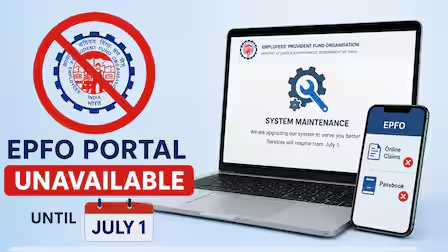

The EPF online claim process is usually simple, but technical issues or portal downtime can delay applications. This guide explains what employees should do when the EPFO portal is unavailable, how to verify claim readiness, and the safest alternatives until services are restored.
The topic is evergreen with practical relevance. Although EPFO may occasionally experience maintenance or temporary service interruptions, the guidance on handling portal downtime and preparing an EPF claim remains useful throughout the year.
The EPF online claim process has made it easier for employees to withdraw Provident Fund balances without visiting an office. However, users sometimes encounter technical problems such as website maintenance, server errors, login failures, or slow response times. Knowing how to claim EPF online if the portal is unavailable can help avoid unnecessary stress and ensure your application is submitted as soon as services resume. Understanding the available options and keeping the required documents ready can significantly reduce delays.
Why the EPFO Portal May Become Unavailable
The Employees’ Provident Fund Organisation (EPFO) periodically performs system maintenance, security updates, and server upgrades to improve digital services. During these periods, the Unified Member Portal or related online services may temporarily become inaccessible.
In other cases, unusually high traffic during salary cycles or after major policy announcements can slow the portal or prevent users from logging in. Internet connectivity issues, browser compatibility problems, or incomplete Aadhaar authentication may also create the impression that the portal is not functioning.
Before assuming the portal is down, users should check whether the issue is affecting all services or only their account. Trying another browser, clearing cache, or accessing the portal after some time often resolves temporary technical issues.
Check Whether You Are Eligible Before Filing an EPF Claim
Portal downtime should not prevent employees from preparing for the claim process. Before submitting an online application, ensure that all eligibility requirements have been completed.
Your Universal Account Number (UAN) should be activated and linked with Aadhaar. The Aadhaar details, PAN, bank account number, and mobile number should match the records maintained by EPFO.
The bank account linked to your EPF account should also be verified. If KYC information is incomplete or pending employer approval, the online claim may be delayed even after the portal becomes operational again.
Reviewing these details in advance allows you to submit the claim quickly once access is restored.
What to Do While the Portal Is Unavailable
If the EPFO portal is temporarily inaccessible, avoid repeatedly refreshing the page or attempting multiple logins within a short period. This rarely solves the issue and may temporarily lock your account in some situations.
Instead, keep all required documents ready, including your Aadhaar, PAN, bank account details, cancelled cheque if required, and employment information.
You can also monitor official EPFO communication channels for announcements regarding scheduled maintenance or restoration of services. If the downtime is planned, services are generally restored after maintenance is completed.
Employees should avoid relying on unofficial websites or individuals claiming they can speed up the claim process during portal outages.
Can You Submit an Offline EPF Claim?
Although online claims are the preferred method for most members with Aadhaar-linked accounts, certain situations may still require submitting a physical claim form through the employer or the concerned EPFO office.
Offline claims are generally applicable only under specific circumstances, such as members whose Aadhaar is not linked or whose online claim facility is unavailable due to account-related issues rather than temporary portal downtime.
Employees should first verify whether offline submission is applicable to their case before visiting an EPFO office, as many routine claims are processed digitally.
Steps to Take Once the Portal Is Restored
When the portal becomes available again, log in using your UAN and password. Navigate to the online claim section and verify that your KYC details remain approved.
Select the appropriate claim type based on your eligibility. This may include final settlement after leaving employment, partial withdrawal for eligible purposes, or pension-related claims where applicable.
Carefully review all information before submitting the application. Incorrect bank account details or personal information may delay claim processing.
After successful submission, note the claim reference number. This allows you to track the claim status through the EPFO portal once processing begins.
Common Mistakes That Delay EPF Claims
Many claim delays occur because employees overlook basic requirements rather than because of portal downtime.
Submitting a claim before employer approval of KYC, entering incorrect bank account information, or failing to link Aadhaar can all result in processing delays.
Some users also attempt to create multiple claims after receiving error messages during temporary server issues. This can create confusion and require additional verification.
Employees should always wait for confirmation before assuming a claim has not been submitted. Checking the claim history after the portal stabilizes helps avoid duplicate applications.
Protect Yourself From EPF-Related Fraud
Periods of technical disruption often attract fraudsters who impersonate government officials or customer support representatives.
EPFO never asks members to share OTPs, passwords, or UAN credentials over phone calls, emails, or messaging applications.
Always access EPFO services through official government websites and verify any communication before responding. Never pay third parties promising faster claim approvals or guaranteed withdrawals.
Maintaining secure login credentials and regularly reviewing account activity can help protect your EPF savings from fraud.
Key Takeaways
- Temporary EPFO portal downtime usually does not affect your eligibility to submit an EPF claim once services resume.
- Keep Aadhaar, PAN, bank details, and KYC information updated before initiating an online claim.
- Avoid duplicate claim submissions if the portal experiences temporary technical issues.
- Use only official EPFO platforms and never share OTPs, passwords, or UAN credentials with anyone.
FAQs
Q1. Can I submit an EPF claim if the EPFO portal is temporarily down?
No. You must wait until the online services are restored. However, you can prepare your documents and verify your eligibility during the downtime.
Q2. How can I reduce delays in my EPF claim?
Ensure your UAN is activated, Aadhaar and bank account are linked, KYC is approved, and all personal details match EPFO records before submitting the application.
Q3. Does EPFO always allow offline claims?
No. Offline claim submission is available only in specific situations. Most eligible members are expected to use the online claim facility.
Q4. How can I track my EPF claim after submission?
Once your claim is successfully submitted, you can use the claim reference number to monitor its status through the EPFO member portal after logging into your account.
(Internal keyword suggestions: EPF online claim, EPFO portal unavailable, EPF withdrawal online, UAN login, EPFO claim process, how to claim PF online, EPF KYC update, PF withdrawal guide, EPFO member portal, EPF claim status)