
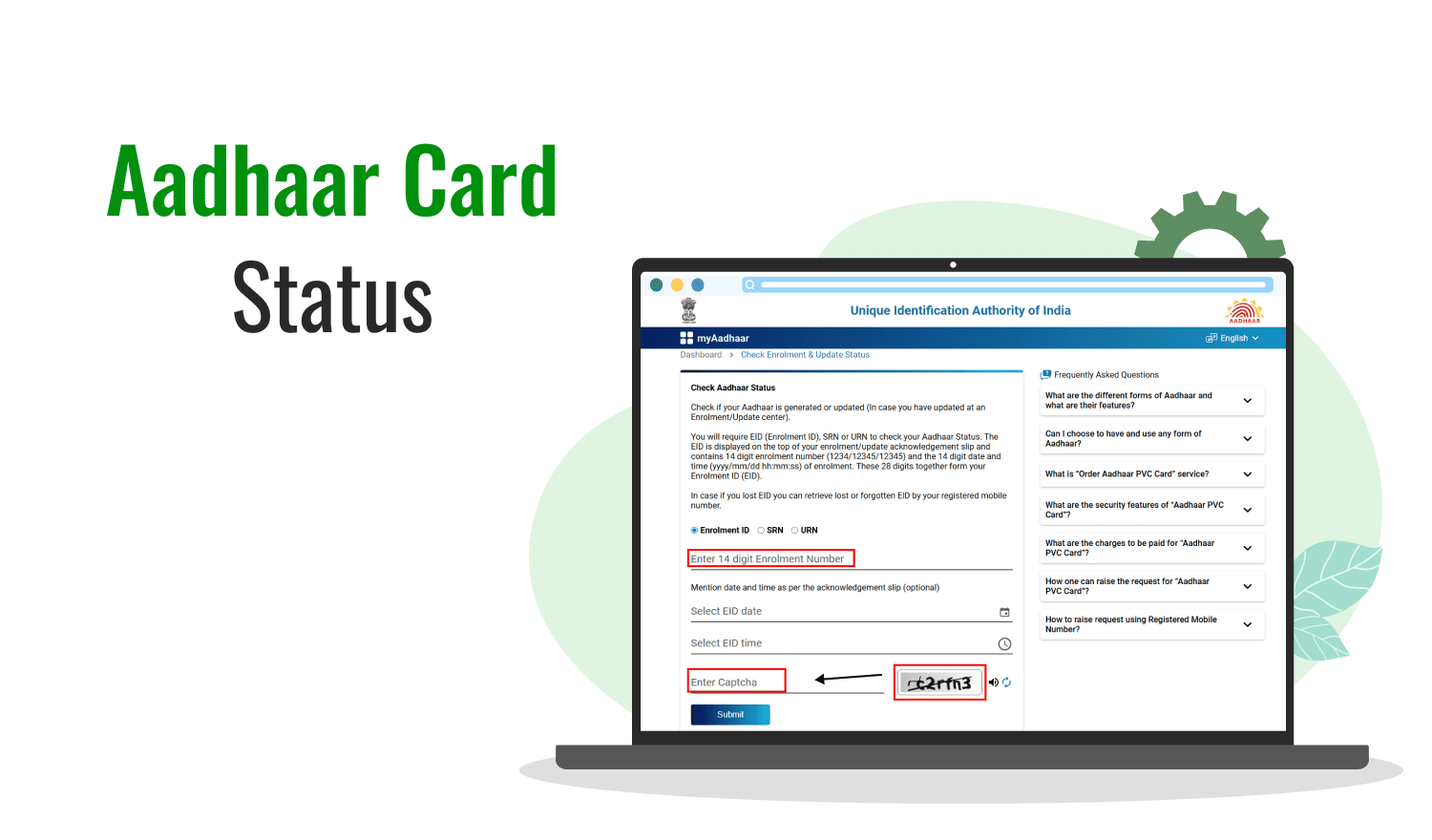

Aadhaar holders can check whether their personal details and supporting documents are still accurate through UIDAI’s myAadhaar services. Here is how to identify outdated information, check document update requirements, and understand which Aadhaar changes can be completed online.
Why You Should Check Your Aadhaar Details Regularly
Aadhaar is used for identity verification across several government and private services, so keeping the information accurate can help avoid problems during authentication or when accessing services. UIDAI advises Aadhaar holders to keep their data updated and specifically suggests updating proof of identity and proof of address documents at least once every 10 years from the date of Aadhaar generation.
This does not mean every Aadhaar holder has to change their details every 10 years. Instead, the recommendation is to review the information and supporting documents and update them when necessary.
The first step is to check what information is currently associated with your Aadhaar and determine whether anything has changed.
How to Check Your Aadhaar Information Online
The easiest way to begin is through UIDAI’s official myAadhaar portal. Online Aadhaar services require authentication using the registered mobile number because an OTP is sent to that number.
After logging in, review the information available in your Aadhaar profile and compare it with your current documents.
Pay particular attention to your address, name, date of birth, gender, mobile number and email information. UIDAI lists these among the demographic details associated with Aadhaar.
If your current address is different from the address recorded in Aadhaar, that is a clear reason to consider an update.
Check Your Aadhaar Address Before Updating It
Address changes are particularly common for people who move between cities for education, employment or family reasons.
For example, someone who originally enrolled for Aadhaar in Nagpur but later moved to Pune, Hyderabad or another city may still have their old address recorded.
UIDAI allows Aadhaar holders to update their address online through myAadhaar. A valid proof of address is required, and the information entered in the request should match the supporting document.
The uploaded document should be clear and meet UIDAI’s accepted document requirements. If the address entered does not match the submitted proof of address, the request can be rejected.
How to Check If Aadhaar Documents Need Updating
Checking your supporting documents is different from simply checking the information printed on your Aadhaar.
UIDAI recommends that Aadhaar holders update their proof of identity and proof of address documents at least once in 10 years from the date of Aadhaar generation.
This is especially relevant for people whose Aadhaar was generated many years ago and who have not submitted updated identity or address documents since then.
The document update facility is available through the myAadhaar portal. UIDAI currently states that online document submission is available without a fee until June 14, 2027, while document submission at an Aadhaar enrolment centre carries an applicable charge.
The exact documents accepted depend on UIDAI’s current supporting document list.
Which Aadhaar Changes Can Be Done Online?
One important point is that not every Aadhaar update can currently be completed online.
UIDAI states that online services allow residents to update their address and submit document updates. For several other demographic or biometric changes, an Aadhaar Enrolment or Update Centre is required.
For example, if you need to change your mobile number, you cannot simply replace it through the online address update service. UIDAI says mobile number updates must be completed through an Aadhaar Enrolment Centre or the applicable assisted process.
Biometric information such as fingerprints, iris data and photograph also requires a visit to an Aadhaar centre.
What to Do If Your Name or Date of Birth Is Wrong
If your name, gender or date of birth does not match your actual identity documents, the correction should not be ignored.
UIDAI says demographic details such as name, gender and date of birth can be updated at an Aadhaar Enrolment Centre. Online services are currently limited to address and document updates.
There are also limits on certain demographic changes. According to UIDAI, the name can generally be updated twice during a person’s lifetime, while gender and date of birth have specific lifetime update limits.
This makes it important to submit accurate information and appropriate supporting documents rather than making unnecessary changes.
How to Track an Aadhaar Update Request
Submitting an update request does not automatically mean that the change has been accepted.
UIDAI states that update requests go through verification and validation before they are processed. A request can therefore be accepted or rejected after review.
For an online address update, a Service Request Number, or SRN, is generated after successful submission. The SRN can be used to check the status of the request through UIDAI’s Aadhaar update status service.
UIDAI says that normally 90% of update requests are completed within 30 days, although individual cases can take longer depending on verification and processing.
Aadhaar Update Mistakes You Should Avoid
One of the most common mistakes is entering information that does not match the supporting document.
For an online address update, the document should be valid, should be in the Aadhaar holder’s name, and should support the address being requested. The uploaded image or scan should also be clear.
Another mistake is assuming that every Aadhaar correction can be completed from home. Mobile number, biometric and several demographic updates require an Aadhaar centre.
Aadhaar holders should also use UIDAI’s official website and myAadhaar portal rather than relying on unofficial websites that request Aadhaar numbers, OTPs or other sensitive information.
Aadhaar Details Check: What You Should Review
Before submitting any request, make a simple checklist of your current information.
Check whether your name is correctly spelled, your date of birth is accurate, your gender is correct and your current address is reflected properly. Also verify whether the mobile number and email associated with Aadhaar are still accessible.
If your documents are more than 10 years old in relation to your Aadhaar generation date, review whether a document update is appropriate under UIDAI’s recommendation.
The goal is not to change Aadhaar details unnecessarily. It is to ensure that the information and supporting documents associated with your identity remain accurate.
Key Takeaways
- UIDAI recommends reviewing and updating Aadhaar identity and address documents at least once every 10 years.
- Address and document updates can be submitted online through the myAadhaar portal.
- Mobile number, biometric and several other demographic updates require an Aadhaar centre.
- Online update requests are subject to UIDAI verification and are not automatically approved.
FAQs
How can I check whether my Aadhaar needs updating?
Log in to the official myAadhaar portal using your Aadhaar number and registered mobile number. Review your available details and check whether your address or supporting documents need updating.
Can I update my Aadhaar address online?
Yes. UIDAI currently allows address updates through the myAadhaar portal. You need a registered mobile number for OTP authentication and a valid proof of address.
Can I change my Aadhaar mobile number online?
No. UIDAI states that mobile number updates must be completed through an Aadhaar Enrolment Centre or the applicable assisted service.
How often should Aadhaar documents be updated?
UIDAI recommends updating proof of identity and proof of address documents at least once every 10 years from the date of Aadhaar generation.