
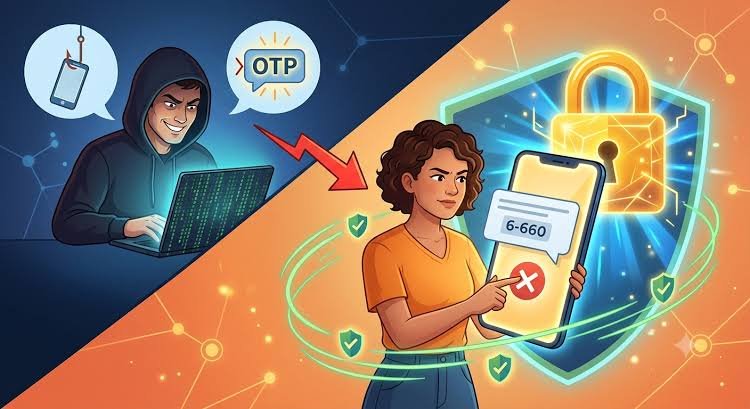

WhatsApp scams can expose users to account takeovers, financial fraud and identity misuse. Understanding how OTP theft works, enabling two-step verification and recognising suspicious messages can help users protect their accounts. These precautions are especially important for families, students and small-business owners who rely on WhatsApp daily.
Is WhatsApp Account Security a News Topic or Evergreen Guide?
This is an evergreen cybersecurity guide with continuously evolving risks. The basic security practices remain useful, although scam techniques and platform settings can change. Users should follow WhatsApp’s current security guidance and report suspicious financial activity promptly through the appropriate official channels.
How WhatsApp OTP Scams Work
A WhatsApp OTP scam usually begins when someone attempts to register a phone number on WhatsApp and needs the verification code sent to that number. A fraudster may contact the account owner while pretending to be a friend, company representative, delivery agent or customer-support employee.
The caller might claim that a code was sent by mistake or that the user must share it to verify an account, confirm a booking or receive a payment. If the user shares the WhatsApp registration code, the fraudster may be able to register the number on another device.
The key point is simple: never share your WhatsApp verification code with anyone. WhatsApp and legitimate support representatives should not ask you to disclose your registration code in a chat or phone call.
Scammers may also use urgency, threats or emotional pressure to stop victims from thinking carefully. A message claiming that an account will be blocked within minutes should be treated with suspicion, especially if it asks for an OTP, PIN or payment.
Enable WhatsApp Two-Step Verification
Two-step verification adds another layer of protection to your WhatsApp account. It requires a personal PIN when the phone number is registered with WhatsApp again, in addition to the SMS or call verification code.
To enable it:
- Open WhatsApp on your phone.
- Go to Settings on Android or Settings on iPhone.
- Select Account, then Two-step verification. Menu wording may vary by version.
- Follow the instructions to create a PIN.
- Add a recovery email address if the option is available.
Choose a PIN that is difficult for others to guess. Avoid using your date of birth, a simple sequence or a number you already use for banking.
Keep your recovery email secure as well. If you forget your PIN, the recovery process may depend on the email address and the options available to your account.
Two-step verification is an important safeguard, but it does not replace the need to protect your registration code, phone and email account.
Recognise Fake Messages, Links and Impersonation Scams
WhatsApp fraud does not always begin with an OTP request. Scammers may send malicious links, impersonate a relative, advertise fake jobs or offer unrealistic investment returns.
The official WhatsApp Help Center identifies employment scams, investment scams, romance scams and impersonation as common examples of suspicious activity. WhatsApp Help Center
Watch for these warning signs:
- A message demands immediate action or threatens to block your account.
- An unknown person offers a job with unusually high earnings and asks for a registration fee.
- Someone claims to be a family member using a new number and requests urgent financial help.
- A link promises a prize, cashback, a free gift or an exclusive offer in exchange for personal information.
- A caller asks you to share an OTP, account password, screen-sharing access or other security credentials.
Before responding to a suspicious message from a known contact, verify the request through a separate channel, such as a phone or video call to the person you already know. If the message involves money, confirm the request independently.
Avoid opening unexpected links or downloading files from unknown senders. If a message looks suspicious, use WhatsApp’s built-in reporting and blocking options rather than engaging with the sender.
Check Linked Devices and Protect Your Phone
WhatsApp allows users to connect additional devices through its Linked Devices feature. This can be useful for accessing chats on a computer, but an unauthorised linked device may expose account activity.
To review connected devices:
- Open WhatsApp and go to Settings or the three-dot menu.
- Select Linked Devices.
- Review the devices and sessions listed.
- Log out any device you do not recognise.
Check this section periodically, especially if you have used WhatsApp Web on a shared computer or accessed your account on a device you no longer use.
You should also keep WhatsApp and your phone’s operating system updated. Install applications through official app stores and use a strong screen lock. Never leave your phone unlocked with sensitive messages visible to others.
Consider enabling passkeys if the feature is available in your account. WhatsApp’s security guidance explains that passkeys can use your device’s biometric authentication or screen-lock method to help verify your identity. WhatsApp Help Center+1
Meta also announced stronger two-step verification options and additional information about calls from unknown numbers in August 2026. The available features may vary by account, device and rollout, so check the current settings in your app. Facebook
What to Do If Your WhatsApp Account Is Hacked
If you lose access to your account or suspect someone has taken control, act quickly. Do not assume that changing your phone’s screen-lock password will automatically remove an unauthorised WhatsApp user.
WhatsApp’s official account recovery guidance recommends registering your phone number again using the six-digit code received by SMS or phone call. After successful re-registration, other devices using the account are automatically logged out. WhatsApp Help Center
Follow these steps:
- Open WhatsApp and begin the registration process using your own phone number.
- Enter the verification code received on your phone. Never share it with another person.
- If prompted for a two-step verification PIN or password you do not know, follow the official recovery instructions. A waiting period may apply.
- Review Linked Devices after regaining access and remove any unfamiliar sessions.
- Inform family members, friends and colleagues that your account may have been compromised, particularly if suspicious messages were sent in your name.
If you suspect financial fraud, contact your bank or payment provider immediately. In India, call the national cybercrime helpline at 1930 and report the incident through the official National Cyber Crime Reporting Portal. Quick reporting may help authorities and financial institutions take action to limit losses, although recovery is not guaranteed. Press Information Bureau+1
Preserve relevant messages, transaction records and screenshots if you need to report the incident.
Key Takeaways
- Never share your WhatsApp registration code, two-step verification PIN or password with anyone, even if they claim to represent a trusted organisation.
- Enable two-step verification, secure your recovery email and review linked devices regularly.
- Verify suspicious requests independently, avoid unfamiliar links and report fraudulent accounts through WhatsApp.
- If your account is compromised or money is stolen, begin account recovery immediately and contact India’s cybercrime helpline at 1930 for financial fraud.
Frequently Asked Questions
1. Can someone hack my WhatsApp account using an OTP?
A fraudster who obtains your WhatsApp registration code may be able to register your phone number on another device. Two-step verification adds another layer of protection, but you should never share verification codes with anyone.
2. Is two-step verification enough to secure WhatsApp?
It is an important safeguard, but it is not a complete security solution. Users should also protect their phone, use passkeys where available, keep the application updated, check linked devices and avoid suspicious messages and links.
3. What should I do if someone takes over my WhatsApp account?
Try registering your phone number again using the verification code sent to your phone. Follow WhatsApp’s official recovery instructions, check linked devices after regaining access and warn your contacts about possible impersonation. If financial fraud has occurred, report it promptly through India’s cybercrime reporting system.
4. How can I report a WhatsApp scam in India?
You can report a suspicious contact or message through WhatsApp’s in-app reporting feature. For cybercrime, use cybercrime.gov.in. If money has been lost through financial fraud, call 1930 as soon as possible and contact your bank or payment provider.