
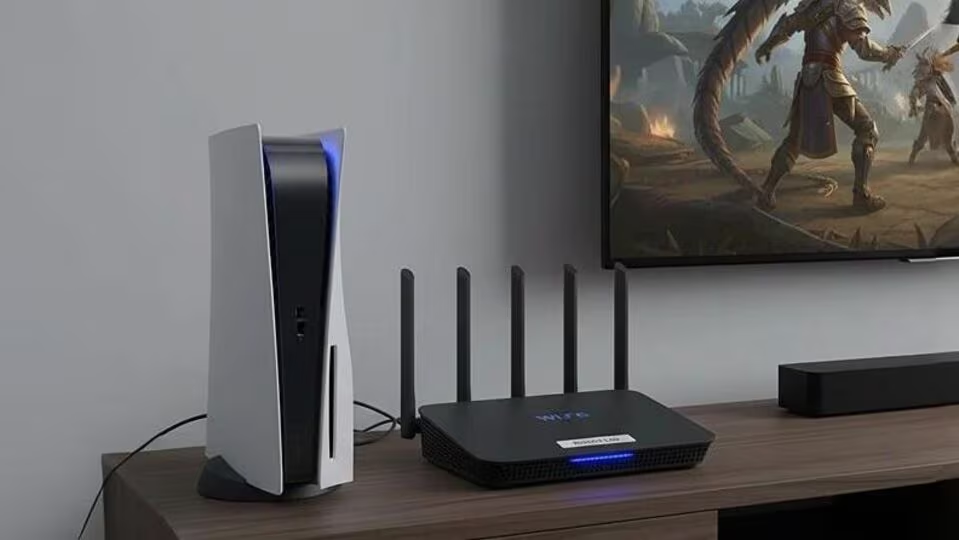

Upgrading household internet tech for OTT streaming in smaller cities has become essential as families shift to online entertainment. Most buffer issues come from outdated routers, weak signal coverage or limited data speeds rather than the internet provider alone. This guide explains practical and affordable upgrades that improve streaming quality without overspending.
For OTT platforms to run smoothly, households need consistent bandwidth, stable Wi Fi coverage and basic device optimisation. Many homes in Tier 2 and Tier 3 cities still use old routers provided by service operators years ago. These older models struggle to handle modern streaming loads, multiple devices and HD content. Upgrading certain components gives immediate improvement, even without changing your broadband plan. Fact checked insights show that most streaming problems can be solved with targeted tweaks and small hardware upgrades.
Understanding bandwidth needs for OTT platforms
OTT services require specific speeds depending on the video quality. Standard definition streams work at around 3 to 5 Mbps, HD requires around 5 to 10 Mbps and 4K quality needs 20 Mbps or more. If multiple family members stream at the same time, bandwidth divides across devices. This is why homes with entry level broadband plans often struggle during peak hours.
Check your current speed through any trusted speed test. Compare it with the recommended speeds of the OTT platforms you use. If your speed is below requirements, consider upgrading your plan slightly. Most service providers in smaller cities now offer 40 Mbps or 60 Mbps plans at reasonable rates. This speed is usually sufficient for HD streaming across several devices. Avoid plans that promise extremely high speeds at unusually low prices, as stability matters more than maximum speed.
Replacing outdated routers and improving Wi Fi coverage
Many homes still use single band routers that support only 2.4 GHz signals. These models deliver lower speed and suffer interference from household devices. Replacing them with dual band routers is one of the most affordable upgrades. Dual band routers support both 2.4 GHz and 5 GHz, enabling faster and more stable streaming.
Position the router in a central open area of the house. Thick walls reduce signal strength significantly, especially in older constructions found in many small cities. For larger homes, adding a Wi Fi extender or a mesh point improves coverage. Mesh systems cost more than extenders but offer higher stability. For budget users, a basic extender placed halfway between the router and the weak zone works well. Avoid keeping the router inside cupboards or behind furniture, as this blocks signals and reduces streaming quality.
Managing connected devices and reducing network load
Households often connect smartphones, televisions, laptops and smart home devices to the same Wi Fi network, which reduces performance. Identify devices that do not need constant connection and disconnect them when not in use. Many smart TVs keep background apps running, which consume bandwidth. Closing unused apps or restarting the TV before watching improves performance.
Some modern routers allow prioritising specific devices using a setting called QoS. This feature prioritises streaming devices over others, ensuring smoother playback. Even budget dual band routers often include QoS in their settings menu. If you have a 4K TV but your connection cannot support 4K streaming, set the streaming quality to HD manually. This reduces load and prevents constant buffering.
Using wired connections and optimising device placement
If your TV or set top box has an Ethernet port, connect it directly to the router using a cable. Wired connections avoid signal interference completely and deliver consistent speeds. This simple step works well in homes where the router is placed near the TV.
For Wi Fi based setups, ensure the streaming device is placed in a location with strong signal strength. A simple indicator is the Wi Fi symbol on the device. If the signal is weak, reposition the router slightly or shift the device location. Even small changes can improve speed noticeably. For smartphones and tablets, avoiding corners of the house or areas with dense walls increases playback stability.
Keeping software updated and maintaining device health
Outdated OTT apps or system software can affect streaming performance. Update your smart TV firmware, streaming stick software or mobile apps regularly. Updates often include improvements to streaming engines and codec performance.
Restart your router once every few days to clear cache memory and maintain stable performance. Many routers slow down after running continuously for weeks. Set a weekly reminder or use a smart plug with a timer to automate restarts. Also check if your broadband cable or fiber line is secure and undamaged, as physical wear reduces connection quality.
Choosing streaming devices that enhance performance
If your TV is older and does not support modern apps smoothly, add an affordable streaming device such as a compact streaming stick. These devices handle video processing more efficiently and receive updates regularly. They work even with mid range broadband speeds and improve overall streaming experience.
Ensure the streaming device supports dual band Wi Fi. Devices limited to 2.4 GHz may struggle in congested areas. Using a dual band compatible device with a dual band router significantly boosts performance in small city homes.
Takeaways
Dual band routers are the most effective low cost upgrade
Proper placement and fewer connected devices improve Wi Fi stability
Wired connections deliver more reliable streaming when available
Regular app and firmware updates prevent avoidable buffering issues
FAQ
What is the minimum speed needed for smooth OTT streaming
For HD streaming you need around 5 to 10 Mbps per device. For 4K, around 20 Mbps is preferable.
Do I need to change my internet provider to fix streaming issues
Not always. Router upgrades, better placement and reduced load often solve most issues without changing providers.
Is mesh Wi Fi necessary for small homes
Mesh systems help in large or multi floor homes. For small homes, a dual band router or basic extender is usually enough.
Can old smart TVs cause buffering even with good internet
Yes. Older processors and outdated apps can slow down streaming. A modern streaming device can improve performance instantly.