
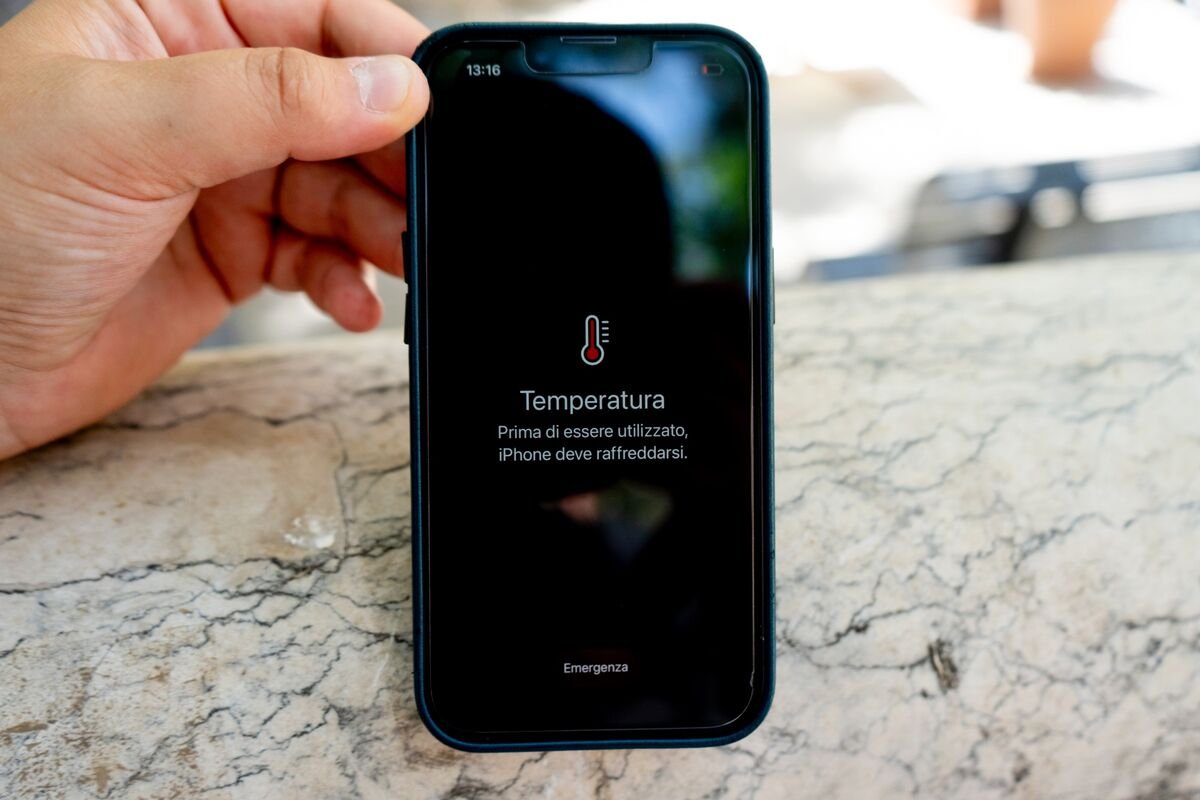

Extreme summer heatwaves in India can damage smartphones and cause unexpected data loss. High temperatures affect battery performance, internal components, and storage stability. Taking a few practical precautions can help protect both your phone hardware and important personal data during intense summer conditions.
Why Heatwaves Can Damage Smartphones and Data
Protecting your phone and data during heatwaves in India has become increasingly important as summer temperatures regularly cross 40 degrees Celsius in many regions. Smartphones are designed to operate within a specific temperature range, usually between 0 and 35 degrees Celsius.
When temperatures rise beyond this range, internal components such as lithium ion batteries, processors, and display panels may begin to malfunction. Excess heat can cause phones to slow down, automatically shut off, or display overheating warnings.
Data storage can also be affected if the phone repeatedly overheats. While modern devices include thermal protection systems, prolonged exposure to heat can reduce battery lifespan and increase the risk of hardware failure.
Heatwaves in cities such as Nagpur, Delhi, Jaipur, and Hyderabad often create conditions where phones left inside vehicles or under direct sunlight can reach extremely high temperatures within minutes.
Avoid Direct Sunlight and High Temperature Environments
One of the simplest ways to protect your smartphone during heatwaves is to avoid leaving it in hot environments. Phones should never be kept inside parked vehicles, especially during peak afternoon hours.
Temperatures inside closed cars can exceed 60 degrees Celsius during summer. This level of heat can permanently damage batteries and even cause screen discoloration.
Users should also avoid placing phones on surfaces exposed to direct sunlight such as car dashboards, window ledges, or outdoor tables. Keeping the phone inside a bag or shaded area helps maintain safer operating temperatures.
When outdoors, try to store the device in pockets or compartments that are shielded from direct sunlight.
Manage Battery Usage During High Temperatures
Battery management becomes crucial when trying to prevent smartphone overheating in summer. Charging a phone while it is already exposed to high ambient temperatures can generate additional heat.
To reduce risk, avoid using fast charging when the phone feels warm. Standard charging modes generate less heat and help maintain battery health.
Heavy applications such as gaming, video recording, and navigation apps can also increase processor workload and raise internal temperatures. During extreme heat conditions, limiting these activities can help prevent overheating.
Turning off unused background apps and lowering screen brightness can also reduce heat generation inside the device.
Use Protective Cases Carefully in Summer
Many smartphone users rely on thick protective cases to prevent damage from drops. However, some cases can trap heat and restrict ventilation around the phone.
During peak summer months, it may be helpful to remove heavy rubber or leather cases while charging or during long periods of use. This allows the phone to dissipate heat more efficiently.
Slim cases made from materials that allow better airflow can reduce heat buildup. If the device shows overheating warnings, removing the case temporarily can help cool it down faster.
Users should also avoid placing phones under pillows, blankets, or other insulating materials while charging.
Backup Important Data Regularly
Protecting phone data during heatwaves is just as important as protecting the device itself. Sudden overheating can sometimes lead to system crashes or unexpected shutdowns.
Regular data backups ensure that personal files, photos, and contacts remain safe even if the phone experiences hardware issues. Most smartphones offer automatic cloud backup options that sync data to secure online storage.
Users can also store copies of important files on laptops, external drives, or secure cloud services. Enabling automatic photo backup is particularly useful because images and videos often occupy the largest amount of storage.
Backing up data weekly during summer months provides an additional layer of protection against unexpected device failures.
Recognizing Early Signs of Phone Overheating
Smartphones usually provide warning signals before serious overheating occurs. Recognizing these signs early can help prevent permanent damage.
Common warning signs include slow performance, screen dimming, battery draining unusually fast, or the device displaying temperature alerts.
If a phone becomes excessively hot, it should be turned off temporarily and placed in a cool environment. However, users should never attempt to cool phones rapidly using refrigerators or freezers. Sudden temperature changes can create internal condensation and damage electronic components.
Allowing the device to cool naturally in a shaded, ventilated space is the safest method.
Takeaways
Extreme heat can damage smartphone batteries, processors, and internal components
Avoid leaving phones in cars or direct sunlight during summer heatwaves
Managing battery usage and limiting heavy apps helps prevent overheating
Regular cloud backups protect important data from unexpected device failures
FAQs
Can high temperatures permanently damage smartphones?
Yes. Prolonged exposure to high heat can degrade battery performance, affect internal circuits, and reduce overall device lifespan.
Is it safe to charge phones during extreme summer heat?
Charging is safe in normal conditions, but avoid fast charging if the device already feels hot. Charging in a cool environment helps prevent overheating.
Why does my phone automatically shut down in hot weather?
Most smartphones include thermal protection systems that shut down the device when internal temperatures exceed safe limits.
What is the safest way to cool an overheated phone?
Turn the phone off and place it in a shaded area with normal room temperature. Avoid rapid cooling methods such as refrigerators or ice packs.