
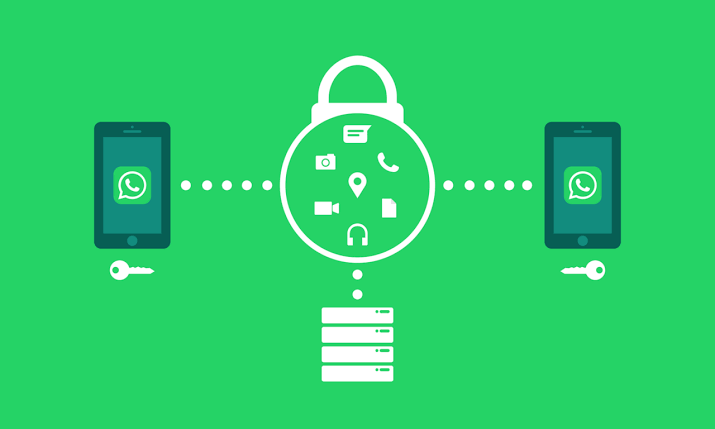

WhatsApp scams can target anyone, from students and working professionals to senior citizens and small business owners. Suspicious links, fake customer support messages and requests for verification codes can put personal information and money at risk. Simple security settings and careful checking can help users protect their accounts.
Why WhatsApp Users Need to Be Careful About Scams
WhatsApp is widely used in India for personal conversations, office communication, payments-related discussions and business transactions. This makes it a convenient channel for scammers who try to gain people’s trust through familiar names, urgent messages and attractive offers.
A message may appear to come from a friend, relative, delivery company or financial service. However, the sender’s identity may be misleading, or a genuine contact’s account may have been compromised.
Scammers often try to make recipients act quickly. They may claim that an account will be blocked, a parcel cannot be delivered, a prize is waiting or an urgent payment is required. Their aim may be to steal login credentials, obtain sensitive information, install malicious software or persuade someone to transfer money.
WhatsApp provides security features such as two-step verification, account reporting and suspicious-link warnings. The company also advises users to be cautious about unexpected requests and protect their account credentials.
How to Identify Suspicious WhatsApp Links
One of the simplest ways to reduce the risk of a WhatsApp scam is to examine links before opening them. A link can look legitimate while directing users to a different website.
WhatsApp warns that suspicious links may contain unusual combinations of characters designed to imitate familiar website addresses. For example, a scammer may use a character that resembles a letter in an official brand name.
Watch for these warning signs:
- A message asks you to claim a prize, gift or reward you were not expecting.
- The sender demands immediate action to avoid account suspension or another supposed penalty.
- A website address contains misspellings, unfamiliar characters or an unexpected domain.
- The message asks for your OTP, account password, UPI PIN or other confidential information.
- An unknown sender shares an attachment and urges you to download it immediately.
- The message contains unusual grammar, strange formatting or an offer that seems too good to be true.
These signs do not prove that every message is fraudulent, but they are reasons to pause and verify the claim.
If a link looks suspicious, do not open it simply to find out where it leads. Contact the organisation through its official website or a verified contact number instead.
How to Enable WhatsApp Two-Step Verification
Two-step verification adds another layer of protection to your WhatsApp account. It helps prevent unauthorised access by requiring an additional credential during account verification.
WhatsApp announced stronger account security features on 25 August 2026, including an upgraded two-step verification password. Feature availability and the exact settings may vary as updates roll out.
To review your account security settings:
- Open WhatsApp on your phone.
- Go to Settings. On some Android devices, you may need to tap the three-dot menu first.
- Select Account and look for Two-step verification.
- Follow the instructions to set up the available security credential.
- If offered, add a recovery email address that you control.
Keep your password or PIN private. Never share verification codes with another person, even if they claim to be a WhatsApp employee or someone from customer support.
If your account offers passkey support, you can also review the option under Settings, Account and Passkeys. A passkey uses your device’s supported authentication method, such as a fingerprint, face recognition or screen
Check Linked Devices and Remove Unfamiliar Sessions
WhatsApp allows users to connect their accounts to computers and other devices. This is useful for work, but an unfamiliar linked session could indicate that someone has gained access.
To check your linked devices:
- Open WhatsApp on your primary phone.
- Go to Settings or the three-dot menu.
- Select Linked Devices.
- Review the list of connected devices and their activity details.
- Log out any device you do not recognise or no longer use.
Do not approve a device-linking request unless you initiated it and understand what it will connect. Scammers may try to persuade users to scan a QR code or enter a linking code under false pretences.
If you discover an unfamiliar device, remove it immediately. Then review your account security settings and warn your contacts if you suspect someone has accessed your account.
The Indian government’s cybercrime advisories also recommend reviewing linked devices regularly and logging out of sessions that are no longer in use.
Common WhatsApp Scams to Watch Out For in India
Scammers often use familiar situations to make fraudulent messages appear believable. Recognising common patterns can help users avoid being pressured into sharing information or transferring money.
Fake job offers and work-from-home schemes
A message may promise high earnings for completing simple online tasks, liking videos or writing reviews. The sender may later demand a deposit or payment to unlock supposed earnings.
Verify the employer independently before sharing personal documents or paying any fee. Do not assume that an offer is genuine simply because it arrives through WhatsApp.
Impersonation of friends and relatives
A scammer may pretend to be a family member or friend who urgently needs money. The message may claim that the person has lost a phone, is stranded or cannot access a bank account.
Before transferring money, call the person on a number you already know. Do not rely solely on the number or account that sent the request.
Fake bank, delivery and customer support messages
Fraudulent messages may claim that a bank account needs verification, a parcel is being held or a payment has failed. The sender may direct you to a website that asks for personal details, OTPs or banking credentials.
Check the information through the organisation’s official app, website or customer service number. Never provide your UPI PIN or banking password to resolve a supposed account issue.
Fake investment and prize schemes
Messages promising guaranteed investment returns, lottery winnings or exclusive rewards can be designed to obtain money or personal information. Be especially cautious when an offer requires an advance payment or promises unusually high returns without risk.
Do not transfer money based on a message alone. Check whether the organisation is genuine and whether the offer can be independently verified.
What to Do If You Accidentally Click a Suspicious Link
Clicking a suspicious link does not automatically mean your WhatsApp account or phone has been compromised. The risk depends on what happened next, including whether you entered information, downloaded a file, installed an application or approved a device connection.
Take these steps if you suspect a problem:
- Close the suspicious webpage and do not enter any additional information.
- If you entered a password or other credentials, change them through the official service and secure any affected accounts.
- If you downloaded a file or installed an unfamiliar application, avoid opening it again. Remove suspicious applications and use your device’s security tools to check for potential threats.
- Check WhatsApp’s Linked Devices section and log out unfamiliar sessions.
- If you shared an OTP or suspect account takeover, follow WhatsApp’s official account recovery instructions.
- If money was transferred or unauthorised financial activity occurred, contact your bank immediately and report the incident.
In India, victims of financial cyber fraud can call the national cybercrime helpline at 1930 and report the incident through https://www.cybercrime.gov.in/. Prompt reporting may help authorities and financial institutions take action.
The National Cyber Crime Reporting Portal also provides a facility to report suspected identifiers, including suspicious WhatsApp numbers and website URLs. Users can submit relevant information through its official reporting services.
How to Block and Report Suspicious WhatsApp Accounts
If an unknown account sends repeated suspicious messages, requests confidential information or attempts to deceive you, use WhatsApp’s built-in safety controls.
Open the relevant conversation, tap the contact or chat information and look for the Report and Block options. The exact menu placement may differ between devices and application versions.
Reporting helps WhatsApp review potentially abusive or fraudulent accounts, while blocking prevents further messages and calls from that account.
If the suspicious message comes from someone you know, verify their identity through another communication channel before taking action. Their account may have been compromised.
You should also warn family members or colleagues if the scammer is using your name or account to contact others. A short warning can prevent someone else from clicking a malicious link or transferring money.
Key Takeaways
- Never open suspicious WhatsApp links or share OTPs, passwords, UPI PINs or account credentials.
- Enable two-step verification, use available passkey protection and review linked devices regularly.
- Verify urgent money requests and official-looking messages through independent, trusted channels.
- Report financial cyber fraud promptly by calling 1930 and using the official National Cyber Crime Reporting Portal.
Frequently Asked Questions
1. Can someone hack my WhatsApp account just by sending me a message?
Receiving a message alone does not mean your account has been hacked. However, clicking a malicious link, sharing a verification code or approving an unauthorised device connection can expose you to risks.
2. What should I do if someone asks for my WhatsApp OTP?
Do not share it. A verification code can help someone register your number on another device. If you have already shared it, immediately review your account security and follow WhatsApp’s recovery instructions.
3. How can I check whether someone else is using my WhatsApp account?
Open WhatsApp and review the Linked Devices section. Log out unfamiliar sessions. If you lose access to your account, follow the official account recovery process.
4. Where can I report WhatsApp scams in India?
For financial cyber fraud, call 1930 and report the incident at https://www.cybercrime.gov.in/. You can also report suspicious WhatsApp accounts or messages through WhatsApp’s in-app reporting tools.