
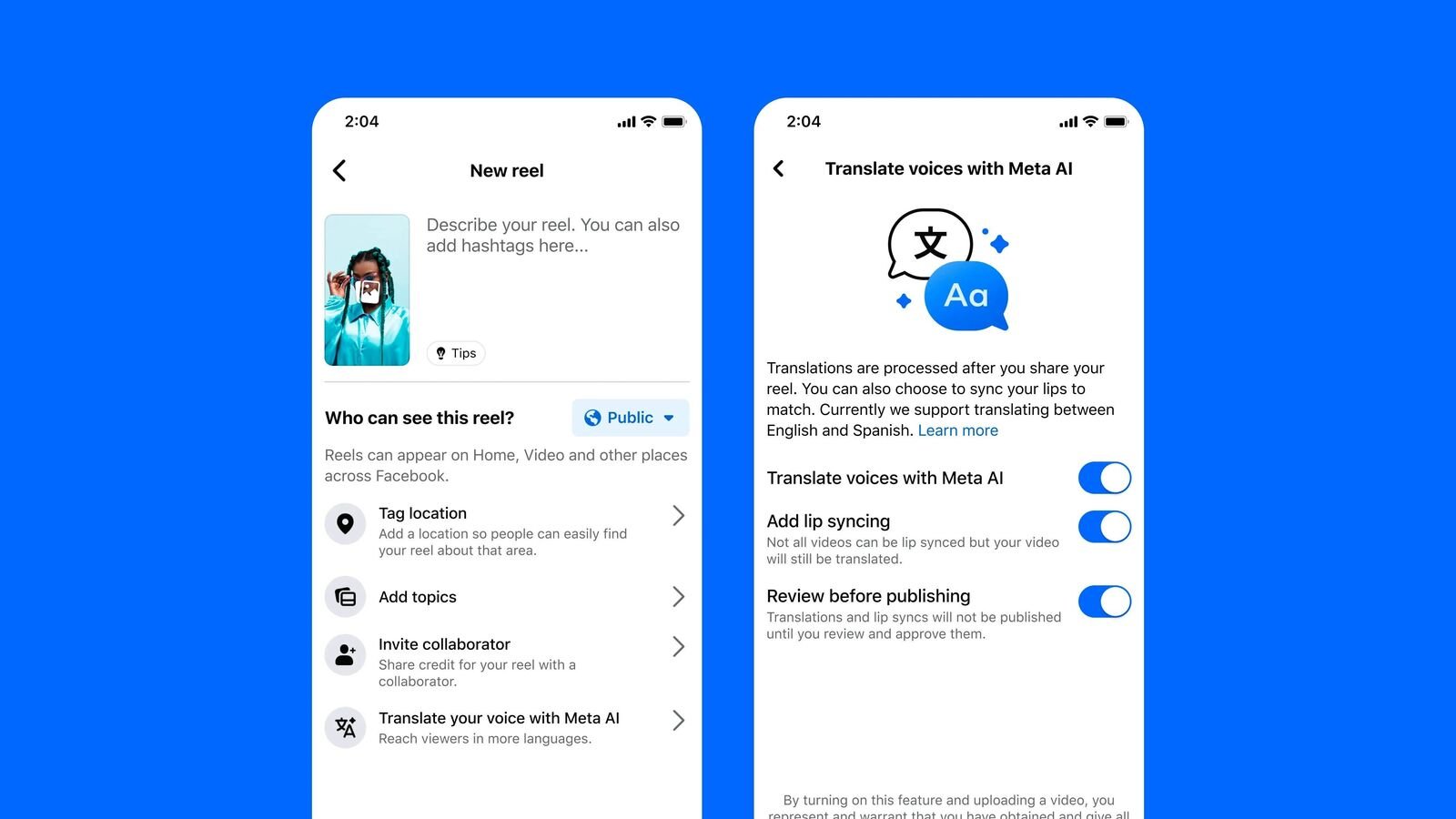

Setting up Meta AI Reel Translation in Indian languages allows creators and businesses to reach wider audiences on Instagram and Facebook without re editing content. This tutorial explains how to enable the feature, choose languages, avoid common errors, and use it strategically for growth.
Meta AI Reel Translation is an evergreen feature rollout with ongoing expansion. The intent is informational and practical. The tone here is educational, focused on correct setup and real world usage rather than promotion.
What Meta AI Reel Translation Does and Why It Matters
Meta AI Reel Translation automatically translates spoken audio in Reels into selected languages using subtitles and, in some cases, voice dubbing. For Indian creators, this matters because language remains the biggest reach limiter. A Hindi Reel may not perform well in Tamil or Bengali speaking regions unless translated. This tool removes the need for manual subtitles or multiple uploads. It is especially useful for Tier 2 and Tier 3 creators who want regional expansion without higher production costs. The translation works best with clear speech and standard accents, and performance improves as Meta updates language models.
Eligibility and Account Requirements Before Setup
Not all accounts see the feature immediately. Meta rolls out AI Reel Translation in phases. To increase eligibility, ensure your Instagram or Facebook app is updated to the latest version. Your account should be in good standing with no policy violations. Creator and business accounts typically receive features earlier, but personal accounts may also get access. Region settings should be set to India, and your primary language should be correctly configured. If the feature is not visible, it usually means rollout has not reached your account yet rather than a setup error.
Step by Step Setup on Instagram Reels
Start by opening the Instagram app and navigating to Settings. Go to Account and then Language preferences. Ensure your primary language is correctly selected. When uploading a Reel, record or upload your video with clear spoken audio. After uploading, Instagram processes the Reel automatically. If AI translation is enabled for your account, a Translate option appears on the Reel for viewers. Creators do not manually select languages at upload stage yet. Meta decides language availability based on audience and supported languages. Always review the Reel after posting to ensure subtitles appear correctly.
Step by Step Setup on Facebook Reels
On Facebook, the setup follows a similar logic but with fewer manual controls. Ensure your Facebook app is updated. Go to Settings and check Language and Region settings. Upload a Reel with spoken content. Facebook automatically detects speech and applies translation options where available. Viewers can tap to translate captions or audio into their preferred language. Pages and professional profiles tend to receive this feature earlier than personal profiles. Consistency in posting Reels improves feature activation over time.
Choosing the Right Indian Languages Strategically
Meta AI currently supports several Indian languages, but coverage varies. Hindi usually appears first, followed by languages like Tamil, Telugu, Bengali, Marathi, and Kannada. Creators should focus on one clear base language per Reel. Mixing languages in a single video reduces translation accuracy. For example, a Hinglish Reel may produce incomplete subtitles. If your audience is regional, speak clearly in that language. For national reach, Hindi with neutral phrasing performs best initially, followed by regional expansion as translations activate.
Improving Translation Accuracy and Viewer Experience
Translation quality depends heavily on audio clarity. Avoid background music overpowering speech. Speak at a moderate pace and avoid slang heavy sentences. Simple sentence structures translate better. Adding on screen text that matches spoken content improves comprehension even if translation is imperfect. Always watch your Reel after posting and check how subtitles appear in different languages if available. If errors repeat, adjust speech patterns in future videos rather than deleting the post.
Common Issues and How to Fix Them
One common issue is missing translation options. This usually resolves on its own as Meta updates availability. Another issue is incorrect word translation, especially with brand names or local terms. In such cases, adding the term as on screen text helps viewers understand context. If subtitles lag or cut off, it often means the audio was unclear or overlapped with music. Re recording with cleaner audio solves this. Do not repost the same Reel repeatedly, as this does not speed up feature activation.
Using AI Translation for Growth and Monetization
AI Reel Translation increases watch time by reducing language friction. Higher watch time improves algorithmic distribution. For small businesses and creators, this means better discovery across states. Educational content, explainers, and how to videos benefit most. Monetization improves indirectly through higher reach and engagement rather than direct payouts. Brands looking for regional campaigns increasingly prefer creators whose content travels across languages without extra effort.
Takeaways
- Meta AI Reel Translation helps Indian creators reach multilingual audiences automatically
- Clear audio and single language speech improve translation accuracy
- Feature availability depends on rollout and account settings, not user error
- Strategic language use increases reach across Tier 2 and Tier 3 regions
FAQs
Can I manually select translation languages for my Reels?
Currently, creators cannot manually choose languages. Meta enables translations automatically based on supported languages and audience.
Does AI translation work for mixed language speech?
It works best with one primary language. Mixed language speech may result in partial or inaccurate subtitles.
Is the feature available on both Instagram and Facebook?
Yes, but rollout timing and controls may differ slightly between the two platforms.
Does using AI translation affect Reel performance?
It generally improves watch time and reach by making content accessible to more viewers.