

Short summary
Google Photos has introduced the Me Meme feature on Android and iOS, allowing users to turn their own photos into shareable meme style images using AI. This guide explains what the feature does, how it works, and how to use it step by step without confusion.
Understanding the intent and nature of the topic
This is a time sensitive informational topic. The Me Meme feature is a newly introduced capability inside Google Photos and is currently rolling out in phases. The tone below follows a practical, news informed style with clear usage instructions and limitations based on current availability.
What is the Google Photos Me Meme feature
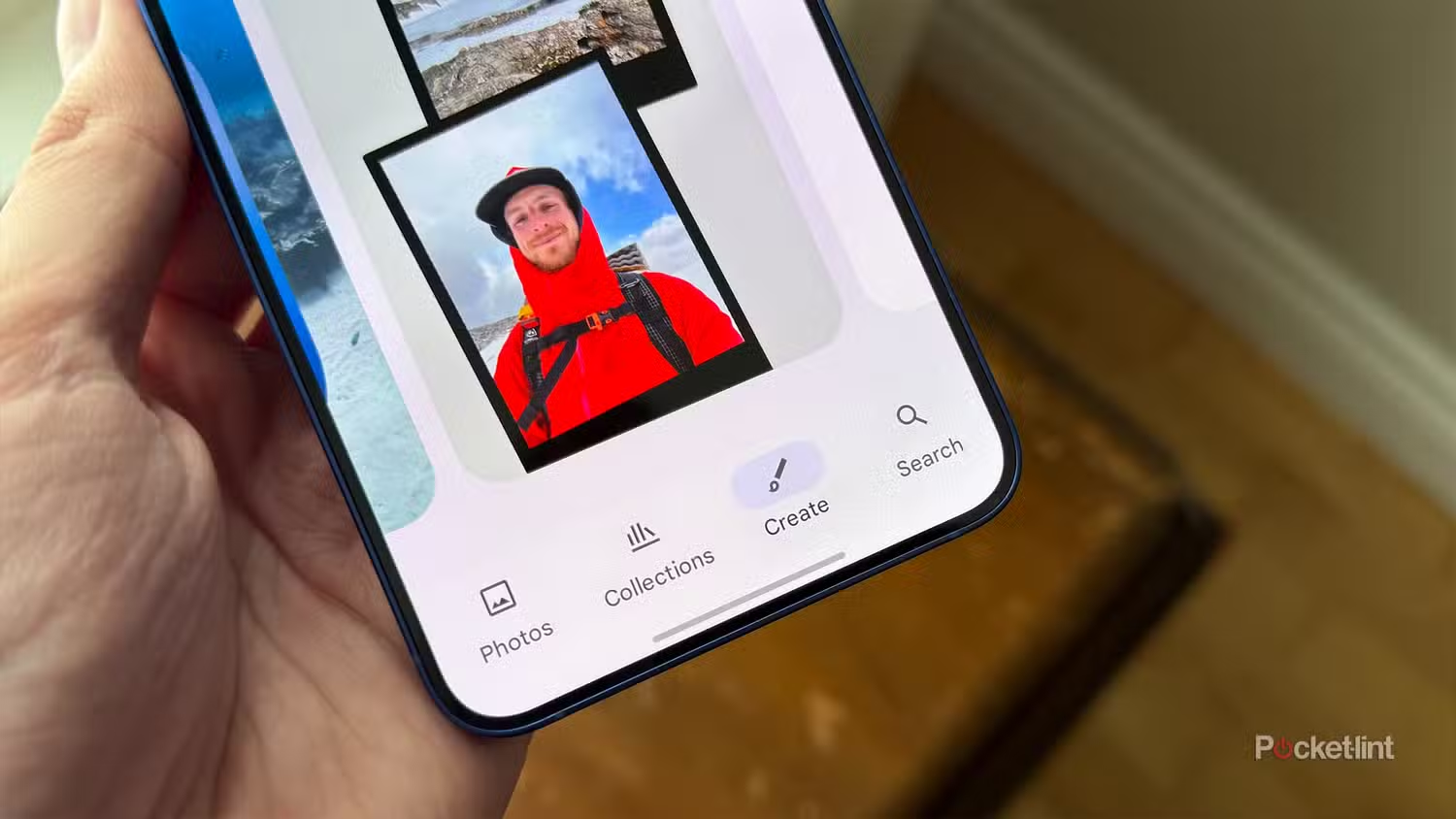
The Google Photos Me Meme feature is an AI powered tool that creates meme style images using your own face and expressions from your photo library. Instead of adding text captions manually, the feature focuses on visual reactions, facial expressions, and moods. The system automatically selects suitable images of you and applies meme like visual framing designed for quick sharing.
The feature is built into the Google Photos app and does not require downloading a separate app. It works on both Android and iOS, provided the app is updated and the feature is enabled for your account. The intent is to make personal reactions more expressive without needing external meme editors.
This feature relies on facial recognition and image clustering already used by Google Photos. If the app can consistently recognise you in photos, Me Meme works more accurately.
Availability and eligibility requirements
Before trying to use Me Meme, users need to confirm a few basics. The feature is part of a gradual rollout, so not all accounts will see it immediately. It requires the latest version of Google Photos and an active Google account with face grouping turned on.
The feature appears only if Google Photos has identified a sufficient number of clear images of you. Users with limited selfies or blurred photos may not see the option. Regional rollout differences may also apply, meaning some users in India may receive it later than others.
This is not a paid feature. It is included in the standard Google Photos experience.
Step by step guide to using Me Meme on Android
Open the Google Photos app on your Android phone and ensure it is updated to the latest version. From the bottom menu, go to the Search tab. Look for a section related to creations, memes, or experimental features. If Me Meme is available, it will appear as a card or shortcut.
Tap on the Me Meme option. The app will prompt you to confirm your face group if not already set. Once confirmed, Google Photos automatically scans your library and selects photos where your face is clearly visible.
You will then see a set of meme style frames generated using your photos. Scroll through the options and tap on any image to preview it. You can save the image to your library or share it directly to messaging or social media apps.
No manual editing is required. The feature focuses on quick generation rather than customization.
Step by step guide to using Me Meme on iOS
On iPhone, the process is similar but the interface may appear slightly different. Open Google Photos and tap on the Search tab. If the Me Meme feature is enabled for your account, it will be visible under suggestions or creations.
Select Me Meme and allow access if prompted. Google Photos will again use face recognition to identify your images. The generated memes appear as a scrollable list.
Tap any image to view it in full screen. From there, you can save it, share it, or delete it. iOS users may see a slight delay in generation compared to Android, depending on device performance and background processing permissions.
The feature does not modify your original photos. It creates separate meme outputs.
How Google Photos selects images for memes
The AI behind Me Meme prioritises images with clear facial expressions, good lighting, and frontal angles. Photos where your face is partially hidden, blurred, or distant are usually ignored. Group photos may be used if your face is prominent.
The system also attempts to diversify expressions, such as smiling, surprised, or neutral looks. This helps produce reaction style images suitable for everyday messaging. Over time, as more photos are added, the quality and variety of memes improve automatically.
Users cannot manually choose specific photos yet. Selection is fully automated.
Privacy, control, and limitations
Google Photos processes Me Meme images within the app ecosystem. The feature uses the same face recognition data already present in your library. Users can turn off face grouping at any time, which disables Me Meme.
The memes are visible only to you unless you choose to share them. There is no public discovery or social feed attached to this feature.
Limitations include lack of text overlays, no manual editing, and limited control over which photos are used. This keeps the experience simple but may feel restrictive for advanced users.
When Me Meme is useful and when it is not
Me Meme works best for casual sharing, quick reactions, and personal chats. It is not designed for branded content, professional memes, or heavy customization. Users looking for caption based memes will still need external tools.
For everyday users, especially Gen Z and casual social media users, the feature reduces effort and makes personal content more expressive with minimal steps.
Takeaways
Me Meme is a built in AI feature inside Google Photos, not a separate app
It automatically generates meme style images using your own facial expressions
Availability depends on app updates, face recognition, and rollout stage
The feature focuses on speed and simplicity, not manual customization
FAQs
Why do I not see the Me Meme feature yet
The feature is rolling out gradually and requires updated Google Photos and active face grouping. Some accounts may receive it later.
Does Me Meme edit or change my original photos
No. It creates separate meme images and keeps original photos unchanged.
Can I choose which photo is used for a meme
Currently no. Image selection is fully automated based on facial recognition and clarity.
Is the Me Meme feature available offline
No. Initial generation requires internet access as images are processed through Google Photos services.