
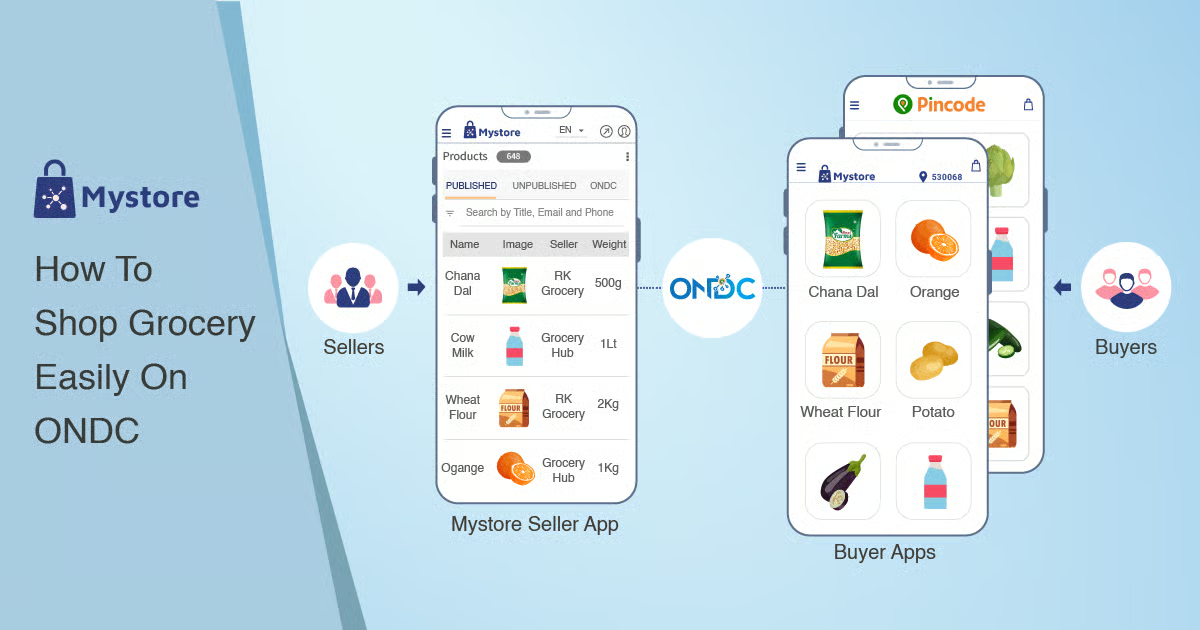

Using ONDC apps to order groceries is becoming increasingly popular in Tier-2 cities as more local sellers come online. This guide explains how to access ONDC platforms, place orders, and make the most of competitive pricing and delivery options.
The process to use ONDC apps for grocery orders is simple but different from traditional apps like Swiggy or Zomato. ONDC operates as an open network where multiple buyer apps connect you to various sellers, giving more choice and often better pricing.
What Is ONDC and How It Works for Grocery Delivery
ONDC grocery ordering works through a decentralized model where you use a buyer app to access multiple sellers instead of relying on a single platform. This means you can compare prices, delivery times, and product availability from different local vendors in your city.
In Tier-2 cities like Nagpur, Indore, and Surat, ONDC is helping small grocery stores compete with large platforms. Local kirana stores and regional chains are joining the network, offering fresh products with faster delivery in nearby areas.
Unlike traditional apps, ONDC does not control pricing or inventory. Each seller lists their own products, which increases transparency and competition.
Choosing the Right ONDC Buyer Apps in India
To start using ONDC, you need to download a supported buyer app. Popular ONDC apps include Paytm, PhonePe, and other partner platforms that have integrated ONDC services.
After installing the app, update it to the latest version to ensure ONDC features are available. Look for sections like “ONDC Shopping” or “Local Stores” within the app.
Different apps may show different sellers, so users often compare across apps to get better deals. This flexibility is one of ONDC’s biggest advantages.
Step by Step Guide to Order Groceries on ONDC
First, open your preferred ONDC-enabled app and enter your delivery location. This helps the system show nearby sellers available in your area.
Next, browse the grocery category or search for specific items like rice, vegetables, or packaged goods. You will see listings from multiple sellers with prices and delivery timelines.
Add items to your cart after comparing options. Some sellers may offer lower prices while others provide faster delivery. Choose based on your priority.
Proceed to checkout and select your payment method. Most apps support UPI, wallets, and cards. After placing the order, you will receive confirmation and tracking details.
Delivery is usually handled by logistics partners connected to the network, and timelines may vary depending on seller location.
Benefits of Using ONDC for Grocery Shopping
One of the biggest benefits of ONDC grocery apps is competitive pricing. Since multiple sellers compete, users often find better deals compared to traditional platforms.
Another advantage is access to local stores. This supports small businesses while ensuring fresher products, especially for fruits and vegetables.
ONDC also reduces dependency on a single app. Users can switch between buyer apps and still access the same network of sellers.
In Tier-2 cities, where large platforms may have limited coverage, ONDC expands options significantly.
Common Challenges and How to Handle Them
Despite its advantages, ONDC is still evolving. Users may face inconsistent user interfaces across apps, which can make navigation slightly confusing.
Delivery times can vary since logistics depend on individual sellers and partners. It is important to check estimated delivery before placing orders.
Product quality may differ between sellers. Checking ratings, reviews, and seller details helps reduce risks.
If an order issue occurs, resolution depends on the buyer app and seller coordination. Always use apps with reliable customer support.
Tips to Get the Best Deals on ONDC Grocery Orders
To maximize savings, compare prices across at least two ONDC apps before placing an order. Differences can be noticeable for the same product.
Look for promotional offers or cashback deals provided by the buyer app. These are often available during initial rollout phases in new cities.
Ordering from nearby sellers can reduce delivery time and sometimes lower costs. Building a list of reliable sellers improves future shopping experience.
Using digital payment methods like UPI may also unlock additional discounts on certain apps.
Takeaways
• ONDC allows you to order groceries from multiple local sellers through one app
• Compare prices and delivery times before placing an order
• Tier-2 cities benefit from increased access to local stores and better deals
• Choose reliable buyer apps and sellers for a smoother experience
FAQs
Q1: Which apps support ONDC grocery ordering?
Apps like Paytm and PhonePe currently offer ONDC-based shopping features.
Q2: Is ONDC available in all Tier-2 cities?
It is expanding rapidly, but availability depends on local seller participation.
Q3: Are prices cheaper on ONDC compared to other apps?
Often yes, due to direct competition between multiple sellers.
Q4: Who handles delivery in ONDC orders?
Delivery is managed by logistics partners integrated into the network.