
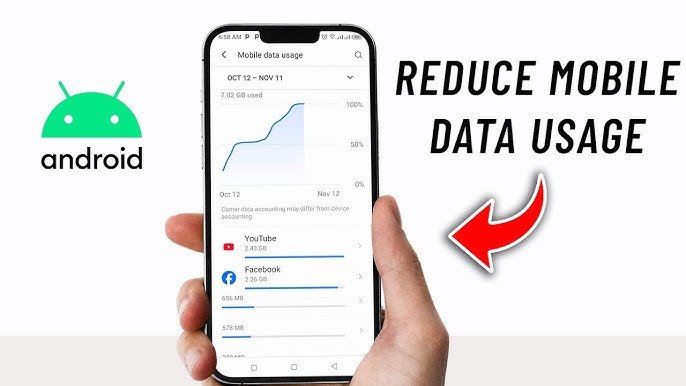

Mobile data saving tips in India have become essential in 2026 as telecom costs continue to rise and data consumption increases across apps. With smarter usage habits and simple settings, users can significantly reduce daily data usage without compromising on essential activities.
Mobile data saving tips India are now widely searched as users face higher recharge costs and increased dependency on streaming, social media, and online services. For users in Tier-2 and Tier-3 cities, optimizing data usage is becoming a practical necessity rather than a choice.
Why Mobile Data Consumption Is Increasing in India
The surge in mobile data usage is linked to video-first platforms, auto-play features, and background app activity. Apps like Instagram, YouTube, and OTT platforms consume large amounts of data even with moderate use.
In addition, many apps run background processes such as auto updates, sync, and notifications. These features consume data silently, often without the user realizing it.
With telecom operators adjusting pricing structures and reducing bundled benefits in some plans, users are now more conscious about how quickly their daily data limit gets exhausted.
Turn Off Background Data for Unnecessary Apps
One of the most effective mobile data saving tips India users can implement is restricting background data usage. Many apps continue to consume data even when not actively used.
Go to your phone settings and disable background data for apps that do not require real time updates. For example, shopping apps, games, and rarely used platforms can function normally without constant data access.
This step alone can reduce daily data consumption significantly, especially for users who install multiple apps over time.
Optimize Video Streaming Quality Across Platforms
Video streaming is the biggest contributor to data usage. Watching videos in high resolution can quickly consume your entire daily data limit.
Most apps allow users to adjust streaming quality manually. Switching from high definition to standard definition can reduce data consumption by more than half.
For example, watching a video in 480p instead of 1080p uses significantly less data while still maintaining acceptable clarity on mobile screens. This is especially useful for users who stream content daily.
Use Offline Features and Downloads Smartly
Offline features are underutilized but highly effective for saving mobile data. Many platforms allow users to download content over WiFi and watch it later without using mobile data.
Apps like YouTube, Spotify, and OTT platforms offer download options for videos, music, and shows. Scheduling downloads while connected to WiFi can help avoid unnecessary data usage during the day.
This approach works well for regular commuters or users with limited daily data plans.
Disable Auto Updates and Sync Settings
Automatic updates and sync features can consume data without direct user action. App updates, cloud backups, and email sync often run in the background.
Switch app updates to WiFi only mode in your app store settings. Similarly, limit auto sync for apps like Google Photos or cloud storage unless necessary.
Manual control over these features ensures that data is used only when required.
Use Lite Apps and Data Saver Modes
Many popular apps offer lite versions designed for lower data consumption. These apps use less bandwidth and are optimized for slower networks.
Examples include Facebook Lite, YouTube Lite alternatives, and browser based versions of apps. In addition, most smartphones now include a built in data saver mode that restricts background usage and compresses data.
Enabling these options can help extend daily data limits without affecting essential usage.
Track Daily Data Usage for Better Control
Awareness is a key part of data saving. Most smartphones provide detailed insights into which apps consume the most data.
Regularly checking data usage helps identify patterns and unnecessary consumption. For example, if one app is using a disproportionate amount of data, it can be restricted or replaced.
Setting daily data limits and alerts can also prevent overuse and help users stay within their plan limits.
Takeaways
Background data restriction can significantly reduce daily data consumption
Lowering video quality is one of the fastest ways to save mobile data
Offline downloads help avoid unnecessary usage during active hours
Tracking data usage improves long term control and efficiency
FAQs
How can I reduce mobile data usage quickly?
Turn off background data, reduce video quality, and enable data saver mode for immediate results.
Do lite apps really save data?
Yes, lite apps are designed to use less bandwidth and are effective for daily usage.
Is it better to use WiFi for updates and downloads?
Yes, using WiFi for heavy tasks like updates and downloads helps conserve mobile data.
How much data can I save daily with these tips?
Depending on usage, users can save 30 to 60 percent of their daily data consumption.