
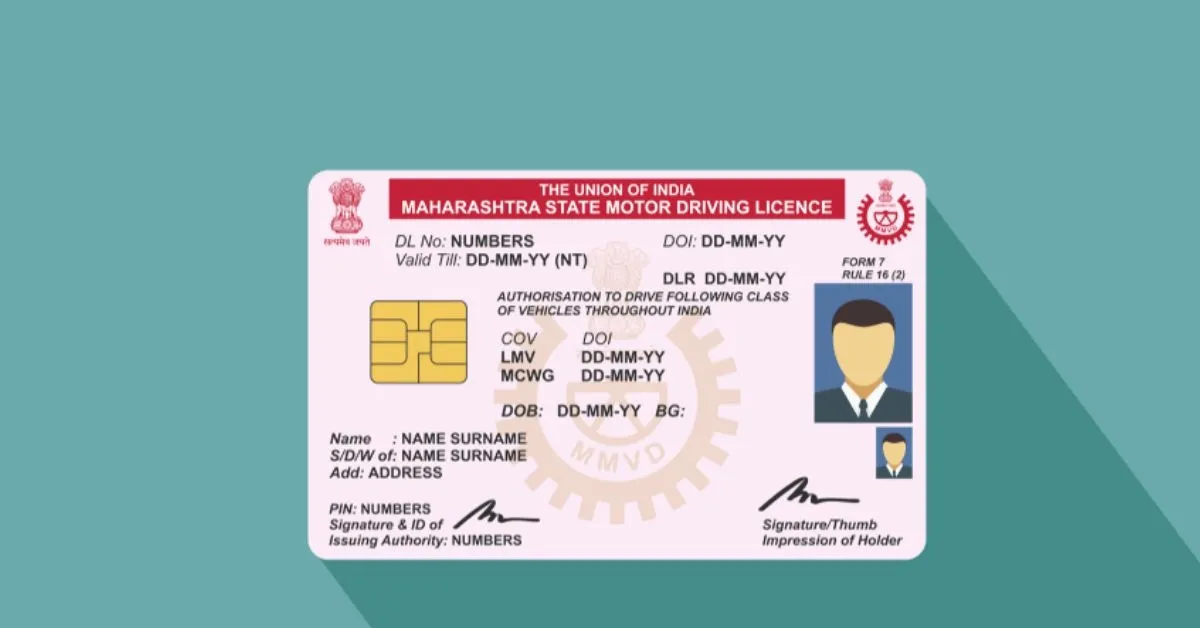

Downloading and securely storing a digital driving licence has become easier with India’s official government platforms. This guide explains the safest methods to access, verify, and use your digital driving licence in 2026 while protecting your personal information from fraud and cyber threats.
The topic is evergreen with references to current government digital services available in 2026. Therefore, this article follows an educational and practical style rather than a breaking news format.
A digital driving licence is now widely accepted across India, making it easier for motorists to carry valid documents without worrying about physical copies. Thanks to government-backed digital platforms, drivers can securely access their licences on smartphones whenever required by traffic authorities. However, with rising cyber frauds, fake apps, and phishing attempts, knowing how to download and safely store your digital driving licence is just as important as obtaining it.
Download Your Digital Driving Licence Through Official Government Platforms
The safest way to download a digital driving licence is by using official government services. Citizens should avoid third-party websites or mobile applications that ask for unnecessary personal information or payment.
The two official methods are:
- DigiLocker
- mParivahan
Both platforms are recognised by the Government of India and provide legally valid digital copies of driving licences issued by state transport departments.
To access your licence:
- Install the official DigiLocker or mParivahan application from the Google Play Store or Apple App Store.
- Sign in using your registered mobile number.
- Complete OTP verification.
- Link your driving licence using the required details such as the licence number and date of birth.
- Once verified, the digital licence will automatically appear inside your account.
Always verify that the publisher of the application is the Government of India before downloading.
Verify That Your Digital Licence Is Genuine
One of the biggest mistakes users make is downloading screenshots or PDF copies from unofficial websites. These documents may not be considered authentic.
A genuine digital driving licence should include:
- Your full name
- Driving licence number
- Date of issue
- Vehicle categories
- Issuing transport authority
- QR code or digital verification feature
Traffic police across India increasingly verify documents digitally rather than relying only on printed copies. Keeping the licence inside the official app ensures that the latest information remains available whenever required.
If your licence details appear incorrect, contact your Regional Transport Office (RTO) instead of editing or modifying any document yourself.
Store Your Digital Driving Licence Securely
Downloading the licence is only the first step. Protecting it is equally important.
Use these safety practices:
- Enable fingerprint or Face ID lock on your smartphone.
- Secure your DigiLocker account with a strong password.
- Never share OTPs received during login.
- Avoid storing licence screenshots inside public cloud folders.
- Keep your phone’s operating system updated.
- Activate Find My Device or similar tracking services.
Many cybercriminals attempt to steal government document credentials through fake SMS messages or WhatsApp links claiming account verification is required. Government agencies generally do not ask users to verify licences through unofficial links.
Backing up your phone is useful, but ensure backups are encrypted and linked only to trusted accounts.
Can You Show a Digital Driving Licence During Traffic Checks?
Yes. Under current Indian regulations, documents presented through officially recognised digital platforms are generally accepted during traffic inspections.
Traffic officers can verify:
- Driving licence validity
- QR code authentication
- Digital signature
- Government-issued document details
This reduces the need to carry physical documents every day. However, drivers should ensure that their phones have sufficient battery during travel. Some people also keep a printed copy at home for additional convenience, although the official digital version remains the primary document on supported platforms.
Never present edited screenshots or downloaded images instead of the official digital record.
Common Mistakes Drivers Should Avoid
Many people unknowingly compromise their digital identity while trying to access government services.
Avoid these mistakes:
- Downloading unofficial driving licence apps.
- Saving passwords inside notes applications.
- Sharing licence images publicly on social media.
- Clicking fake renewal or verification messages.
- Logging into DigiLocker using public Wi-Fi without protection.
- Ignoring security updates on smartphones.
If you ever suspect that your account has been compromised, immediately change your password, revoke suspicious sessions, and report the issue through the official platform.
Digital convenience should always be matched with responsible digital security habits.
Why Digital Driving Licences Are Becoming More Important
India’s digital governance initiatives continue to reduce dependence on paper documents. Digital licences simplify verification, reduce document loss, improve accessibility, and make interactions with transport authorities more efficient.
For residents of Tier 2 and Tier 3 cities, digital document services have significantly reduced the need for repeated visits to transport offices for basic verification purposes. As smartphone usage continues to grow across the country, keeping official documents securely stored digitally is becoming a practical everyday necessity.
Using only official government platforms, maintaining account security, and staying alert against online fraud are the best ways to ensure your digital driving licence remains safe and accessible whenever needed.
Key Takeaways
- Download your digital driving licence only through DigiLocker or mParivahan.
- Protect your account using strong passwords, biometric authentication, and OTP security.
- Avoid fake apps, phishing links, and unofficial document downloads.
- Keep your smartphone secure and use only authenticated digital licences during verification.
Frequently Asked Questions
Q1. Is a digital driving licence legally valid in India?
Yes. A digital driving licence accessed through officially recognised government platforms is generally accepted during traffic checks.
Q2. Which app is safest for downloading a digital driving licence?
DigiLocker and mParivahan are the official government platforms designed for securely accessing digital driving licences.
Q3. Can I use a screenshot of my driving licence?
Using the official digital document inside the authorised application is recommended because it includes verification features that screenshots may not provide.
Q4. What should I do if my digital driving licence details are incorrect?
Contact your Regional Transport Office (RTO) and request correction through the official process. Do not attempt to modify the document yourself.
(Internal keyword suggestions: digital driving licence 2026, DigiLocker driving licence, mParivahan app, download driving licence online, digital licence India, driving licence safety tips, secure government documents, online driving licence guide, DigiLocker security, digital documents India)