

Summary:
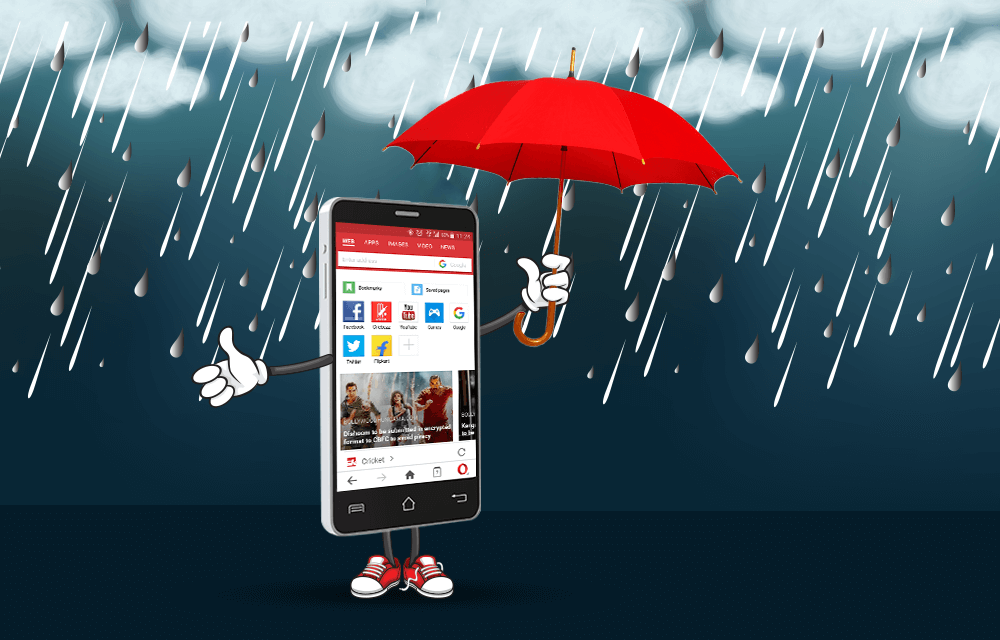
Rainy weather increases the risk of accidental smartphone damage from water, humidity, and moisture. Taking a few preventive measures and knowing what to do if your device gets wet can help extend its lifespan and reduce costly repairs.
Your smartphone is one of the most frequently used devices in daily life, making it vulnerable to water exposure during the rainy season. Whether you are commuting to work, traveling, or simply caught in an unexpected downpour, rainwater and moisture can damage internal components, affect charging ports, and reduce your phone’s overall performance. Although many modern smartphones come with water resistance ratings, no device is completely waterproof. Understanding how to protect your smartphone during the monsoon can help prevent expensive repairs and data loss.
Choose the Right Protective Accessories
One of the easiest ways to reduce the risk of water damage is by using protective accessories designed for wet weather.
A waterproof phone pouch is useful for people who travel frequently or ride two-wheelers during the monsoon. These pouches create an additional barrier against rain while allowing users to operate the touchscreen.
A high-quality protective case can also help absorb accidental impacts if the phone slips from wet hands. While most standard cases are not waterproof, they provide additional protection against minor splashes and moisture.
If your phone has an IP67 or IP68 water resistance rating, remember that this certification applies only under controlled testing conditions. Water resistance can decrease over time due to normal wear, accidental drops, or damaged seals.
Keep Charging Ports and Openings Dry
The charging port, speaker grills, microphone openings, and SIM tray are among the most sensitive parts of a smartphone.
Avoid charging your phone immediately after it has been exposed to rain or moisture. Charging a wet device may increase the risk of electrical damage and can trigger moisture detection systems found in many modern smartphones.
If the device becomes wet, gently wipe the exterior using a clean, dry microfiber cloth. Allow the phone to air dry naturally before connecting a charger.
Do not insert cotton swabs, tissues, or sharp objects into charging ports, as they can damage internal connectors or leave behind debris.
Checking that all port covers and SIM trays are securely closed before stepping outdoors is another simple but effective precaution.
Avoid High Humidity and Extreme Moisture
Water damage is not always caused by direct rainfall. High humidity during the monsoon can also affect electronic devices over time.
Avoid leaving your smartphone in bathrooms, near kitchen steam, or inside vehicles with closed windows where moisture can build up.
If your phone is stored inside a backpack or handbag, placing it in a waterproof compartment or sealed pouch provides additional protection against accidental leaks from umbrellas or water bottles.
People living in coastal or highly humid regions may also consider using moisture-absorbing silica gel packets in storage areas where electronic devices are kept.
Keeping the device clean and dry reduces the chances of corrosion developing inside charging ports and connectors.
What to Do If Your Smartphone Gets Wet
Even with proper precautions, accidents can happen. Taking the correct steps immediately can improve the chances of preventing permanent damage.
First, remove the phone from water as quickly as possible and switch it off if it is still operating.
Remove any protective case, wipe the exterior with a dry cloth, and remove the SIM card if possible. Place the device in a dry, well-ventilated area and allow it to dry naturally.
Avoid using hair dryers, ovens, microwaves, or direct sunlight to speed up the drying process, as excessive heat can damage internal components.
It is also advisable not to shake the phone vigorously, since this may push water deeper into the device.
If the phone fails to restart after drying or begins showing display, charging, or speaker issues, contact an authorized service center for inspection.
Smart Habits That Reduce Water Damage Risk
Many cases of smartphone damage occur because users underestimate light rain or brief exposure to moisture.
Avoid using your phone with wet hands whenever possible. Water droplets on the screen can interfere with touch sensitivity and increase the likelihood of accidental drops.
Back up important data regularly using cloud storage or a computer. Even if a phone suffers irreversible damage, recent backups help prevent the loss of valuable photos, contacts, and documents.
Review your smartphone warranty to understand whether accidental liquid damage is covered. Most standard manufacturer warranties do not include damage caused by water, although some extended protection plans may offer additional coverage.
Developing simple daily habits, such as storing your phone in a secure pocket during heavy rain and carrying a waterproof pouch, can significantly reduce the chances of costly repairs during the monsoon season.
Takeaways
- Use waterproof pouches and protective cases for added safety during rainy weather.
- Never charge a smartphone while moisture is present in the charging port.
- Let a wet phone dry naturally and avoid using excessive heat.
- Regular data backups can protect important information if water damage occurs.
Frequently Asked Questions
Q1. Are water-resistant smartphones completely waterproof?
No. Water-resistant phones are designed to withstand limited exposure under specific conditions. They are not completely waterproof, and prolonged exposure to water can still cause damage.
Q2. Can I charge my phone after it gets wet?
No. Wait until the charging port is completely dry before connecting a charger to avoid potential electrical damage.
Q3. Should I put a wet phone in rice?
There is limited evidence that rice effectively removes internal moisture. Air drying in a well-ventilated place is generally safer, and professional servicing is recommended if problems persist.
Q4. What should I do if my phone stops working after water exposure?
Switch it off immediately, avoid charging it, allow it to dry naturally, and visit an authorized service center if the device does not function properly after drying.
(Internal Keyword Suggestions: smartphone water damage, rainy season phone protection, waterproof phone pouch, smartphone safety tips, monsoon gadget care, water-resistant smartphone, wet phone repair, phone moisture protection, mobile phone maintenance, monsoon technology tips)