
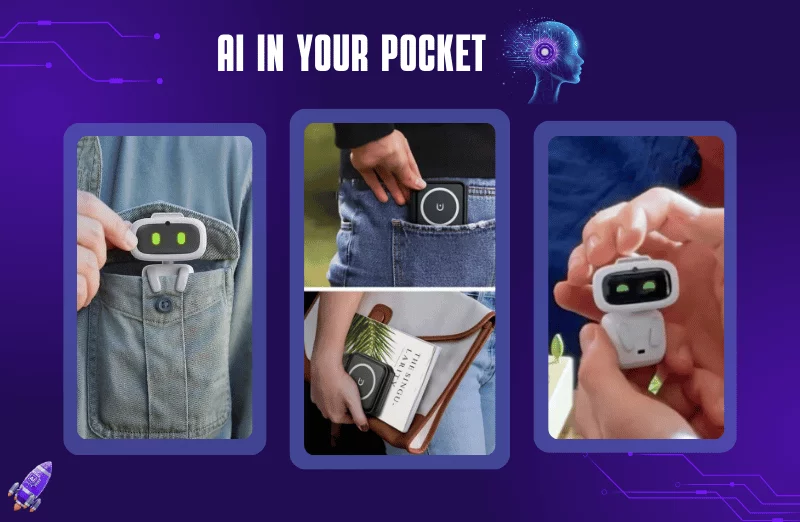

AI features on smartphones have moved beyond experimental tools and are now being built into cameras, keyboards, voice assistants, photo editors, search tools and productivity apps. Used correctly, these features can help users save time, organise information and complete routine tasks more efficiently.
What AI Can Actually Do on a Smartphone
AI smartphone features are no longer limited to asking a chatbot questions. Modern phones can use artificial intelligence for tasks such as summarising text, removing unwanted objects from photos, translating conversations, rewriting messages, transcribing recordings and improving images.
The exact features depend on the phone model, operating system and software version. Premium smartphones often receive more advanced AI tools, while some features are also available through third-party applications on affordable devices.
For everyday users, the biggest benefit is convenience. Instead of opening several applications for a simple task, an AI feature may complete part of the work directly within the phone’s existing camera, gallery, keyboard, notes or messaging interface.
However, users should remember that AI-generated results can contain mistakes. Important information should always be checked before it is shared or used for decisions.
Use AI to Summarise Long Messages and Documents
One of the simplest smartphone AI uses is summarising lengthy information.
If your phone provides an AI summarisation feature, you can use it to turn a long note, article, email or document into a shorter version containing the main points.
This can be useful for students reviewing study material, professionals checking lengthy messages and users trying to understand a long document quickly.
For example, instead of reading several pages of meeting notes immediately, you can ask an AI tool to identify the key decisions, deadlines and action items.
The quality of the summary depends on the tool and the information provided. A summary should therefore be treated as a quick overview rather than a replacement for reading important documents completely.
Improve Messages With AI Writing Tools
AI writing tools built into smartphone keyboards and messaging applications can help users rewrite text according to different tones.
A rough message can be converted into a clearer professional response, a long paragraph can be shortened, and spelling or grammar errors can be corrected.
For example, a user might type a quick message saying that they will arrive late because of traffic. An AI writing assistant can turn it into a more polished message without requiring the user to manually rewrite it.
This feature can be particularly useful when communicating in English or another language that the user does not regularly write.
Users should still review the final message before sending it. AI can sometimes change the intended meaning or make a simple message sound unnecessarily formal.
Translate Text, Signs and Conversations
AI-powered translation is another practical smartphone feature.
Depending on the device and application, users can point their camera at a sign, menu or printed document and receive a translation. Some translation applications can also convert spoken conversations from one language to another.
This can be useful while travelling between Indian states, especially where users encounter languages they do not understand.
For example, a traveller from Maharashtra visiting Tamil Nadu may use camera-based translation to understand restaurant menus or public signs.
AI translation is helpful for everyday communication, but users should be careful with legal, medical or official documents. Machine translation can misunderstand context, terminology or regional language variations.
Use AI Camera Features for Better Photos
Smartphone cameras increasingly rely on AI and computational photography to improve images.
Depending on the device, AI may help recognise scenes, optimise exposure, improve portrait effects, enhance low-light photographs or process multiple frames into a clearer image.
Some newer smartphones also provide generative editing tools. These can allow users to remove unwanted objects, reposition elements or make other changes to an image.
For everyday photography, the benefit is straightforward. Users do not necessarily need professional editing knowledge to make basic improvements.
However, AI editing can alter an image significantly. When photographs are being used as evidence for news, official records or important documentation, users should avoid edits that could misrepresent what actually happened.
Turn Voice Recordings Into Useful Notes
AI transcription can convert speech into written text on supported smartphones and applications.
This can be useful for students recording lectures, journalists preparing interview notes, professionals documenting meetings or anyone who needs to remember a conversation.
Instead of manually listening to an entire recording and typing every sentence, users can generate a transcript and then search or summarise it.
Some tools can also identify speakers or organise conversations into sections, although accuracy varies between applications.
Background noise, multiple speakers, accents and poor microphone quality can affect transcription accuracy. Important names, figures and quotations should therefore be checked against the original recording.
Use AI to Organise Daily Tasks
AI can also help users manage routine information.
Depending on the software available, users may be able to turn notes into task lists, identify dates from messages, create reminders or organise information into categories.
For example, a user preparing for a trip can provide a list of planned activities and ask an AI assistant to organise them into a practical schedule.
Students can use AI to structure study tasks, while working professionals can use it to turn meeting notes into action points.
The important distinction is that AI should assist with organisation rather than automatically making important decisions without user review.
Search Your Photos More Easily
AI-powered photo search can make large smartphone galleries easier to navigate.
Instead of scrolling through thousands of images manually, users may be able to search for terms such as food, documents, beaches, cars or screenshots, depending on the gallery application’s capabilities.
Some systems can also recognise text inside photographs. This can help users locate a picture of a receipt, handwritten note or document.
This feature becomes increasingly useful as smartphone storage fills with years of photographs.
Users should still review privacy settings, especially when photo analysis involves cloud-based processing. Understanding where images are processed and stored is important when dealing with personal or sensitive photographs.
Create Quick Notes From Everyday Information
AI can also help convert unstructured information into useful notes.
Imagine receiving a long WhatsApp message containing several instructions. Instead of copying everything manually, a supported AI tool may be able to identify the important points and turn them into a checklist.
Similarly, users can provide rough ideas and ask an AI assistant to organise them into headings or bullet points.
This can be useful for shopping lists, travel planning, work tasks and study schedules.
The quality of the result depends heavily on the clarity of the original information. Users should check that no important detail has been omitted before relying on the generated list.
Protect Your Privacy While Using Smartphone AI
Convenience should not come at the cost of privacy.
Before using an AI feature, check what information the application can access. Permissions for the camera, microphone, contacts, location, photos and documents should be reviewed regularly.
Users should avoid uploading highly sensitive information to an AI service unless they understand how that information is handled.
This is especially important for identity documents, financial records, passwords, confidential workplace material and private conversations.
AI tools are useful assistants, but users remain responsible for deciding what information they provide and whether the generated result is accurate.
How to Get Better Results From AI Smartphone Tools
The quality of an AI response often depends on the instruction given to it.
Instead of asking an AI tool to simply “summarise this”, provide a clear requirement such as “summarise the main points in five bullets and identify the deadlines.”
Similarly, instead of saying “rewrite this”, specify the desired style, such as “make this shorter and professional.”
Users should also provide relevant context when necessary. Clear instructions reduce ambiguity and make the output more useful.
Most importantly, treat AI as an assistant rather than an unquestionable authority. Review important information, correct mistakes and use human judgement before taking action.
Key Takeaways
- Smartphone AI can help with writing, translation, photography, transcription, search and organisation.
- AI-generated information should be checked before being used for important decisions or official purposes.
- Review app permissions and avoid sharing sensitive personal or financial information unnecessarily.
- Clear instructions generally produce more useful AI results than vague prompts.
FAQs
What are the most useful AI features on smartphones?
Everyday useful features include AI writing assistance, photo editing, translation, transcription, summarisation, photo search and task organisation. Availability varies by smartphone and software version.
Can AI features work on budget smartphones?
Some AI features are available on affordable smartphones through apps, while advanced on-device features may be limited to specific models with compatible hardware and software.
Is it safe to upload personal information to smartphone AI tools?
Users should be cautious with sensitive information. Before uploading private documents or personal data, check the application’s privacy policies, permissions and data-handling settings.
Can smartphone AI make mistakes?
Yes. AI systems can produce incorrect, incomplete or misleading results. Important information, particularly financial, legal, medical, academic or professional information, should be independently verified.