
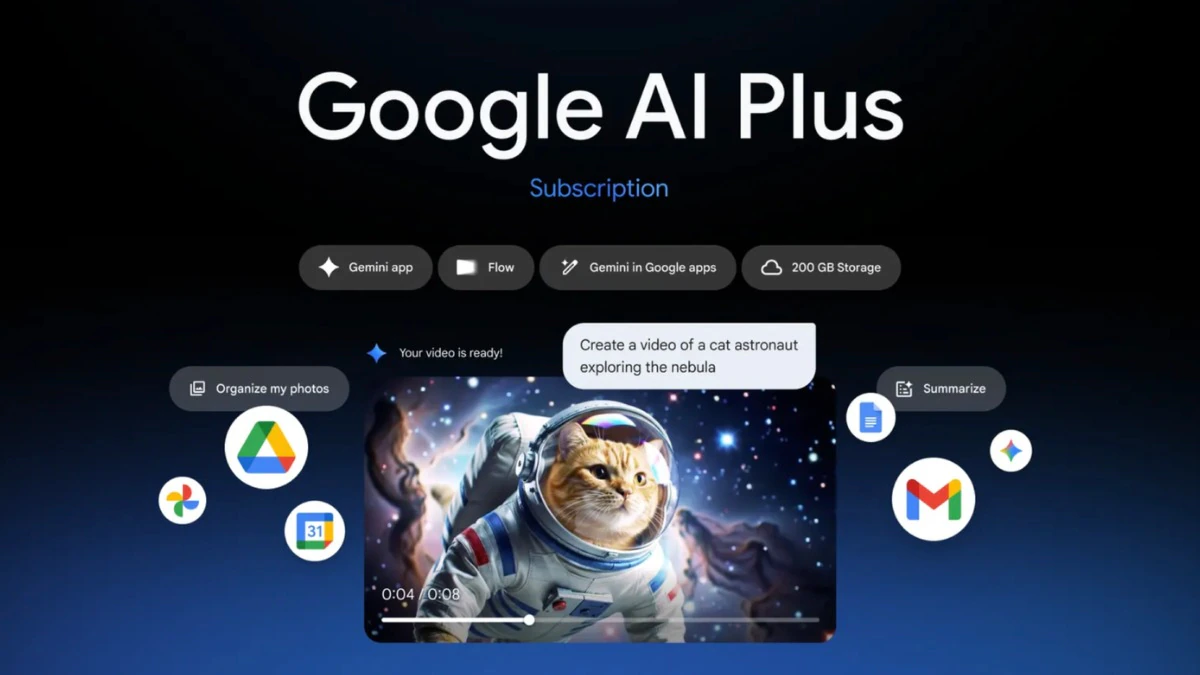

The Google AI Plus Plan on an Indian smartphone is designed for users who want practical AI features across search, productivity, images, and everyday tasks. Knowing how to activate it correctly and use it strategically makes the difference between a novelty subscription and a daily utility.
Google AI Plus Plan is an evergreen, informational topic. The rollout in India focuses on consumer usage rather than a limited time announcement, so the tone here is educational and usage driven.
What the Google AI Plus Plan actually offers
Before activation, it is important to understand what you are paying for. The Google AI Plus Plan bundles advanced AI features across multiple Google services. This includes access to more capable AI models, faster responses, better reasoning, and priority availability for new tools.
On smartphones, the value comes from integration. AI features are embedded into search, Gmail, Docs, image generation, and voice based interactions. This is not a standalone app experience. It is an enhancement layer on top of existing Google services.
For Indian users, pricing is positioned as affordable compared to global rates, making it accessible for students, professionals, and creators.
Step one check device and account eligibility
Activation starts with confirming eligibility. The Google AI Plus Plan works best on Android smartphones running recent versions of Android with updated Google apps. iOS users can also access it through supported Google apps, but Android offers deeper system level integration.
Your Google account must be set to India as the billing country. If your account was created in another region, billing options may not appear correctly. Ensure Google Play Services, Google app, and Google Chrome are updated to the latest versions before proceeding.
Using outdated apps often causes activation failures or missing features.
Step two activate Google AI Plus Plan correctly
Open the Google app or visit your Google account subscription section through your phone browser. Look for the AI subscription or AI Plus Plan option. Follow the payment flow using UPI, debit card, or credit card as supported.
Once payment is complete, activation is usually instant. However, some features may take a few hours to reflect across all apps. Restarting the device after activation helps sync services faster.
Avoid activating through unofficial links or third party prompts. Always activate directly within Google services to ensure full feature access.
Step three verify activation across Google apps
After activation, confirm that AI Plus features are live. In the Google app, enhanced AI responses should appear for complex queries. In Gmail and Docs, advanced writing and summarisation options become visible.
Image generation tools should allow higher quality outputs and more prompt flexibility. If features do not appear, check account switching issues. Many Indian users run multiple Google accounts on one phone, which can cause confusion.
Ensure the subscribed account is set as the primary account on the device.
Using AI Plus effectively for daily productivity
Maximising the Google AI Plus Plan requires changing how you use your phone. Instead of typing short queries, ask full questions. AI Plus performs best with context rich prompts.
Use it for drafting emails, summarising long messages, planning schedules, and converting voice notes into structured text. Students can use it to break down complex topics, while professionals can use it for quick research and content outlines.
The biggest productivity gains come from replacing multiple apps with AI assisted workflows inside Google apps.
Maximising AI Plus for search and discovery
AI enhanced search is one of the strongest features. Instead of scrolling through multiple links, AI Plus delivers synthesised answers with context. This saves time but also requires verification for critical decisions.
Use follow up questions within the same search thread. AI Plus retains context, making exploration faster. For example, travel planning, comparison shopping, or learning new skills becomes more conversational and efficient.
Avoid treating AI answers as absolute truth. Use them as a starting point, not a final authority.
Image and creative use cases on smartphones
AI Plus improves image generation and editing capabilities. Users can create visuals for presentations, social media, or personal projects directly from their phone.
Prompt clarity matters. Specific descriptions produce better results than generic instructions. Editing tools allow refinement without switching apps, which is useful for creators working on mobile first workflows.
This is particularly valuable for Indian users who rely heavily on smartphones rather than desktops.
Managing data, privacy, and usage limits
AI Plus operates within Google’s broader data policies. Users should review activity controls and decide whether AI interactions are saved to their account history.
Heavy users should monitor usage limits, especially for image generation and advanced model queries. While limits are generous, excessive usage may slow response times during peak demand.
Turning off unnecessary background app access helps preserve battery life and performance.
Common mistakes that reduce value
Many users activate the plan but continue using Google apps the same way as before. This results in low perceived value. The plan pays off only when users actively shift tasks to AI assisted flows.
Another mistake is ignoring updates. Google frequently expands AI features. Keeping apps updated ensures access to new capabilities without additional cost.
Finally, avoid sharing your account across devices excessively. This can trigger security checks and temporary feature restrictions.
Takeaways
- Activate the plan only after updating all Google apps and services
- Use context rich prompts to unlock real productivity gains
- Verify the correct Google account is active on your device
- Treat AI responses as assistance, not final decisions
FAQs
Is the Google AI Plus Plan worth it for Indian users?
It offers strong value for users who rely heavily on Google apps for work, study, or content creation.
Does AI Plus work on budget Android phones?
Yes, as long as the device supports updated Google apps, though performance may vary with hardware.
Can I cancel the plan anytime?
Yes, subscriptions can be managed and cancelled through your Google account settings.
Is internet connectivity required for AI Plus features?
Yes, most AI features require an active internet connection to function properly.