
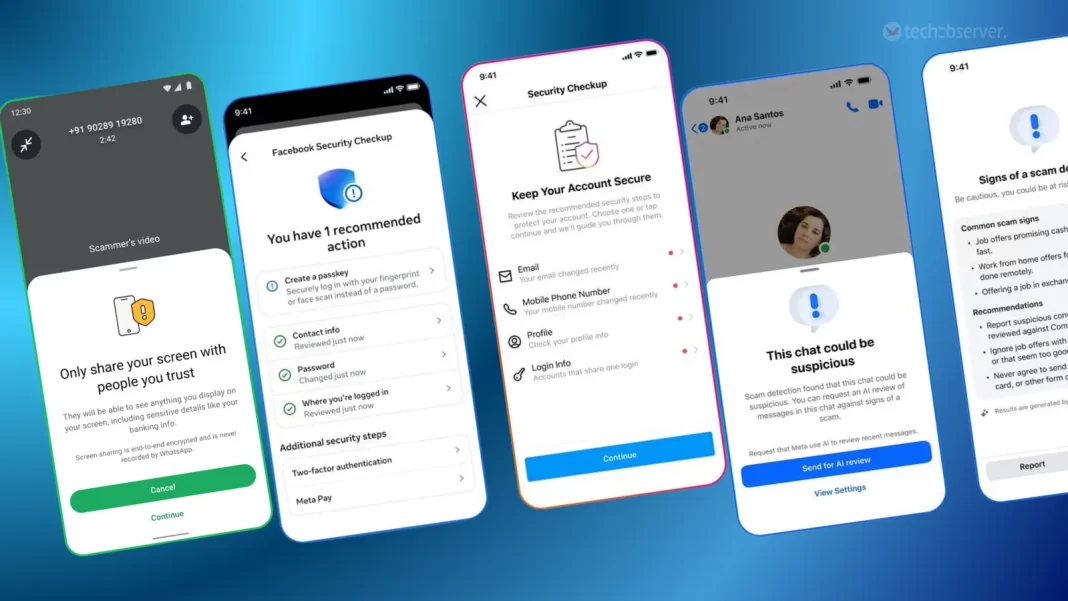

WhatsApp and Instagram scams are becoming harder to identify as fraudsters increasingly use fake profiles, phishing links, impersonation and urgent messages to target users. Strong passwords, two-factor authentication, careful link checking and quick reporting can significantly reduce the risk of account takeover and financial fraud.
Why WhatsApp and Instagram Users Are Targeted
WhatsApp and Instagram are widely used for personal communication, business, shopping, entertainment and payments-related conversations. That makes compromised accounts valuable to scammers.
A hacked WhatsApp account can be used to message family members and friends while pretending to be the account owner. Fraudsters may ask contacts for urgent money transfers or send malicious links. On Instagram, criminals can take over accounts and use them to impersonate the owner, promote fake investment schemes, send phishing links or target the person’s followers.
The threat is not limited to people with large social media followings. Students, working professionals, small business owners and ordinary users can all become targets.
Recent cybercrime awareness efforts in India have also highlighted investment scams, digital arrest fraud and other online threats involving social media platforms. Authorities and cybersecurity professionals continue to advise users to be cautious with unexpected messages and requests for sensitive information.
Never Share OTPs, Login Codes or Passwords
One of the simplest ways to protect WhatsApp and Instagram accounts is to keep verification information private.
A genuine friend may ask you to check a message, but there is no legitimate reason to share an account’s one-time password, login code or two-factor authentication code with another person.
Scammers often create urgency. They may claim that a payment is stuck, an account is about to be blocked or a verification process needs to be completed immediately.
The safest approach is to stop and verify the request through another channel.
Users should also avoid sharing passwords with friends, colleagues or people claiming to provide technical support. If someone asks for a password or security code to restore an account, treat the request as suspicious.
Enable Two-Step Verification on WhatsApp
WhatsApp provides a two-step verification feature that adds another layer of protection to the account.
To activate it, users can open WhatsApp, go to Settings, select Account and then choose Two-step verification. The feature allows users to create a personal PIN. WhatsApp also provides the option of adding an email address that can help with PIN recovery. WhatsApp itself has published guidance explaining how this feature works.
The PIN should not be the same as an easily guessed number such as a birthday or a simple sequence.
Users should also be careful when receiving unexpected messages claiming that they need to provide their WhatsApp verification code. The verification code is sensitive account information and should remain private.
Two-step verification is especially useful for protecting against attempts to register a phone number on another device.
Turn On Two-Factor Authentication for Instagram
Instagram users should also activate two-factor authentication through the platform’s security settings.
Two-factor authentication adds an additional verification step when someone attempts to log into an account from a device Instagram does not recognise.
Where available, an authentication app can provide an additional layer of protection. Users should also save backup codes securely so they are not locked out if they lose access to their usual authentication method.
This protection is important because a stolen password alone should not automatically provide an attacker with unrestricted access when an additional authentication factor is enabled.
Users should regularly review their account’s login activity and remove access from devices or sessions they do not recognise.
How to Identify Fake Instagram and WhatsApp Messages
Scammers frequently rely on social engineering rather than sophisticated hacking.
A message may appear to come from a friend, relative, colleague, brand or government agency. The profile picture and name can look convincing even when the account itself is fake.
Warning signs include requests for urgent money, unexpected links, demands for OTPs, threats of account suspension and offers that appear unusually attractive.
Users should independently verify important requests. If a WhatsApp contact suddenly asks for money, call that person using their known phone number instead of relying only on the chat.
On Instagram, check the account username carefully. Fake accounts may use almost identical names with extra characters, numbers or slightly different spellings.
The same principle applies to links. Do not assume a link is safe simply because it was sent by someone you know. Their account could already have been compromised.
Be Careful With Password Reset Messages
Unexpected password reset messages deserve particular attention.
A scammer may send a message claiming that someone attempted to access your account and then provide a link to secure it. The link may lead to a fake login page designed to steal your password.
Users should avoid entering account credentials after clicking an unexpected link.
Instead, open the official app directly and check the account’s security settings from there. This removes the need to trust a link sent through an unknown message.
The importance of this precaution was highlighted by a security incident involving Meta’s support system in June 2026. Meta confirmed that more than 20,000 Instagram accounts were likely hijacked through an exploit affecting an AI support chatbot. Meta said it resolved the issue and disabled the affected support tool.
The incident also shows why users should not rely on passwords alone for account security.
Secure the Email Account Connected to Social Media
Protecting WhatsApp and Instagram does not stop with the apps themselves.
The email account connected to Instagram or used for account recovery should also have a strong, unique password and two-factor authentication.
If a criminal gains access to the recovery email, they may attempt to reset other online accounts connected to it.
Users should therefore avoid using the same password across Instagram, email, banking, shopping and other services.
A password manager can help users create and store unique passwords without requiring them to remember every password manually.
Phone security also matters. Keep the device’s operating system and applications updated, use a screen lock and avoid installing applications from unknown sources.
What to Do If Your Account Is Hacked
If you suspect that your Instagram or WhatsApp account has been compromised, act quickly.
First, attempt to regain control through the platform’s official account recovery process. Change the password if you still have access and review recent login activity.
For WhatsApp, if someone has registered your number on another device, users should follow WhatsApp’s official account recovery and verification process rather than responding to people claiming they can recover the account for a fee.
For Instagram, use the platform’s official hacked-account recovery process and check the email account associated with the profile for unexpected security changes.
If the scam involved money, do not wait before reporting it.
The Government of India’s National Cyber Crime Reporting Portal advises victims of online financial fraud to contact the cybercrime helpline at 1930 and report the incident through the official cybercrime portal.
Quick reporting can give authorities and financial institutions a better chance of acting on fraudulent transactions.
How to Protect Family Members From Social Media Scams
Account security is also a family issue.
Parents and older family members may be targeted through fake investment opportunities, impersonation messages, fake customer support accounts and urgent payment requests.
A simple family rule can help: never transfer money or share an OTP because of a message alone.
If a family member receives an unusual request through WhatsApp or Instagram, they should independently call the person involved before taking action.
Young users should also understand that screenshots, profile pictures and familiar names do not prove that an online identity is genuine.
Regular conversations about common scam tactics can be more effective than simply telling someone to be careful.
Five-Minute Security Check for WhatsApp and Instagram
Users can improve their account security today by checking a few basic settings.
On WhatsApp, confirm that two-step verification is enabled and that the recovery email is current.
On Instagram, check two-factor authentication, review login activity and remove unfamiliar devices or sessions.
Next, change any reused password and make sure the connected email account has its own security protections.
Finally, review recent messages for suspicious links, unusual login alerts or requests for verification codes.
These steps do not make an account completely immune to scams, but they reduce several common routes used by criminals to obtain access.
Key Takeaways
- Never share OTPs, WhatsApp verification codes, passwords or two-factor authentication codes.
- Enable WhatsApp two-step verification and Instagram two-factor authentication.
- Verify urgent money requests independently, even when they appear to come from a known contact.
- Report financial cyber fraud quickly through 1930 and the National Cyber Crime Reporting Portal.
FAQ
How can I protect my WhatsApp account from scams?
Enable two-step verification, keep your verification code and PIN private, use a secure device lock and avoid clicking suspicious links. If a contact sends an unusual request for money or sensitive information, verify it through another channel.
Is Instagram two-factor authentication necessary?
It is strongly recommended because it adds an extra verification step beyond the password. Users should also review login activity and keep backup recovery options secure.
What should I do if I have shared an OTP with a scammer?
Act immediately. Secure the affected account, change credentials where possible and check for unauthorised activity. If money has been lost through a cyber fraud, report it promptly through 1930 and the National Cyber Crime Reporting Portal.
What is India’s cybercrime helpline number?
The national cybercrime helpline number for reporting cybercrime and financial cyber fraud is 1930. Complaints can also be submitted through the Government of India’s National Cyber Crime Reporting Portal.
(Internal keywords: WhatsApp scam protection, Instagram scam protection, how to secure WhatsApp account, how to secure Instagram account, WhatsApp two-step verification, Instagram two-factor authentication, social media scams India, online fraud prevention, phishing scams, WhatsApp hacking, Instagram account hacked, cyber fraud India, cybercrime helpline 1930, online scam safety tips)