
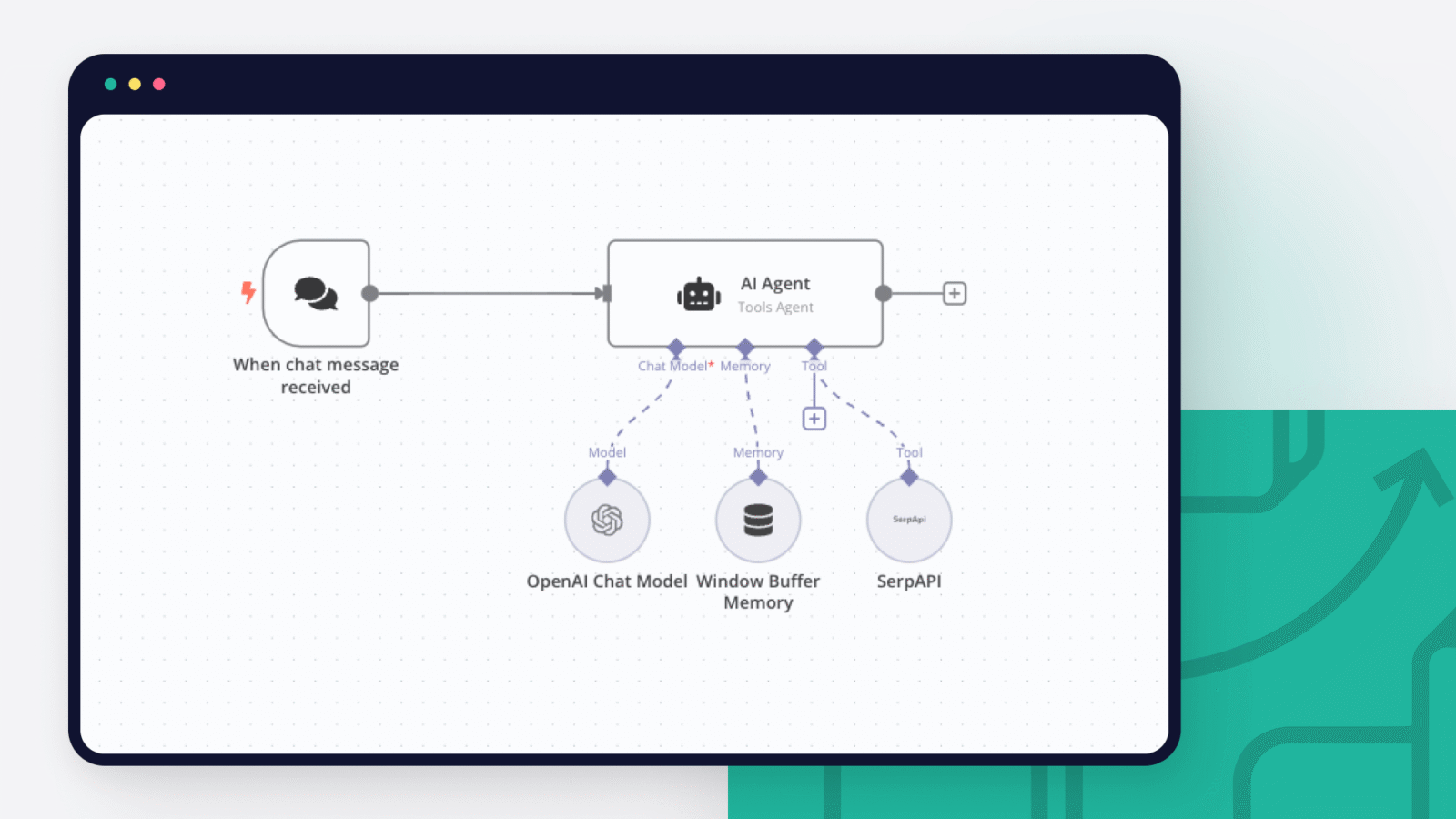

Setting up an AI chatbot for small business websites is now a practical necessity rather than a luxury. This guide explains how small businesses can deploy an AI chatbot safely and effectively, improving customer support, lead capture, and response speed without complex technical setups.
Understanding the Intent and Use Case of an AI Chatbot
Before setting up an AI chatbot for a small business website, the first step is defining its purpose. Chatbots are most effective when assigned clear tasks. Common use cases include answering frequently asked questions, capturing leads, booking appointments, and guiding users to relevant pages.
Small businesses often make the mistake of deploying chatbots without defined goals. This leads to poor user experience and low engagement. Decide whether the chatbot is meant for support, sales, or operational efficiency. The intent will shape every configuration decision, from conversation flow to data collection.
A chatbot designed for local service businesses will differ from one used by an ecommerce store. Clarity at this stage prevents rework later.
Choosing the Right AI Chatbot Platform
The next step in setting up an AI chatbot for small business websites is selecting the platform. In 2026, most chatbot platforms offer no code or low code builders, making them accessible even for non technical users.
When evaluating platforms, focus on natural language understanding quality, website integration options, multilingual support, and data privacy controls. Avoid tools that rely heavily on scripted replies only. AI driven intent recognition improves user satisfaction and reduces manual intervention.
Also check whether the platform supports integration with email, CRM systems, or messaging apps. This ensures chatbot conversations can translate into real business actions rather than isolated chats.
Defining Conversation Flow and User Journeys
Once the platform is selected, map out the chatbot conversation flow. This step determines how users interact with the bot and how smoothly they reach outcomes. Start with common user questions and actions.
For example, a service business chatbot may start by asking whether the visitor wants pricing details, appointment booking, or support. Each choice should lead to a clear next step. Keep messages short and conversational. Avoid overwhelming users with too many options at once.
AI chatbots work best when guided. Use fallback responses for unclear inputs and ensure the chatbot can escalate to human support when needed. This balance prevents frustration and builds trust.
Training the AI Chatbot with Relevant Data
Training is a critical step in setting up an AI chatbot for small business websites. Upload accurate business information such as services offered, operating hours, pricing ranges, policies, and common customer queries.
Avoid feeding outdated or inconsistent data. AI responses are only as reliable as the information provided. Regular updates are necessary when offerings or policies change.
Some platforms allow continuous learning from user interactions. Monitor these suggestions carefully before approving them. Unchecked learning can introduce incorrect responses over time.
Integrating the Chatbot Into the Website
After configuration, integrate the chatbot into the website. Most platforms provide simple embed codes or plugins compatible with popular website builders. Place the chatbot widget where it is visible but not intrusive.
Homepage placement works well for general inquiries, while product or service pages benefit from contextual chatbot triggers. Ensure the chatbot does not slow down page loading. Performance issues negatively affect user experience and search rankings.
Test the chatbot across devices. Mobile responsiveness is essential since a large share of website traffic comes from smartphones.
Setting Up Lead Capture and Notifications
An AI chatbot should not just answer questions but also drive measurable outcomes. Configure lead capture forms within conversations where appropriate. Ask for names, email addresses, or phone numbers only after delivering value.
Connect chatbot submissions to email notifications or CRM tools so no inquiry is missed. Ensure compliance with data protection norms by clearly stating how user data will be used.
Avoid aggressive data collection. A chatbot that asks for contact details too early often drives users away.
Testing, Monitoring, and Improving Performance
Before going live, conduct thorough testing. Simulate real user questions, including spelling errors and informal language. Identify gaps where the chatbot fails to respond accurately.
After launch, monitor performance metrics such as conversation completion rate, fallback frequency, and lead conversions. These indicators reveal whether the chatbot is helping or hindering user experience.
Regularly review chat transcripts to refine responses and add missing intents. An AI chatbot is not a one time setup but an evolving system that improves with oversight.
Common Mistakes Small Businesses Should Avoid
One common mistake is treating the chatbot as a replacement for human support. AI chatbots should complement human teams, not eliminate access to them. Always provide an option to reach a real person.
Another mistake is overloading the chatbot with sales messaging. Users approach chatbots for help, not promotions. Keep interactions helpful and relevant.
Finally, neglecting maintenance leads to outdated responses. Schedule periodic reviews to keep information accurate.
Takeaways
Clear chatbot goals lead to better user experience and outcomes
Choosing the right platform matters more than adding advanced features
Well trained data ensures accurate and trustworthy chatbot responses
Ongoing monitoring is essential for long term chatbot effectiveness
FAQs
Do small businesses need technical skills to set up an AI chatbot?
Most modern chatbot platforms are designed for non technical users and require minimal setup effort.
Can an AI chatbot handle customer support completely?
Chatbots can manage common queries, but human support should remain available for complex issues.
Is an AI chatbot expensive for small businesses?
Costs vary, but many platforms offer affordable plans suitable for small business budgets.
How long does it take to deploy an AI chatbot on a website?
Basic setups can be completed within a few hours, while advanced configurations may take a few days.