
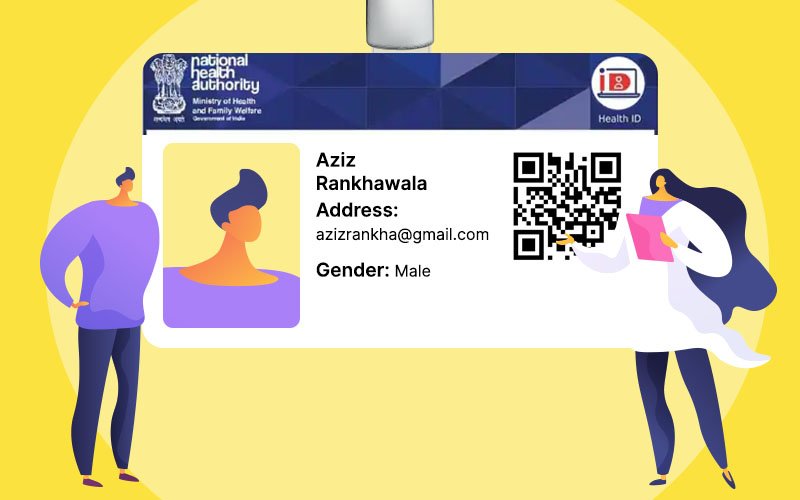

The ABHA digital health card helps patients share their medical history securely during clinical visits. The ABHA digital health card is part of the Ayushman Bharat Digital Mission, aimed at reducing paperwork and ensuring doctors have accurate information before diagnosis or treatment. This guide explains how to create the ABHA ID and use it during routine hospital check-ins and emergencies.
What ABHA Is And Why It Matters
The ABHA digital health card assigns a unique 14 digit health account number to each user. This allows hospitals, doctors, and diagnostic labs that are part of the national digital health network to request access to your past records with your permission. It improves continuity of care because treatment history does not depend on whether a patient carried old prescriptions or discharge summaries. ABHA is built on a health information exchange framework managed by the National Health Authority, which ensures systems follow standard formats so a report issued in one city can be used in another. The key benefit is reduced repetition of tests, faster patient processing, and fewer medical errors caused by incomplete information.
Create Your ABHA In Minutes
You can create your ABHA using the official ABHA app or abha.gov.in. Begin with your mobile number and verify it using OTP. The Aadhaar based option produces the ABHA ID instantly, while non Aadhaar options are available at assisted registration points such as government hospitals and community health centers. After creation, you receive a QR code and can download a digital card. Save a screenshot and optionally print a small copy for daily use. If you already use government health schemes like Ayushman Bharat PM-JAY, your ABHA may already exist in the system and only needs activation with mobile verification. Creation is free and does not require linking insurance or hospital records immediately.
Understand Consent, Privacy, And Control
The ABHA network is based on explicit consent controlled by the patient. Hospitals cannot access your records automatically. During check-in, a hospital sends a digital request to your ABHA app or consent manager. The request specifies the facility name, the type of data needed, and how long access will remain valid. You may approve one time access, limited access, or deny the request entirely. If a consultation does not require full history, you can approve partial or recent records only. You can revoke access anytime and monitor usage logs to see when and where your records were accessed. No data is shared without your knowledge. This design keeps the patient in full control of medical record flow.
Step By Step Check In At A Hospital
At the hospital or clinic reception, inform staff that you will use your ABHA for registration. Open your ABHA app or show your printed QR. Staff will either scan the QR or enter your 14 digit number. You will then receive a consent request notification. Confirm that the facility name matches the one you are currently visiting. Approve the request if correct. Once approved, your demographic details will auto fill in the hospital system, and the doctor will be able to view your linked medical records during the consultation. If the hospital is not yet digitally integrated, they may proceed with manual registration, but you can still retain and use your ABHA at other facilities where integration is active.
Use ABHA During Emergencies
In emergencies, ABHA can prevent treatment delays and medication conflicts. Save your ABHA QR in the emergency information section of your phone lock screen. If you are unconscious, a family member can show the QR to hospital staff so they can request access and check allergy information, prior surgeries, and ongoing medication. This reduces the risk of harmful drug interactions and accelerates decision making in trauma or critical care cases.
Organize Records With Personal Health Records
The ABHA app includes a Personal Health Records feature that allows patients to store, link, and view reports in one place. Diagnostic centers and hospitals that are part of the network can automatically send results to your PHR after your approval. You may also upload past PDFs to keep your long term history complete. Label reports by condition so doctors can find relevant documents quickly. Reviewing your PHR before appointments helps ensure no record is missing or incorrectly assigned.
Takeaways
• The ABHA digital health card provides a secure and standardized way to share medical records.
• Patients have full control over access through consent based approvals.
• Hospital check-in becomes faster using the ABHA number or QR code.
• ABHA is especially useful during emergencies where medical history is needed quickly.
FAQs
What documents are needed to create ABHA
A mobile number and Aadhaar are the fastest method, though assisted registration centers allow other ID options where supported.
Is the ABHA card accepted in private hospitals
Yes. Any private hospital integrated with the Ayushman Bharat Digital Mission can use ABHA check-in and record access.
Can I revoke access after a hospital visit
Yes. You can revoke or modify access permissions anytime through the consent manager in the ABHA app.
Does ABHA replace health insurance
No. ABHA only manages records. Insurance benefits and claims remain separate.