
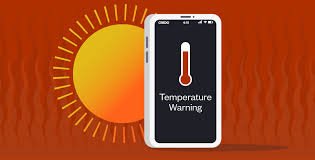

Protecting your smartphone from overheating in summer is essential as rising temperatures across India put extra stress on mobile devices. Excess heat can reduce battery life, slow performance, and even cause permanent hardware damage if not managed properly.
Why Smartphones Overheat More During Indian Summers
Protecting your smartphone from overheating in summer starts with understanding the cause. High ambient temperatures, combined with heavy usage, can push device temperatures beyond safe limits.
Smartphones generate heat during activities like gaming, video streaming, and charging. In hot conditions, this heat does not dissipate efficiently. According to general device guidelines followed by brands like Samsung and Apple, excessive heat can impact battery health and internal components.
Direct sunlight, enclosed spaces, and poor ventilation further increase the risk of overheating, especially in Tier-2 cities where outdoor temperatures often exceed 40 degrees Celsius.
Avoiding Direct Sunlight and High-Temperature Environments
One of the simplest ways to prevent overheating is to keep your phone away from direct sunlight. Leaving your device on dashboards, windows, or outdoor surfaces can cause rapid temperature spikes.
Avoid using your smartphone in extreme heat for extended periods. If you are outdoors, keep it in a shaded area or inside a bag.
Indoor environments also matter. Avoid placing your phone near heat sources like stoves or electronic appliances that generate warmth.
Maintaining a cooler environment helps your device function more efficiently.
Managing Heavy Usage During Peak Heat Hours
High-performance activities increase internal heat generation. Gaming, video recording, and long video calls can quickly raise device temperature.
During peak summer hours, limit heavy usage to prevent overheating. Take short breaks between tasks to allow the device to cool down.
Closing background apps reduces processor load and improves performance. Lowering screen brightness also decreases heat generation.
Using your phone efficiently during hot conditions extends its lifespan and prevents damage.
Charging Practices That Prevent Overheating
Charging habits play a major role in smartphone temperature control. Avoid using your phone while it is charging, as this increases heat buildup.
Use original or certified chargers to ensure stable power supply. Cheap or incompatible chargers can cause excessive heating and battery issues.
Charging your phone in a cool, ventilated area helps maintain safe temperatures. Avoid placing it under pillows or on soft surfaces while charging.
Removing the phone case during charging can also improve heat dissipation.
Optimising Settings to Reduce Heat Generation
Adjusting device settings can significantly reduce heat production. Turning off unused features such as Bluetooth, GPS, and background syncing reduces processing load.
Enabling battery saver mode limits performance and helps control temperature. Reducing screen refresh rate and disabling unnecessary animations can also lower heat output.
Regular software updates improve system efficiency and fix bugs that may cause overheating.
These small adjustments improve overall device performance during summer.
Using Protective Accessories Wisely
While phone cases protect devices from physical damage, some cases can trap heat. Thick or poorly ventilated covers may prevent proper heat dissipation.
Using lightweight or heat-resistant cases can help maintain temperature balance. During extreme heat, removing the case temporarily can improve cooling.
Avoid using your phone on surfaces that retain heat, such as metal or concrete under direct sunlight.
Choosing the right accessories supports better temperature management.
Recognising Warning Signs of Overheating
Modern smartphones display warning messages when temperatures exceed safe limits. These alerts should not be ignored.
Signs of overheating include sudden slowdown, app crashes, screen dimming, and battery drain. In severe cases, the device may shut down automatically.
If your phone overheats, stop using it immediately and allow it to cool down naturally. Avoid placing it in refrigerators or using cold water, as sudden temperature changes can cause damage.
Understanding these signs helps prevent long-term issues.
Long-Term Impact of Overheating on Smartphones
Repeated overheating can reduce battery capacity and affect internal components. Lithium-ion batteries are particularly sensitive to high temperatures.
Over time, this can lead to faster battery drain, reduced charging efficiency, and potential safety risks.
Protecting your smartphone from overheating ensures better performance, longer lifespan, and reduced repair costs.
Preventive care is more effective than fixing damage later.
Takeaways
• Keep your smartphone away from direct sunlight and heat sources
• Avoid heavy usage during peak summer hours
• Follow safe charging practices and use original accessories
• Monitor warning signs and allow the device to cool naturally
FAQs
Is it normal for smartphones to heat up in summer?
Yes, some heating is normal, but excessive heat can damage the device if not controlled.
Can overheating damage my phone permanently?
Yes, repeated overheating can affect battery health and internal components.
Should I remove the phone case in summer?
Removing the case during heavy usage or charging can help reduce heat.
How can I cool down my phone quickly?
Stop usage, move it to a cool place, and let it cool naturally without external cooling methods.