
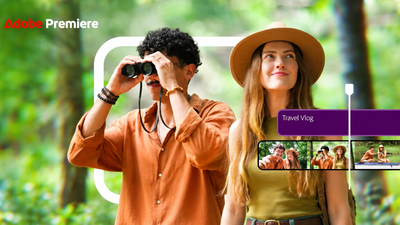

Adobe Premiere is now available on Android in India, bringing multi-track editing, 4K video export, audio enhancement and AI-powered creative tools to smartphones. The free mobile app is designed for creators who want to produce videos without depending on a desktop computer.
Adobe Premiere Android Launch Expands Mobile Video Editing
The Adobe Premiere Android app is a time-sensitive technology launch, with the application becoming available through the Google Play Store in September 2026. The Android release follows the mobile version’s earlier launch on iPhone and expands Adobe’s mobile editing offering to a much larger Android user base.
For Indian creators, the launch is particularly relevant because smartphones are already widely used for shooting, editing and publishing short-form content. Adobe has specifically highlighted Indian creators producing vlogs, tutorials, podcasts and social media videos as an important audience for the Android release.
The app brings several tools associated with more advanced video editing into a touch-based mobile workflow. Users can cut and combine footage, add music and voiceovers, work with multiple layers, apply effects and export videos at resolutions including 4K.
Adobe Premiere Android Features for Indian Creators
The biggest change for Android users is the ability to access a more capable editing workflow directly from a smartphone.
Premiere mobile includes a multi-track timeline where creators can layer video, music, voiceovers, text and effects. It also supports frame-accurate editing, which allows users to make more precise cuts when synchronising footage with dialogue, reactions or music.
The app also includes creator-made templates, effects, transitions and access to music and creative assets. Users can work with their own files and extracted audio as part of the editing process.
For creators making Instagram Reels, YouTube Shorts, tutorials, product videos or local-language content, these features can reduce the need to move footage between several different applications.
Adobe has also said that additional features are planned, including Adobe Fonts, enhanced captions, keyframes, cropping, beat detection and continued editing between mobile and desktop Premiere. These are future additions rather than features that should be assumed to be available in the current Android release.
4K Video Export Is Available on Android
One of the notable features of Adobe Premiere mobile is 4K video export.
Adobe’s support documentation lists export resolutions of 720p, 1080p and 4K. Users can also select frame rates and quality settings before exporting. On supported workflows, the available frame-rate options include 24, 25, 30, 50 and 60 frames per second, depending on the platform and export configuration.
The ability to export in 4K is relevant for creators who shoot high-resolution footage on modern Android phones.
However, choosing 4K does not automatically improve footage that was originally recorded at a lower resolution. Higher-resolution exports can also produce larger files, which means creators need to consider phone storage, upload speeds and platform requirements.
For most social-media videos, 1080p may still be sufficient. Creators working with high-resolution footage can choose 4K when the project and destination platform justify the larger file size.
AI Features Come Through Adobe Firefly
Adobe is also bringing generative AI capabilities to Premiere mobile through Adobe Firefly.
The company says users can access features including Generative Fill, Image-to-Video and Generate Sound Effects. These tools are intended to help creators generate or modify creative assets as part of their editing workflow.
There is an important distinction between the free editing tools and generative AI features.
Adobe’s current mobile FAQ says Premiere on Android is free to use for creating, editing, saving projects locally and exporting videos, while generative AI features require Firefly generative credits. Some additional features and assets also require users to sign in.
That means Indian creators can begin editing without necessarily paying for a subscription, but AI-powered generation may involve additional credits or purchases depending on the feature being used.
Enhance Audio Targets Noisy Recordings
Audio is another area where Premiere mobile focuses on creators working outside traditional studios.
The app includes Enhance Audio, which Adobe says can reduce distracting background noise and improve the clarity of interviews, voiceovers and other recordings.
This could be particularly useful for creators recording content in everyday environments such as markets, cafés, classrooms, offices or busy streets.
For a creator in a Tier-2 or Tier-3 city, the ability to clean up audio directly on a phone can be useful when there is no access to a dedicated recording setup.
The feature does not eliminate the need for good recording practices. A clean recording environment and a suitable microphone can still make a significant difference, but software-based enhancement can provide another layer of correction during editing.
Android Requirements for Adobe Premiere
Not every Android phone can run the new Premiere mobile application.
Adobe says Premiere mobile on Android requires Android 13 or later and a minimum of 5GB of RAM. The application is available through the Google Play Store.
This requirement is important for users with older or entry-level smartphones. Before attempting to install the app, users should check their Android version and available RAM.
The device also needs sufficient free storage for video projects. Video files, particularly 4K footage, can consume significant storage space, so users should account for both original camera files and exported versions.
The app’s availability on a particular device can also depend on compatibility requirements imposed through Google Play.
Does Adobe Premiere Android Require an Adobe Account?
One notable part of Adobe’s current Android FAQ is that users do not need an Adobe account to begin editing, save projects locally or export video. Some features and assets do require sign-in.
This lowers the barrier for someone who simply wants to install the app and start editing.
However, creators who want to use features connected to Adobe services should check the individual feature’s requirements. The free core editing experience and paid or account-dependent features should not be treated as the same thing.
Adobe’s current information also states that the mobile app has no forced login or upgrade prompt for basic use.
What Indian Reels and Shorts Creators Get
For creators making short-form content, Premiere mobile combines several functions in one application.
A creator can import smartphone footage, arrange clips on a multi-track timeline, trim footage precisely, add text and effects, clean up audio and export the finished video. Templates and creative assets can also speed up certain workflows.
This could be useful for several types of Indian creators, including food bloggers, travel creators, educators, local news pages, small-business owners, podcasters and lifestyle influencers.
Regional creators may also benefit from Adobe’s stated plans to introduce enhanced captions and additional fonts. Adobe has separately indicated that Hindi captions, regional templates and new fonts are planned for future updates, so these should not be described as current Android features unless the company confirms their availability.
Adobe Premiere Android vs Desktop Premiere
Premiere mobile should not be viewed as a complete replacement for desktop Premiere.
The Android application is designed around mobile creation and includes core editing capabilities, while Adobe’s desktop Premiere remains a much more extensive professional editing environment.
The mobile version currently focuses on features that are practical for creators working from smartphones. Adobe itself describes future mobile additions such as keyframes, beat detection and continued editing with desktop Premiere, indicating that the mobile product is still being expanded.
For social media creators, the current mobile toolset may cover many everyday editing requirements. Professional productions involving complex timelines, advanced workflows and extensive post-production may still require desktop software.
Key Takeaways
- Adobe Premiere is now available on Android through the Google Play Store.
- The mobile app supports multi-track editing, frame-accurate cuts, audio enhancement and exports up to 4K.
- Basic editing is free, while some generative AI features use Adobe Firefly credits.
- Android users need Android 13 or later and at least 5GB of RAM to use Premiere mobile.
FAQs
Is Adobe Premiere free on Android?
Yes. Adobe says Premiere mobile is available as a free Android app with core video-editing capabilities. Generative AI features require Firefly generative credits, while some other features and assets may require sign-in.
Can Adobe Premiere Android export videos in 4K?
Yes. Adobe’s current documentation lists 4K as an available export resolution, alongside 720p and 1080p. Users can also adjust frame rate and quality settings before exporting.
What Android version is required for Adobe Premiere?
Adobe says Premiere mobile requires Android 13 or later with a minimum of 5GB of RAM. It is distributed through the Google Play Store.
Does Adobe Premiere Android have AI tools?
Yes. Adobe has integrated Firefly-powered generative features including Generative Fill, Image-to-Video and Generate Sound Effects. These generative AI features require Firefly credits.