
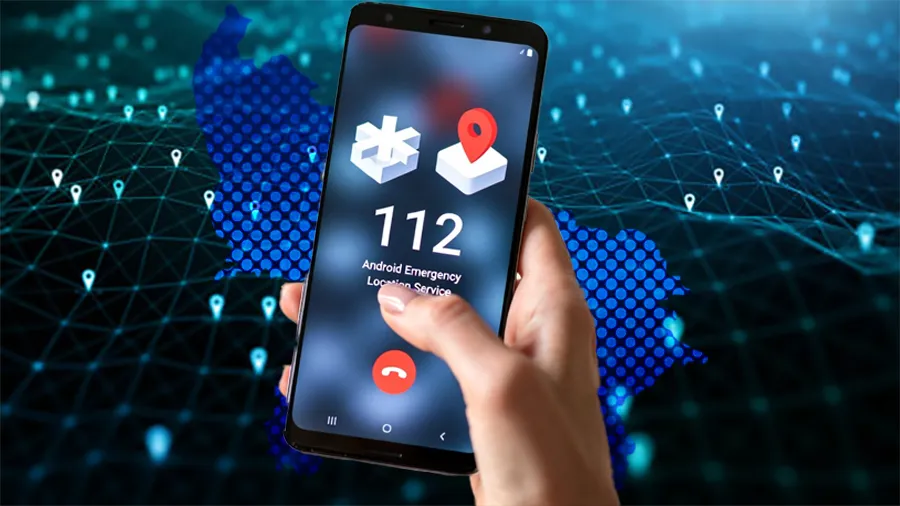

The Android Emergency Location Service linked with UP 112 is a critical safety feature designed to help authorities locate people quickly during emergencies. For residents of Tier 2 cities, where response time and address clarity can be challenging, this system plays a direct role in saving lives.
This guide explains what the Android Emergency Location Service is, how UP 112 uses it, how to set it up correctly on your phone, and practical situations where it can make a real difference.
What Is Android Emergency Location Service and UP 112
Android Emergency Location Service is a built in safety feature that automatically shares your precise location with emergency services when you place an emergency call or send an SOS. UP 112 is the single emergency helpline in Uttar Pradesh that integrates police, ambulance, and fire services.
When a distress call is made to 112 from an Android phone with this feature enabled, the system uses GPS, WiFi, and mobile network data to send accurate location coordinates to the emergency response center.
This is especially important in Tier 2 cities where house numbers, lanes, and informal local addresses can delay help. Instead of relying only on verbal directions, responders receive digital location data in real time.
Why This Feature Matters in Tier 2 Cities
Tier 2 cities often face unique safety challenges. Emergency services cover larger geographic areas with fewer landmarks mapped accurately. Response delays often occur due to unclear location descriptions.
Android Emergency Location Service reduces this dependency on verbal explanations. Even if the caller is panicked, injured, or unable to speak clearly, the system transmits location automatically.
This is particularly useful in cases of road accidents on highways near city limits, medical emergencies inside residential colonies, or incidents involving women and senior citizens who may struggle to explain their surroundings.
The feature also helps emergency teams plan faster routes, reducing response time during critical minutes.
Step by Step Setup on Android Phones
Setting up Android Emergency Location Service takes only a few minutes but must be done in advance.
Open the phone settings and go to the Safety and Emergency section. Select Emergency Location Service and ensure it is turned on. On some devices, this option is found under Location settings.
Next, confirm that Location access is enabled and set to allow precise location. Battery saver modes should not restrict location services for emergency features.
Check that your mobile number is active and capable of making emergency calls without balance. Emergency calls work even without recharge, but network availability is required.
Finally, update your phone software to the latest version. Older Android versions may not support full emergency location sharing.
How UP 112 Uses Location Data During Emergencies
When a call is placed to 112, the system automatically pulls location data from the device if enabled. This data appears on the responder dashboard along with caller details.
Dispatchers use this information to assign the nearest police vehicle, ambulance, or fire unit. In many cases, this reduces the need for follow up calls asking for directions.
If the caller disconnects or cannot stay on the line, responders can still track the last transmitted location. This is crucial in kidnapping attempts, hit and run cases, or sudden medical collapse.
The system also logs the incident digitally, helping authorities maintain accountability and response records.
Real Life Use Cases Where It Helps
One common use case is road accidents in outskirts or industrial areas. Victims often cannot identify the exact spot, especially at night. Location sharing helps ambulances reach faster.
In medical emergencies like heart attacks or strokes, family members may panic. Automatic location transmission ensures help is dispatched even if communication breaks down.
Women facing harassment or threats can use the emergency call without explaining details immediately. The location itself triggers response.
Senior citizens living alone benefit greatly, as even accidental falls or confusion can be enough to initiate help through a simple call.
Common Mistakes That Reduce Effectiveness
Many users assume the feature works by default but disable location services to save battery. This prevents accurate tracking.
Some phones restrict background location access, which blocks emergency sharing. Permissions must be checked manually.
Outdated software or custom ROMs may not support the service properly. Regular updates are essential.
Users also confuse this feature with third party safety apps. Android Emergency Location Service works independently and does not require app installation.
Privacy and Data Safety Considerations
The emergency location is shared only during an active emergency call or SOS. It is not continuously tracked or stored for surveillance.
Once the emergency ends, location sharing stops automatically. This ensures user privacy while still providing life saving functionality.
The system is designed for emergency use only and cannot be accessed by authorities without user initiated contact.
Takeaways
Android Emergency Location Service helps UP 112 locate callers automatically during emergencies
Proper setup before an incident is essential for the feature to work
Tier 2 cities benefit the most due to address and navigation challenges
Location sharing activates only during emergency calls and respects privacy
FAQs
Does Android Emergency Location Service work without internet
It can work using mobile network data and GPS, though internet improves accuracy.
Is this feature available on all Android phones
Most modern Android phones support it, but older models may have limited functionality.
Do I need to install any app for UP 112 location sharing
No app is required. The feature is built into Android.
Will my location be tracked all the time
No. Location is shared only during an emergency call or SOS activation.