
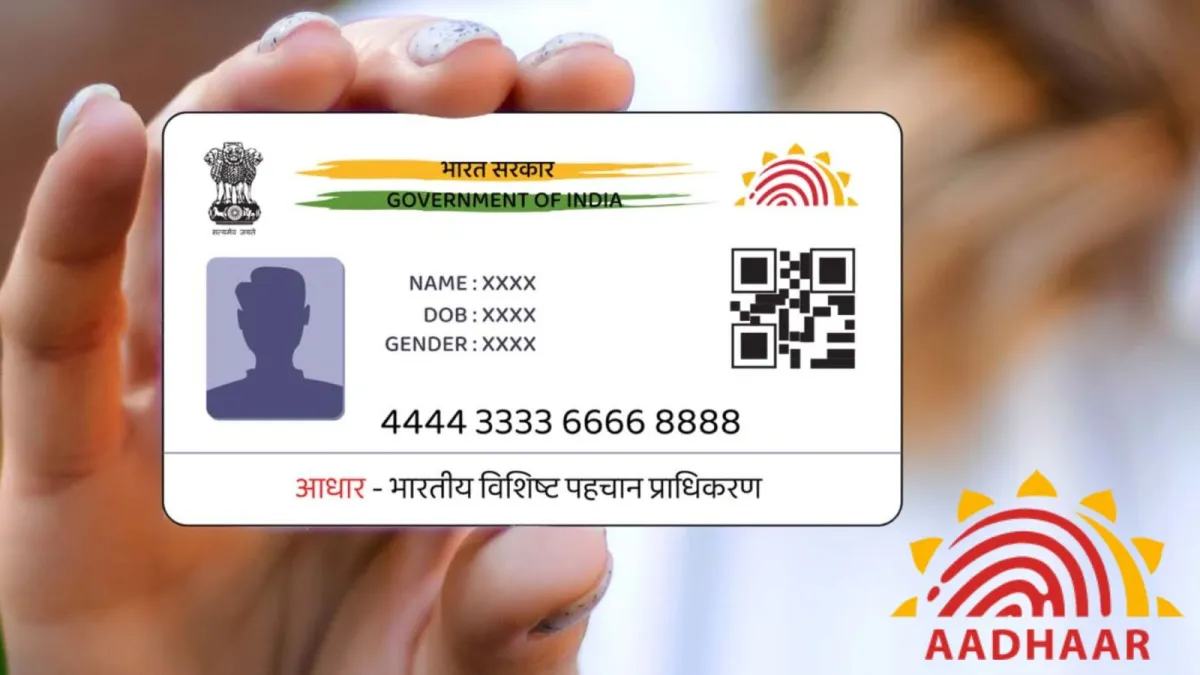

Checking whether your Aadhaar details need updating in 2026 is important for uninterrupted access to banking, government schemes, tax services, and digital verification. Here’s how to verify your Aadhaar information, identify outdated details, and update them if required.
The topic is evergreen with current relevance, not breaking news. While Aadhaar services and advisories may evolve, the process of checking and updating details remains an informational guide. Therefore, this article follows an educational and practical approach.
The Aadhaar details update process has become increasingly important in 2026 as more government and private services rely on accurate identity information. Whether you use Aadhaar for banking, PAN linking, passport applications, UPI verification, or welfare schemes, outdated information can lead to delays or failed verification. Fortunately, checking whether your Aadhaar needs an update takes only a few minutes and can help prevent future issues.
Why Keeping Aadhaar Details Updated Matters
Aadhaar serves as one of India’s most widely accepted identity documents. Many services now verify identity digitally using the information stored in the Aadhaar database maintained by the Unique Identification Authority of India (UIDAI).
If your address has changed, your mobile number is no longer active, or your biometric information is outdated, authentication may fail when accessing government benefits, opening bank accounts, or completing KYC procedures.
Children who enrolled for Aadhaar at a young age are also required to update their biometric details after reaching specific age milestones. Similarly, adults whose fingerprints or iris scans have changed over time may benefit from biometric updates to improve authentication success.
How to Check Whether Your Aadhaar Needs an Update
You can review your Aadhaar information by visiting the official UIDAI portal and signing in using your Aadhaar number and the OTP sent to your registered mobile number.
After logging in, verify the following details carefully:
- Full name
- Date of birth
- Gender
- Residential address
- Registered mobile number
- Email address, if added
If any information is incorrect or outdated, it should be updated as soon as possible.
You should also check whether your mobile number is still active because many Aadhaar-related services require OTP-based verification. Without access to your registered number, online updates become limited.
Signs That Your Aadhaar Information May Need Updating
Several situations indicate that an Aadhaar update may be necessary.
These include:
- You have shifted to a new city or permanent residence.
- Your mobile number has changed.
- Your email address is outdated.
- There are spelling mistakes in your name.
- Your date of birth was corrected through official records.
- Aadhaar authentication repeatedly fails.
- You enrolled as a child and now require a mandatory biometric update.
- Your demographic information no longer matches other official documents.
Keeping these details synchronized across government records reduces the chances of document verification issues.
Which Aadhaar Details Can Be Updated?
UIDAI allows eligible residents to update several demographic and biometric details, subject to applicable rules and document verification.
Commonly updated details include:
- Address
- Mobile number
- Email ID
- Name (subject to UIDAI guidelines)
- Date of birth (within permitted conditions)
- Gender
- Fingerprints
- Iris scan
- Photograph
Some updates can be initiated online, while others require a visit to an Aadhaar Seva Kendra or authorised enrolment centre.
Documents Required for Aadhaar Updates
The documents required depend on the type of update being requested.
For address updates, commonly accepted documents include:
- Passport
- Driving licence
- Bank statement
- Electricity bill
- Water bill
- Gas connection bill
- Registered rent agreement
- Other UIDAI-approved proof of address documents
For name or date of birth corrections, supporting identity and birth-related documents may be required according to UIDAI’s latest document list.
It is advisable to keep scanned copies ready if applying online.
How Long Does an Aadhaar Update Take?
Processing time varies depending on the nature of the request.
Demographic updates generally take a few days after successful verification, although processing may take longer during periods of high demand.
Biometric updates completed at Aadhaar centres also undergo verification before becoming active in the database.
Applicants receive an Update Request Number (URN), which can be used to track the application status through UIDAI’s online services.
Common Mistakes to Avoid During Aadhaar Updates
Many update requests are delayed because of avoidable errors.
Keep these points in mind:
- Enter information exactly as shown in supporting documents.
- Upload clear and valid documents.
- Ensure your registered mobile number remains active.
- Double-check spelling before submitting.
- Use only the official UIDAI website or authorised Aadhaar centres.
Avoid using unofficial websites or third-party agents claiming guaranteed Aadhaar updates.
Is It Necessary to Update Aadhaar Regularly?
There is no universal requirement for every Aadhaar holder to update details every year.
However, you should update Aadhaar whenever there is a genuine change in your personal information. UIDAI has also encouraged residents whose Aadhaar information was enrolled many years ago and has not been updated since to review their demographic details and ensure records remain accurate.
Regular verification helps maintain smooth access to digital government services and reduces authentication failures.
Key Takeaways
- Check your Aadhaar details regularly, especially after changing your address or mobile number.
- Verify that your registered mobile number remains active for OTP-based services.
- Update demographic or biometric details only through official UIDAI channels.
- Accurate Aadhaar information helps avoid delays in banking, KYC, government schemes, and digital identity verification.
Frequently Asked Questions
Q1. How can I check whether my Aadhaar details are correct?
You can log in to the official UIDAI portal using your Aadhaar number and OTP to review your demographic information and verify that all details are accurate.
Q2. Can I update my Aadhaar address online?
Yes. Eligible address updates can be completed online through UIDAI, provided the required supporting documents are submitted.
Q3. Is it mandatory to update Aadhaar every year?
No. Aadhaar does not require annual updates. You should update it whenever your personal information changes or if biometric updates become applicable.
Q4. What happens if my Aadhaar mobile number is no longer active?
If your registered mobile number is inactive, you may need to visit an authorised Aadhaar enrolment or Seva Kendra to register a new mobile number before accessing many online Aadhaar services.