
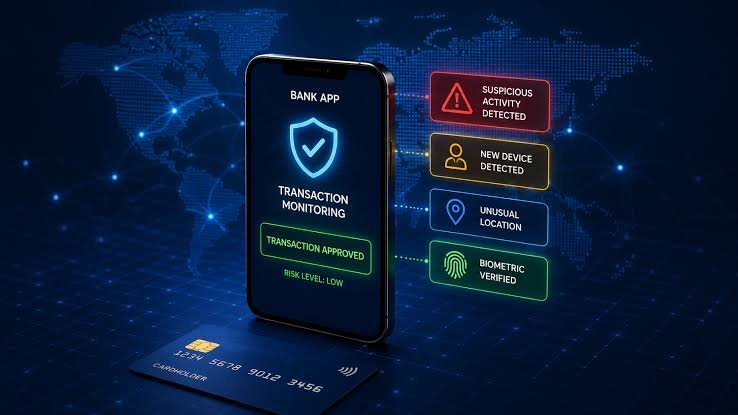

Digital banking has made money transfers and everyday payments easier, but it has also increased exposure to online fraud. Understanding your bank’s digital fraud protection features can help you secure your account, identify suspicious transactions and respond quickly when something goes wrong.
Why Digital Fraud Protection Matters for Bank Customers
Digital banking now covers UPI payments, mobile banking, internet banking, debit cards, credit cards and online shopping transactions. While these services offer convenience, they also create opportunities for cybercriminals to exploit weak passwords, stolen credentials and careless payment approvals.
Fraudsters may impersonate bank employees, send fake KYC update messages, circulate suspicious payment links or trick customers into sharing one-time passwords (OTPs). Some scams also involve screen-sharing applications and fraudulent customer-care numbers.
For customers in smaller cities and towns, understanding these risks is particularly important as digital payments become part of everyday shopping, business transactions and household expenses.
The Reserve Bank of India (RBI) requires banks to maintain systems for detecting and preventing electronic banking fraud. Customers should understand what protections their bank provides and how to access them. Reserve Bank of India+1
1. Check Whether SMS and Email Transaction Alerts Are Active
Transaction alerts are among the simplest ways to identify suspicious banking activity. Banks send notifications when money is withdrawn, transferred or spent using a linked payment instrument.
Customers should check whether their registered mobile number and email address are updated with the bank.
Here is what to verify:
- SMS alerts for debit and credit transactions.
- Email notifications for electronic banking transactions.
- Push notifications through the official banking application.
- Alerts for ATM withdrawals and card payments.
- Notifications for changes to account details or security settings, where available.
RBI directions require banks to send instant SMS alerts for electronic banking transactions exceeding ₹500, while alerts for transactions of ₹500 or below may depend on the bank’s internal policy. Email alerts are required where customers have provided their email addresses. Reserve Bank of India
If alerts are not arriving, customers should contact their bank through its official website, application or branch.
2. Review Debit Card and Credit Card Security Settings
Bank cards are frequently used for online shopping, subscriptions, ATM withdrawals and point-of-sale payments. If card information is compromised, criminals may attempt unauthorised transactions.
Most banks provide controls that allow customers to manage how their cards can be used.
Open your bank’s official mobile application or internet banking portal and look for the card management section.
Check the following features:
- International transaction controls.
- Online or e-commerce transaction settings.
- Contactless payment controls.
- ATM withdrawal limits.
- Point-of-sale transaction limits.
- Card blocking and temporary deactivation options.
Customers should disable international or online transactions when they do not need them, if their bank provides these controls.
Setting reasonable transaction limits can also reduce potential losses. For example, someone who rarely makes large online purchases may prefer a lower online transaction limit rather than keeping the maximum limit active.
It is equally important to know how to block a debit or credit card immediately if it is lost or stolen.
3. Understand UPI Safety and Payment Protection Features
Unified Payments Interface (UPI) has become a major part of India’s digital payment system. Customers use UPI applications for grocery purchases, electricity bills, travel bookings and money transfers.
However, scammers frequently exploit confusion about how UPI payments work.
Customers should understand three important security practices.
Never share your UPI PIN: A UPI PIN is used to authorise certain transactions. Banks and legitimate payment service providers do not need customers to disclose this PIN over a phone call.
Verify payment requests: Before approving a collect request or payment, check the recipient’s name and transaction details. Receiving money does not require entering a UPI PIN.
Check linked bank accounts: Review which bank accounts are connected to your UPI application. Remove accounts that are no longer required through the official application.
The National Payments Corporation of India (NPCI) advises users to enter their UPI PIN only on the designated PIN screen and never share OTPs or other confidential financial information. National Payments Corporation of India+1
Customers should also remember that scanning a QR code or approving a payment request can result in money being sent from their account. They should understand the transaction before proceeding.
4. Activate Two-Factor Authentication and Strong Login Protection
Passwords are an important part of digital banking security, but relying on a weak password can expose an account to unauthorised access.
Customers should review the login security options available through their bank.
These may include:
- Strong internet banking passwords.
- Mobile application PINs.
- Fingerprint or facial authentication.
- OTP-based verification.
- Device registration.
- Additional authentication for sensitive transactions.
The availability of these features varies between banks and applications.
Customers should create unique passwords instead of using the same password for banking, email and social media accounts. A password manager can help maintain different passwords securely.
Biometric login can make account access convenient, but customers should still protect their phone with a secure screen lock.
If a bank provides an option to review registered devices or active sessions, customers should check for unfamiliar devices and remove access they no longer recognise.
5. Check Your Bank’s Fraud Reporting and Emergency Support System
Security features are useful, but customers also need to know what to do when a suspicious transaction occurs.
RBI directions require banks to provide multiple channels for reporting unauthorised electronic transactions, including websites, phone banking, SMS, email, IVR and dedicated helplines. Customers should have access to these reporting facilities around the clock. Reserve Bank of India
Before an emergency occurs, save the following information:
- Bank’s official customer-care number.
- Debit and credit card blocking helpline.
- Official fraud reporting email address.
- Home branch contact information.
- Steps for reporting unauthorised transactions through mobile banking.
Do not depend on customer-care numbers found through random Google listings, social media comments or forwarded WhatsApp messages.
Always verify contact details through the bank’s official website or application.
6. Understand RBI Rules on Unauthorised Banking Transactions
One important part of digital fraud protection is understanding customer liability.
RBI has established rules that determine how much a customer may be responsible for when an unauthorised electronic banking transaction occurs.
The customer’s liability depends on the circumstances of the fraud and how quickly it is reported.
For certain third-party breaches where neither the bank nor the customer is responsible, customers can have zero liability if they notify the bank within three working days of receiving the bank’s communication about the unauthorised transaction.
If the customer reports such a third-party breach within four to seven working days, limited liability provisions may apply. Beyond seven working days, the bank’s approved policy determines the applicable liability.
However, if the customer shares confidential credentials such as passwords, PINs or OTPs and the loss results from that negligence, the customer may bear the loss until the transaction is reported to the bank. Transactions occurring after reporting are the bank’s responsibility under the RBI framework. Reserve Bank of India+1
RBI directions also provide for a shadow reversal of the disputed amount within 10 working days of customer notification in applicable zero or limited liability cases. Banks are required to resolve complaints within 90 days. Reserve Bank of India+1
Customers should therefore report suspicious activity immediately rather than waiting to investigate it themselves.
7. Check Aadhaar and Biometric Security Settings
Aadhaar-based authentication is used for various services, including certain banking and financial transactions.
Customers who use Aadhaar-linked services should understand the security controls available through the Unique Identification Authority of India (UIDAI).
UIDAI provides facilities for locking and unlocking Aadhaar biometrics. These controls allow individuals to restrict fingerprint, iris and face-based authentication when biometric access is not required.
Customers can access these facilities through the official UIDAI website or Aadhaar application.
Aadhaar holders can also consider locking their Aadhaar number if they do not frequently require Aadhaar-based authentication. A Virtual ID (VID) can be used as an alternative identifier in supported services.
These controls are particularly relevant for people concerned about unauthorised biometric authentication. However, customers should remember that locking Aadhaar or biometrics may prevent certain legitimate authentication-based services from working until access is restored. Government of India+2
8. What to Do If You Notice a Suspicious Banking Transaction
Even customers with strong security settings can become victims of sophisticated scams. Recognising unusual account activity and reporting it quickly can help limit further losses.
If you notice an unauthorised transaction, follow these steps:
- Contact your bank immediately through its official fraud reporting channel.
- Request the bank to block the affected card, UPI access or banking credentials, depending on the nature of the incident.
- Report financial cyber fraud by calling India’s national cybercrime helpline at 1930.
- File a complaint through the official National Cyber Crime Reporting Portal at cybercrime.gov.in.
- Preserve transaction IDs, bank messages, screenshots and other relevant evidence.
- Obtain and save the complaint acknowledgement number.
The Indian government’s cybercrime reporting system provides a dedicated process for reporting financial cyber fraud. The 1930 helpline is intended for immediate reporting, while complaints can also be submitted through the online portal. Cyber Crime India+2
Do not delete suspicious messages or transaction notifications before preserving the relevant evidence.
Digital Banking Safety Checklist for Every Household
Digital financial safety should be a regular household practice rather than something customers consider only after losing money.
Families should periodically review their bank account alerts, card limits, UPI settings and registered mobile numbers. Parents can also explain basic payment safety to older family members who may be less familiar with digital banking applications.
Small businesses, shopkeepers and independent professionals should pay particular attention to payment confirmations. A screenshot of a payment is not proof that money has reached an account. The actual credit should be verified through the banking application or account statement.
Customers should also avoid installing unknown applications that promise financial assistance, cashback or banking support.
The most effective approach combines the security tools provided by banks with responsible digital behaviour.
Key Takeaways
- Check SMS and email alerts regularly to identify unauthorised banking transactions quickly.
- Review UPI, debit card and credit card settings and maintain reasonable transaction limits.
- Use strong passwords, secure device authentication and official banking applications.
- Report financial cyber fraud immediately through your bank and the national helpline 1930.
Frequently Asked Questions (FAQs)
1. How can I check whether my bank account has digital fraud protection?
Log in to your bank’s official mobile application or internet banking portal. Review transaction alerts, card controls, login authentication, device management and fraud reporting facilities. You can also contact customer support for details about available security features.
2. What should I do if money is deducted from my bank account without permission?
Immediately inform your bank and request that the affected payment instrument or banking access be blocked. Report the incident by calling 1930 and submit a complaint through cybercrime.gov.in. Keep the transaction details and complaint acknowledgement for future reference.
3. Does RBI provide protection against unauthorised digital banking transactions?
Yes. RBI has established customer liability rules for unauthorised electronic banking transactions. Depending on the circumstances, customers may receive zero or limited liability protection. Prompt reporting is important, and customer negligence can affect the liability assessment.
4. Is it safe to use UPI for everyday payments?
UPI can be used safely when customers follow basic security practices. Never share your UPI PIN or OTP, verify payment details before approval and avoid suspicious links or unknown applications. Always check the recipient’s details before sending money.