
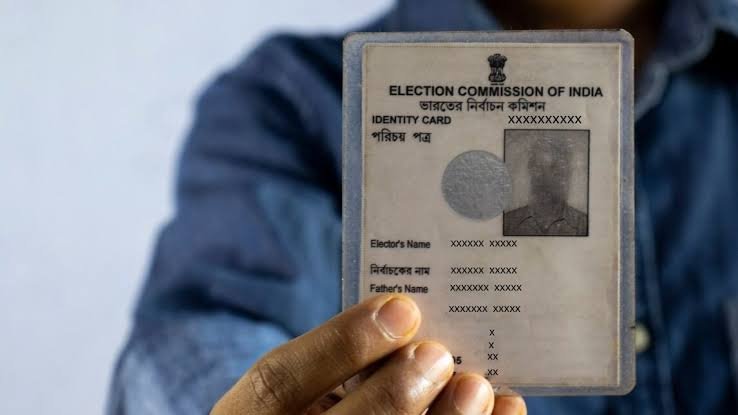

Checking your name in the voter list before elections is an important step for every eligible Indian citizen. The Election Commission of India provides online search facilities, mobile services and helplines to help voters verify their registration and polling booth details.
Why Checking Your Name in the Voter List Matters
The voter list, officially known as the electoral roll, contains the names of eligible voters registered in a particular constituency. Before every election, voters should verify that their names appear in the relevant electoral roll and that their personal details are correct.
According to the Election Commission of India (ECI), a voter can cast a vote only if their name appears in the electoral roll. Possessing a Voter ID card alone does not guarantee permission to vote if the name is missing from the list.
This makes checking voter registration an important step before Lok Sabha elections, state Assembly elections and other elections administered by the Election Commission of India. Residents of smaller cities, towns and villages can also use the official online facilities without necessarily visiting an election office.
How to Check Your Name in the Voter List Online
The easiest way to check your name in the voter list is through the official Electoral Search portal. The facility allows voters to search using their EPIC number, personal details or registered mobile number, depending on the available search options.
Follow these steps to verify your registration:
- Visit the official Election Commission voter search website at https://electoralsearch.eci.gov.in/.
- Select the appropriate search method, such as EPIC number or personal details.
- If you select the EPIC option, enter the number printed on your Voter ID card and provide the requested state and verification details.
- If you search by personal details, enter the information requested on the portal, such as your name, age, state and constituency details.
- Complete the CAPTCHA or other verification step displayed on the website.
- Submit the information and check the search results carefully.
If your record appears, verify your name, constituency and polling station information. Keep the relevant details available for reference before election day.
If the search does not return a result, try another search method and check for spelling variations. A failed search does not automatically mean your name has been deleted from the electoral roll.
Check Voter Registration Through the Official Mobile App
Voters who prefer using a smartphone can access election-related services through the official Voter Helpline app. The Election Commission also provides its citizen services through the official voter services portal and the ECINET mobile app.
These services can help users search electoral rolls, access registration facilities and track applications, depending on the service available.
To begin, download the official application through the Google Play Store or Apple App Store. Check that the publisher is the Election Commission of India before installing it.
Open the application and select the voter search or electoral roll service. Enter the requested details and review the results.
Mobile services can be particularly useful for people living in Tier-2 and Tier-3 cities, where voters may want to verify their polling details without travelling to a government office. However, users should rely only on official applications and websites when entering personal information.
How to Check Your Name Without a Voter ID Card
Not every registered voter has their EPIC number readily available. In such cases, the Election Commission’s search facility also provides an option to search using personal details.
Visit the official Electoral Search portal and choose the search-by-details option. Enter the requested information accurately, including your name and state. Additional details may be required to narrow down the results.
Try entering your name in the spelling used during registration. If you have a common name, information about your age, relatives or constituency may help identify the correct record.
You can also check the electoral roll in PDF format through the official voter services portal. Electoral rolls are generally organised by constituency and polling station, so you may need to identify the correct area before searching the document.
If you are unable to locate your record online, contact your Booth Level Officer (BLO) or the relevant Electoral Registration Officer (ERO) for assistance.
What to Do If Your Name Is Missing From the Voter List
If your name does not appear in the electoral roll, do not assume that you can vote simply by carrying your Voter ID card to the polling station. First, check whether you searched the correct state, constituency and electoral roll.
If you are eligible to register as a new voter, you can submit Form 6 through the official voter services portal at https://voters.eci.gov.in/. The form is used for inclusion of a name in the electoral roll for eligible general voters.
Applicants must meet the applicable eligibility requirements, including Indian citizenship, the prescribed age requirement and ordinary residence in the relevant constituency.
After submitting the application, retain the reference number and use the official application-tracking facility to check its progress. The application may require verification before it is approved.
If you believe your name was wrongly omitted or deleted, contact the Electoral Registration Officer or Booth Level Officer and follow the applicable claims and objections procedure. During a special revision of electoral rolls, the relevant notice may prescribe specific deadlines for submitting claims.
It is important to act well before polling day. Once the electoral roll is frozen for a particular election, a name generally cannot be added on polling day itself.
How to Correct Details or Update Your Address
Sometimes a voter appears in the electoral roll, but the record contains an incorrect spelling, an outdated address or other inaccurate information. Such errors should be addressed before the election.
The Election Commission provides Form 8 for correction of entries in an existing electoral roll, shifting of residence, replacement of an EPIC and certain other updates.
For example, someone who has moved from one locality to another may need to update their electoral registration details so that the record reflects their current ordinary residence.
Visit the official voter services portal, select the appropriate service and follow the instructions for submitting Form 8. Provide the required supporting information and keep the application reference number for tracking.
Do not submit a fresh registration application without checking the appropriate procedure if you are already registered elsewhere. The aim is to maintain an accurate electoral record and avoid duplicate registration.
After the request has been processed, search the electoral roll again to confirm that the changes have been reflected.
How to Find Your Polling Booth Before Election Day
Checking your voter registration is only the first step. You should also confirm your polling station and constituency details before election day.
The official Electoral Search portal provides polling information for registered voters. The voter services portal also offers facilities to locate polling stations and access electoral roll information.
Once your record appears, note the polling station address and any other relevant details displayed. Check these details again closer to polling day, particularly if the election authorities have published an updated electoral roll or polling station information.
Do not assume that your polling station will remain the same simply because you voted at a particular location in the previous election. Polling arrangements can change.
Voters should also review the official instructions for acceptable identification documents and polling procedures. A valid identification document may be required, but it does not replace the requirement for your name to appear in the electoral roll.
Official Helpline and Support for Voters
Voters who face difficulties checking their registration can contact the Election Commission through its official helpline.
The ECI lists 1950 as the Voter Helpline number. Depending on the telephone connection, callers may need to include their area STD code.
The helpline can guide voters towards the appropriate registration or electoral roll service. Voters can also approach their local Booth Level Officer or Electoral Registration Officer for assistance with missing names, incorrect details and application-related queries.
Residents of Maharashtra can additionally visit the official Chief Electoral Officer, Maharashtra website at https://ceoelection.maharashtra.gov.in/ for state-specific voter services and updates.
Always verify election-related deadlines through official announcements. The schedule for electoral roll revisions, claims and objections may vary by state, constituency and election.
Key Takeaways
- Check your name in the electoral roll through the official Election Commission search portal before every election.
- A Voter ID card alone is not sufficient if your name does not appear in the relevant electoral roll.
- Use Form 6 for eligible new voter registration and Form 8 for applicable corrections or residence changes.
- Contact the Voter Helpline at 1950 or your local election official if your name is missing or your details are incorrect.
Frequently Asked Questions
1. How can I check my name in the voter list online?
Visit https://electoralsearch.eci.gov.in/, choose a search method, enter the required details and review the results. Use the official Election Commission website to confirm your registration.
2. Can I vote if I have a Voter ID card but my name is missing from the voter list?
No. Your name must appear in the applicable electoral roll to vote. Carrying a Voter ID card does not replace this requirement.
3. Which form should I use if my name is missing from the voter list?
Eligible first-time applicants can generally submit Form 6 for inclusion in the electoral roll. If you believe your name was wrongly omitted or deleted, contact your local election official to determine the appropriate procedure.
4. How can I correct my name or address in the voter list?
Form 8 is used for applicable corrections to existing electoral roll entries and shifting of residence. Submit the application through the official voter services portal and track its status.