

Artificial intelligence tools can help students, job seekers and working professionals save time on writing, research, planning and routine tasks. Learning how to use AI tools for resumes, studies and everyday tasks can improve productivity, provided users verify information, protect personal data and avoid relying on AI for every decision.
How AI Tools Can Help With Everyday Work
AI tools are increasingly used for drafting documents, summarising information, organising schedules and generating ideas. Tools such as ChatGPT, Google Gemini and Microsoft Copilot can respond to questions, explain concepts, assist with writing and help users structure information.
Their usefulness depends on the task and the quality of the instructions provided. A student might use an AI assistant to understand a difficult concept, while a job seeker could use it to improve a resume’s structure. An office employee might use the same technology to draft emails, prepare meeting agendas or organise a weekly work plan.
However, AI-generated answers are not automatically accurate. These systems can produce outdated information, incorrect facts or convincing explanations that contain mistakes. Users should treat AI as an assistant rather than an unquestionable authority.
For beginners, the best approach is to start with simple tasks, check the results and gradually explore more advanced features.
How to Use AI Tools to Create a Better Resume
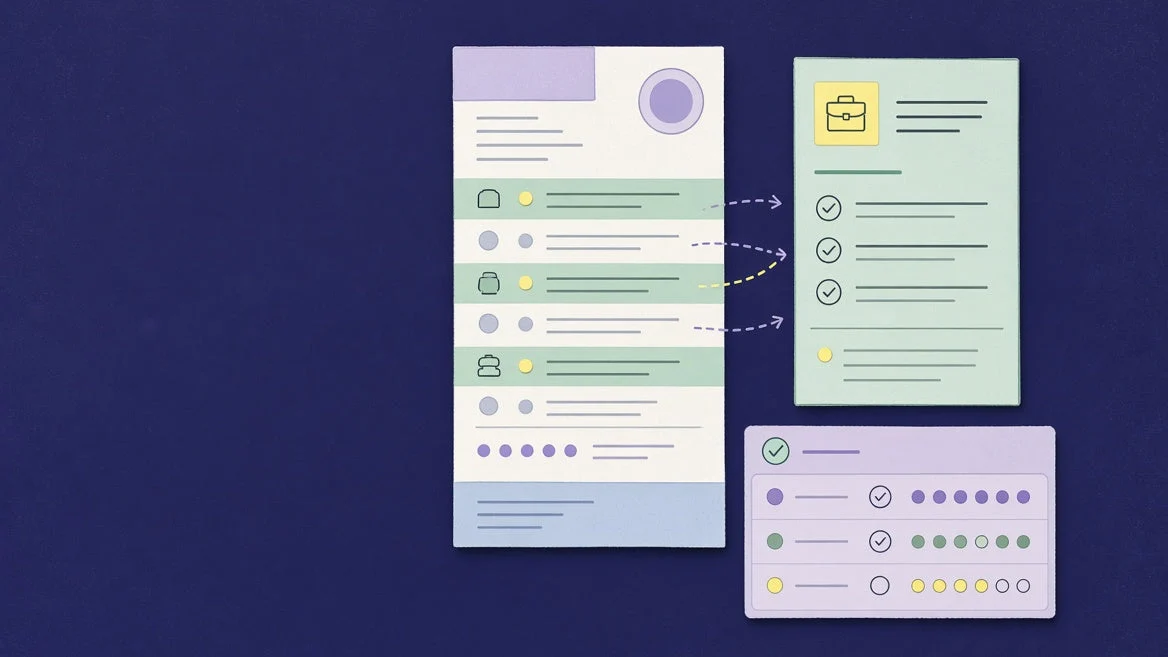
Job seekers can use AI tools to prepare resumes, improve professional summaries and tailor applications to specific job descriptions. This can be particularly useful for fresh graduates, first-time job seekers and professionals changing careers.
Start by preparing a list of your actual qualifications, work experience, skills, projects, internships and achievements. Give this information to an AI assistant and ask it to organise the details into a clear, professional resume.
For example, you could use this prompt:
Act as a professional resume editor. Improve the structure and wording of my resume for a digital marketing executive position. Highlight my relevant skills and measurable achievements, use clear language, and do not invent qualifications or experience.
AI can also help identify relevant keywords in a job description, improve bullet points and draft a cover letter. Tools integrated into word processors can assist with editing and formatting. Microsoft documents resume and cover letter polishing among its Copilot use cases. Microsoft Support+1
However, users should review every section before submitting an application. An AI tool might exaggerate responsibilities, introduce skills the applicant does not possess or suggest achievements that cannot be verified. A resume must reflect the applicant’s genuine experience.
How Students Can Use AI Tools for Studying
Students can use AI to understand difficult subjects, revise class notes, prepare for examinations and practise questions. The most effective approach is to use the technology to build understanding rather than simply copy answers.
ChatGPT’s Study Mode, for example, can explain concepts step by step, ask guiding questions, generate practice questions and help learners review uploaded study materials. OpenAI Help Center+1
Google Gemini also offers study-oriented features, including learning plans, study notebooks and personalised quizzes, subject to the features and access available to the user. your AI study buddy from Google+1
Students can try these practical methods:
- Simplify complex topics: Ask AI to explain a difficult concept in simple language and then provide a more advanced explanation.
- Create revision notes: Share your own class notes and request a summary organised by topic.
- Practise for exams: Ask for multiple-choice questions, short-answer questions and explanations of incorrect answers.
- Learn through examples: Request real-world examples that connect textbook concepts to familiar situations.
- Build a study schedule: Provide your subjects, examination dates and available study hours to create a realistic revision plan.
For example, a college student preparing for a business examination could ask an AI assistant to explain the difference between revenue, profit and cash flow, followed by five practice questions.
Students should verify important facts against textbooks, course materials and teachers’ instructions. They must also follow their institution’s rules on AI use, particularly for graded assignments, research projects and examinations.
How to Use AI for Emails, Planning and Daily Tasks
AI tools can assist with routine responsibilities that involve writing, organising information and generating ideas. They are useful for office employees, freelancers, small business owners and people managing household schedules.
For professional communication, AI can turn rough notes into a structured email, correct grammatical errors or adjust the tone of a message. A user could provide a short explanation of a meeting and request a concise follow-up email with the decisions and next steps.
For personal planning, AI can help create grocery lists, organise travel itineraries, prepare weekly schedules and compare options using information supplied by the user.
Other practical uses include:
- Drafting meeting agendas and summarising non-confidential notes.
- Creating a weekly meal plan based on dietary preferences and a household budget.
- Breaking a large project into smaller tasks with deadlines.
- Generating ideas for social media posts, presentations or personal projects.
- Rewriting complicated instructions in plain language.
AI-generated plans should be treated as starting points. Check dates, prices, opening hours, travel information and other details that may change. For medical, legal or financial decisions, consult reliable sources or qualified professionals instead of relying solely on an AI-generated answer.
How to Write Better Prompts for AI Tools
The quality of an AI response often depends on how clearly the user explains the task. A vague request such as “make a resume” provides little information about the desired result.
A more useful prompt specifies the goal, relevant context, source material and expected format. Microsoft’s official guidance recommends structuring prompts around these elements. Microsoft Support
Use this simple framework:
- Goal: Explain what you want the AI to do.
- Context: Describe the situation, audience or purpose.
- Source: Provide relevant notes, a job description or other material.
- Format: Specify whether you need a list, table, email, summary or step-by-step explanation.
For instance, instead of asking for general study help, write:
“Explain photosynthesis for a Class 10 student in simple English. Use an everyday example, list the key terms and finish with five practice questions. Do not give the answers until I attempt the questions.”
You can also improve an initial response by asking the AI to shorten it, provide examples, identify assumptions or explain unfamiliar terms. Review the output and refine your prompt until it meets your needs.
AI Safety: Protect Personal Data and Verify Results
Convenience should not come at the cost of privacy or accuracy. AI tools may produce convincing but incorrect answers, so users should independently verify information before acting on it.
Avoid entering passwords, banking credentials, identity document numbers, confidential employer information or private customer records into an AI tool unless you have confirmed that the service and its data-handling arrangements are appropriate for that information.
Before uploading a document, check whether it contains personal details that are not needed for the task. A resume review, for example, can often be completed using a version that omits a full home address, identity numbers and other unnecessary information.
Users should also check the privacy settings and terms of the specific service they choose. Data handling can differ by product, account type and organisational configuration.
For news research, academic work and professional documents, confirm important claims through trustworthy sources. AI can help locate questions that need further investigation, but it should not replace fact-checking.
Key Takeaways
- AI tools can help create resumes, improve study habits and organise everyday tasks.
- Clear prompts with relevant context usually produce more useful results.
- Verify facts and review AI-generated work before submitting or sharing it.
- Protect personal information and follow academic or workplace rules when using AI.
Frequently Asked Questions
1. Which AI tools can beginners use for free?
ChatGPT, Google Gemini and Microsoft Copilot offer AI assistance, with availability and usage limits depending on the product, account and region. Check each service’s official website for current features and pricing.
2. Can AI create a resume for a fresher?
Yes. AI can organise educational qualifications, internships, projects, skills and relevant activities into a professional resume. Freshers should provide accurate information and verify every statement before applying for jobs.
3. Is it safe to use AI for studying?
AI can support learning by explaining concepts, generating practice questions and helping organise revision. However, its answers may contain mistakes. Students should verify important information against trusted learning materials and follow their institution’s rules.
4. Can AI tools replace human judgement?
No. AI can assist with drafting, analysis and planning, but it may misunderstand context or generate inaccurate information. Human review remains important, particularly for high-stakes decisions involving employment, education, health, law or money.