
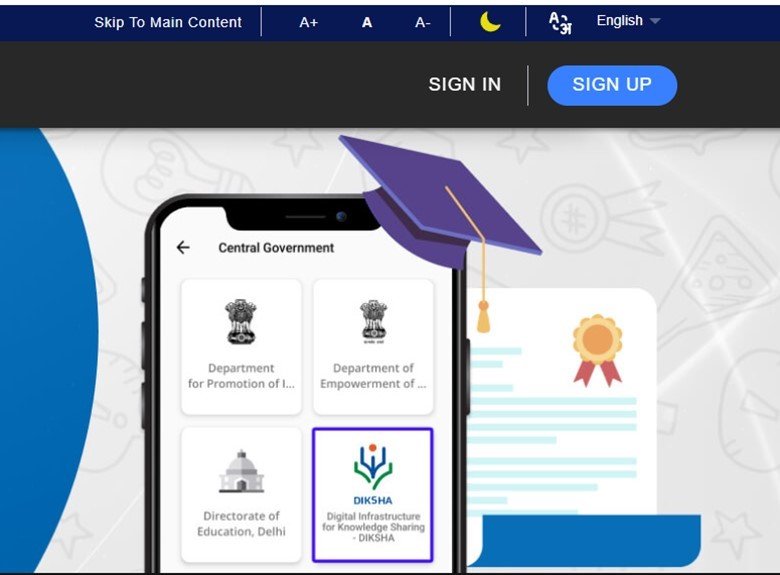

DigiLocker has become one of India’s most important digital document platforms, allowing citizens to securely store and share verified documents. This guide explains how to use DigiLocker for college admissions, job verification, and government services while ensuring a smooth and paperless verification process.
How to use DigiLocker is a common question among students, job seekers, and citizens who increasingly rely on digital documents instead of physical certificates. Developed under the Government of India’s Digital India initiative, DigiLocker enables users to access verified documents issued by government departments, educational boards, universities, and transport authorities. Many educational institutions, employers, and government agencies now accept documents shared through DigiLocker, making it an essential platform for everyday administrative tasks.
This is an evergreen informational topic. Although new issuers and features may be added over time, DigiLocker’s primary purpose and usage remain consistent, making this guide useful for students, professionals, and applicants across India.
What Is DigiLocker and How Does It Work?
DigiLocker is a cloud-based digital document wallet launched by the Ministry of Electronics and Information Technology (MeitY). It allows Indian citizens to securely store, access, and share official documents using Aadhaar or other approved identity verification methods.
Once registered, users can retrieve digitally issued documents directly from participating government departments and educational institutions. These documents are digitally signed and are considered legally valid under the Information Technology Act when issued through authorized entities.
Common documents available on DigiLocker include:
- Aadhaar
- PAN (where available through linked services)
- Driving Licence
- Vehicle Registration Certificate
- CBSE and State Board marksheets
- University certificates from participating institutions
- Insurance documents
- Income certificates
- Birth certificates
- Various government-issued records
Unlike scanned copies uploaded manually, digitally issued documents are fetched directly from the issuing authority, making them easier to verify.
How to Create a DigiLocker Account
Creating a DigiLocker account takes only a few minutes.
Follow these steps:
- Visit the official DigiLocker website or install the DigiLocker mobile application.
- Register using your mobile number.
- Verify the OTP received on your phone.
- Create a username and password.
- Link your Aadhaar if you choose to access additional services and document issuers.
- Complete identity verification if prompted.
After registration, your dashboard will display available services, document issuers, uploaded files, and shared documents.
Always use your own mobile number since OTP verification is required whenever you log in or share documents.
Using DigiLocker for College Admissions
Many universities, colleges, and entrance examination authorities now accept DigiLocker-issued documents during admissions.
Students can retrieve:
- Class 10 marksheets
- Class 12 marksheets
- Migration certificates
- Transfer certificates from participating boards
- Degree certificates from supported universities
Instead of carrying multiple photocopies, students can share verified digital documents directly with institutions.
During online admissions, many portals provide an option to upload DigiLocker documents or verify them electronically. Since these records are issued by the original authority, institutions often spend less time verifying their authenticity.
Students should check whether their board or university participates in DigiLocker before the admission process begins.
How DigiLocker Helps During Job Verification
Employers increasingly conduct digital background verification before hiring candidates.
DigiLocker simplifies this process by allowing applicants to securely share verified documents instead of emailing multiple scanned copies.
Documents commonly shared include:
- Educational certificates
- Driving Licence
- Identity proof
- Address proof
- Professional qualifications from participating institutions
Employers can verify the authenticity of digitally issued documents more easily because they originate directly from government departments or authorized educational bodies.
This reduces the chances of document fraud while speeding up recruitment and onboarding.
Candidates should verify that all certificates available in DigiLocker are accurate before sharing them with recruiters.
Using DigiLocker for Government Services
DigiLocker supports numerous government services across central and state departments.
Citizens commonly use it for:
- Passport-related applications
- Driving licence verification
- Vehicle registration documents
- Scholarship applications
- Government recruitment
- Pension-related services
- Income certificate verification
- Caste certificate access where available
- Welfare scheme applications
Many departments now encourage digital document submission, reducing paperwork and minimizing the need to carry original certificates for routine verification.
Since participating departments continue to increase over time, users may find additional services becoming available in their DigiLocker accounts.
Tips for Safe and Effective Use of DigiLocker
Although DigiLocker provides secure access to official documents, users should follow good digital security practices.
Some useful tips include:
- Keep your registered mobile number active.
- Never share OTPs with anyone.
- Use a strong password for your account.
- Regularly review linked documents for accuracy.
- Share documents only with trusted institutions.
- Log out after using public computers.
It is also important to distinguish between uploaded personal files and documents issued directly through DigiLocker. Officially issued digital documents generally carry greater verification value because they originate from authorized issuers.
Maintaining an updated DigiLocker account can save considerable time during admissions, job applications, and government procedures.
Takeaways
- DigiLocker provides secure access to verified digital documents issued by government departments and participating institutions.
- Students can use DigiLocker during college admissions to share authentic marksheets and certificates.
- Employers increasingly accept DigiLocker documents for faster and more reliable background verification.
- Government services are gradually adopting DigiLocker for paperless verification, making document management easier for citizens.
Frequently Asked Questions
Q1. Is DigiLocker legally valid in India?
Yes. Digitally issued documents available through DigiLocker are legally recognized under the Information Technology Act when issued by authorized government departments or institutions.
Q2. Can I use DigiLocker for college admissions?
Yes. Many universities and colleges accept DigiLocker-issued marksheets and certificates during the admission process. Applicants should confirm the institution’s specific requirements.
Q3. What is the difference between uploaded and issued documents in DigiLocker?
Uploaded documents are files added by the user, while issued documents are retrieved directly from authorized issuers such as government departments and educational boards. Issued documents are generally preferred for verification.
Q4. Is Aadhaar mandatory for DigiLocker?
No. Users can create a DigiLocker account with a mobile number. However, linking Aadhaar enables access to additional services and participating document issuers.