

Summary: Checking your name in the updated voter list before elections is an important step for every eligible Indian citizen. The Election Commission of India provides online tools, a mobile app and helpline services to help voters verify their registration, check polling booth details and correct errors.
How to Check Your Name in the Updated Voter List
Checking your name in the voter list before elections can help you avoid last-minute problems at the polling booth. In India, the Election Commission of India (ECI) maintains the electoral roll, which contains the names of eligible registered voters. Citizens can check their voter registration status online using their EPIC number, personal details or registered mobile number.
The process is particularly important before Lok Sabha, Assembly and local elections, when electoral rolls may undergo revisions. Even if you already have a physical Voter ID card, you should verify that your name appears in the latest electoral roll. Having a Voter ID card alone does not guarantee that you can vote if your name is missing from the current voter list.
The ECI offers several ways to check voter registration without visiting an election office.
Where to Check the Latest Electoral Roll Online
The official Election Commission of India website provides access to voter-related services through its Voters’ Services Portal.
Voters can use the official Electoral Search website:
**https://electoralsearch.eci.gov.in/**
The portal allows citizens to search the electoral roll using their EPIC number, personal details or mobile number. It also provides information about polling stations and constituency details.
Another option is the main Voters’ Services Portal at https://voters.eci.gov.in/, where citizens can apply for registration, request corrections, track applications and access other election-related services.
These government platforms are preferable to unofficial websites because they provide information directly through the election authorities. Election Commission of India+3
Step-by-Step Guide to Search Your Name Using Voter ID
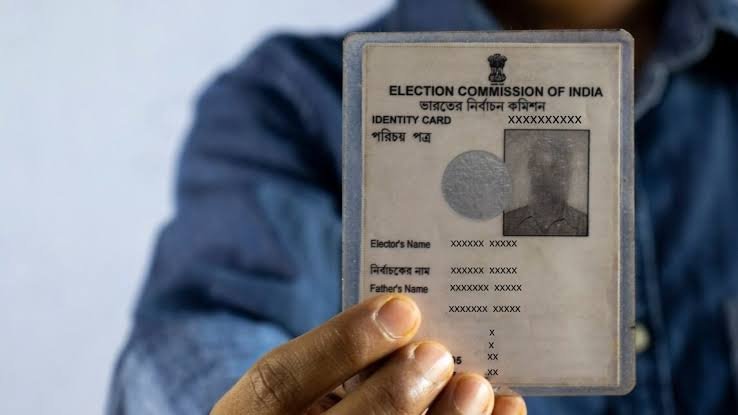
One of the easiest ways to check your name in the updated voter list is through your EPIC number. EPIC stands for Electors Photo Identity Card, which is the identification number printed on your Voter ID card.
Follow these steps:
- Visit the official Electoral Search website at https://electoralsearch.eci.gov.in/.
- Select the Search by EPIC option.
- Enter your EPIC number printed on your Voter ID card.
- Select your state from the available options.
- Enter the captcha code displayed on the screen.
- Click on the Search button.
- Check the results to confirm whether your name appears in the electoral roll.
If your registration details are available, the search result should display relevant information, including your name and polling station details.
Keep your EPIC number handy while checking the record. Make sure you enter it correctly to avoid getting an incorrect result. Election Commission of India+1
How to Search Your Name Without a Voter ID Number
Not everyone remembers their EPIC number, and some people may have misplaced their physical Voter ID card. This does not mean they cannot check their registration status.
The Electoral Search portal also provides a Search by Details option.
For this method, voters generally need to enter information such as:
- Full name as recorded in the electoral roll
- Relative’s name, such as the father’s or husband’s name
- Date of birth or age
- State
- District and Assembly Constituency, where required
After entering the information, complete the captcha verification and submit the search.
If the name does not appear immediately, try different spelling variations. Names can sometimes be recorded differently because of transliteration between English and regional languages.
For example, a name written in Hindi or Marathi may have more than one possible English spelling. Searching with the local-language version or additional details can help locate the correct record.
The ECI’s search facilities also support searches using mobile numbers, subject to the information available in its records. Voters+1
Check Your Voter Registration Through the Voter Helpline App
People who prefer using smartphones can check their voter registration through the Election Commission of India’s Voter Helpline App.
The application is available for both Android and iOS devices. It provides several voter-related services, including electoral roll searches, new voter registration, correction requests and election information.
Here is how to use it:
- Download the Voter Helpline App from the Google Play Store or Apple App Store.
- Open the application and navigate to the electoral search option.
- Choose the available search method, such as EPIC number or personal details.
- Enter the required information.
- Submit the details and check your voter registration status.
The application can also help voters access other services without visiting an election office. Election Commission of India
How to Check Your Voter List Status Through SMS or Helpline
People without reliable internet access can also use the Election Commission’s helpline services.
The ECI provides the national voter helpline number 1950. Voters can call this number to ask about electoral registration, polling stations and voter-related complaints. When calling, adding the local STD code may be necessary.
The Election Commission also provides an SMS facility. Voters can send an SMS in the following format:
ECI <EPIC Number>
Send it to 1950 to check the available voter registration information.
For example, if your EPIC number is 12345678, the message would be:
ECI 12345678
Standard SMS charges may apply depending on the mobile operator and plan. Election Commission of India
What to Do If Your Name Is Missing From the Updated Voter List
If your name does not appear in the electoral roll, do not assume that you have permanently lost your voting eligibility. First, repeat the search using different spellings, your relative’s name or other available personal details.
If you still cannot find your registration, contact your Booth Level Officer (BLO) or the Electoral Registration Officer (ERO) for your constituency.
Depending on your situation, you may need to submit one of the following forms:
Form 6: For New Voter Registration
Eligible Indian citizens who are not registered in the electoral roll can submit Form 6 to request inclusion. It is also relevant to first-time voters who have attained the required age.
Form 8: For Correction or Change of Address
Existing voters can use Form 8 to correct personal details, update their residence after shifting or request a replacement EPIC card. The form also covers certain other updates to voter records.
Form 7: For Objection or Deletion
Form 7 is used for objections to proposed inclusion or requests for deletion of names from the electoral roll, subject to the applicable rules and verification process.
These forms can be accessed through the official Voters’ Services Portal at https://voters.eci.gov.in/. Applicants can also approach the relevant election officials for assistance. CEO Maharashtra+2
Why Checking Your Name Before Elections Matters
Electoral rolls are periodically revised to include eligible new voters, update existing information and remove entries where deletion is legally justified.
Changes in residence, incorrect personal details, duplicate entries or other administrative issues can affect an individual’s voter record.
This is particularly relevant for people living in Tier-2 and Tier-3 cities, where families may move between neighbourhoods or districts for education, employment and business opportunities.
Voters should also check their assigned polling station before election day. The polling booth may differ after changes in electoral arrangements or constituency records.
One important point is that having a physical or digital Voter ID card is not enough by itself. Your name must appear in the electoral roll for the relevant election. At the same time, an elector whose name appears in the roll may be allowed to vote using another approved identity document if they do not have their EPIC card, subject to ECI instructions. Election Commission of India+1
Important Things to Remember Before Going to Vote
Before election day, voters should take a few minutes to verify their registration and polling information.
- Check your name in the latest electoral roll through the official ECI website.
- Verify your polling station, Assembly Constituency and other registration details.
- Submit Form 6 or Form 8 if new registration or correction is required.
- Carry your EPIC card or another identity document approved by the Election Commission on polling day.
Frequently Asked Questions (FAQs)
1. How can I check my name in the voter list online?
Visit https://electoralsearch.eci.gov.in/ and search using your EPIC number, personal details or mobile number. Select the relevant search option and submit the required information.
2. Can I vote if I have a Voter ID card but my name is missing from the electoral roll?
No. A Voter ID card alone does not establish eligibility to vote. Your name must appear in the electoral roll for the relevant constituency and election.
3. Which form should I fill out if my name is missing from the voter list?
Eligible citizens who are not registered can apply using Form 6. If you are already registered but need to correct your details or shift your residence, Form 8 may be appropriate.
4. Can I check my voter registration without an internet connection?
Yes. You can call the Election Commission’s helpline at 1950 or use its SMS facility by sending ECI followed by your EPIC number to 1950.