
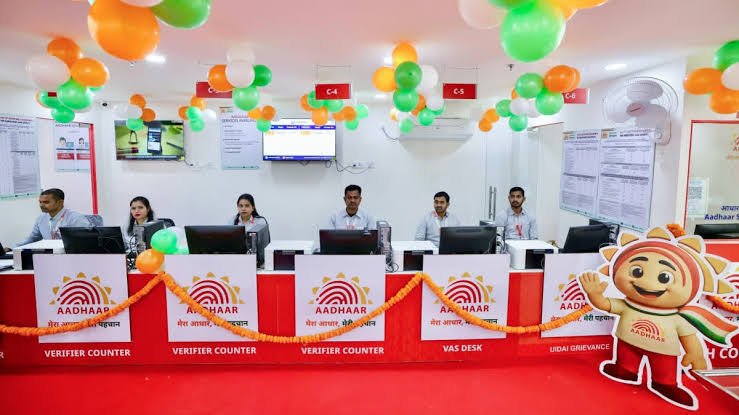

The Unique Identification Authority of India (UIDAI) has introduced a limited-time facility that allows Aadhaar holders to update their email address free of cost through the official Aadhaar App from July 1, 2026. The move is aimed at encouraging users to keep their Aadhaar records up to date while improving access to digital government services.
If your Aadhaar record does not contain an email address or has an outdated one, this new facility offers an easy way to update it without paying the earlier ₹75 fee. However, the free service is available only through the official Aadhaar App and not through other update channels.
Why the Free Aadhaar Email Update Matters
Keeping your Aadhaar details updated has become increasingly important as the identity document is widely used for banking, income tax, government subsidies, mobile verification and various online services.
Although a registered mobile number remains mandatory for Aadhaar authentication, adding a valid email address provides an additional communication channel for receiving important notifications and service updates. It can also help during account recovery and verification processes for certain digital services.
Under the new initiative, UIDAI has waived the ₹75 email update fee for users who complete the process using the official Aadhaar App. Reports indicate that this waiver is available for a limited six-month period beginning July 1, 2026. The offer applies only within the Aadhaar App and not at Aadhaar Seva Kendras or other update methods.
Step-by-Step Guide to Update Aadhaar Email for Free
Updating your Aadhaar email address is designed to be a simple process if your mobile number is already linked with Aadhaar.
Follow these steps:
- Download or update the official Aadhaar App from the Google Play Store or Apple App Store.
- Open the app and register using your Aadhaar number and the OTP sent to your registered mobile number.
- Complete the onboarding process if you are using the new Aadhaar App for the first time.
- Navigate to the Email Update or Update Email ID option.
- Enter your new email address carefully.
- Verify the email address through the OTP sent to your inbox if prompted.
- Review all the details before submitting the request.
- Submit the update request.
After submission, you will receive an Update Request Number (URN), which can be used to track the status of your request through the Aadhaar platform. Most requests are processed within the standard UIDAI processing timeline.
Eligibility and Conditions You Should Know
Not every Aadhaar holder will be able to complete the process immediately.
Before starting, ensure that:
- Your mobile number is already linked with Aadhaar.
- You use only the official Aadhaar App developed by UIDAI.
- You have access to the email address you want to register.
- The information entered matches your intended email address correctly.
If your mobile number is not linked with Aadhaar, you will first need to visit an Aadhaar Seva Kendra to update your mobile number before using online services.
Users should also avoid unofficial apps or websites claiming to offer Aadhaar update services. UIDAI advises citizens to use only its official platforms for any Aadhaar-related changes.
New Aadhaar App Brings Additional Features
The launch of the free email update facility comes alongside UIDAI’s rollout of its new Aadhaar App, which replaces the older mAadhaar application from July 1, 2026.
Apart from profile management, the new app offers features such as digital Aadhaar sharing, identity verification, biometric locking, authentication history and easier management of Aadhaar services. Existing mAadhaar users are encouraged to migrate to the new application, as the older app is being phased out.
Should You Update Your Aadhaar Email Now?
If your Aadhaar does not currently include an email address or your existing email is no longer active, this is a good opportunity to update it without paying any fee.
A valid email can make it easier to receive official communications related to Aadhaar services while improving access to several digital government platforms. Since the fee waiver is available only for a limited period and exclusively through the Aadhaar App, eligible users may benefit from completing the update early rather than waiting until the offer expires. As always, verify every detail before submission to avoid delays or the need for additional corrections.
Key Takeaways
- Aadhaar email updates are free through the official Aadhaar App starting July 1, 2026.
- The previous ₹75 update fee has been temporarily waived for eligible users.
- A registered Aadhaar-linked mobile number is required to complete the update.
- The facility is available only through the official Aadhaar App for a limited period.
FAQs
Q1. Is Aadhaar email update free from July 2026?
Yes. UIDAI has waived the ₹75 fee for updating an email address through the official Aadhaar App starting July 1, 2026, for a limited period.
Q2. Can I update my Aadhaar email through the website?
The current fee waiver applies specifically to the official Aadhaar App. Other update channels may continue to follow their existing fee structure.
Q3. Do I need my registered mobile number?
Yes. Your Aadhaar-linked mobile number is required for OTP verification and login.
Q4. How can I check the status of my email update request?
After submitting your request, you will receive an Update Request Number (URN), which can be used to track the status of your update.
(Internal keyword suggestions: Aadhaar email update 2026, UIDAI Aadhaar App, update Aadhaar email free, Aadhaar email update step by step, Aadhaar App July 2026, UIDAI email update guide, Aadhaar update process, free Aadhaar services)