
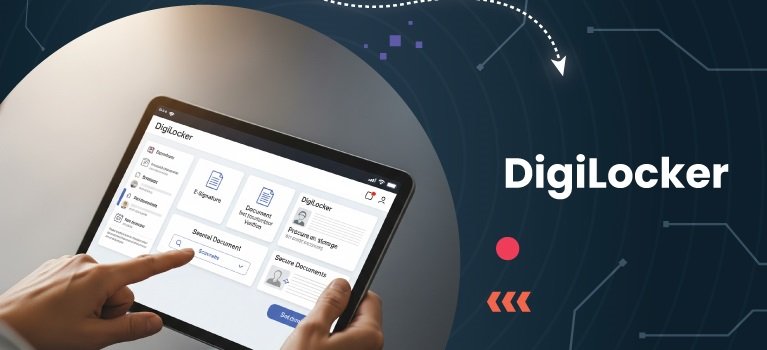

DigiLocker has become an important digital document platform for students applying to colleges across India. This guide explains how to use DigiLocker for college admissions, verify academic certificates, and securely share official documents while reducing paperwork and simplifying the admission process.
DigiLocker for college admissions is now a trusted digital solution used by many universities, educational institutions, and government departments across India. Developed under the Government of India’s Digital India initiative, DigiLocker enables students to store, access, and share verified digital documents such as Aadhaar, Class 10 and 12 mark sheets, driving licences, and other certificates. As of 2026, many admission authorities accept DigiLocker-issued documents for verification, although students should always check the specific requirements of the institution they are applying to.
What Is DigiLocker and Why Is It Important for Students?
DigiLocker is a cloud-based digital document wallet provided by the Ministry of Electronics and Information Technology (MeitY). It allows Indian citizens to securely access government-issued documents electronically.
For students, DigiLocker eliminates the need to carry multiple photocopies of certificates during admissions. Documents issued through DigiLocker are fetched directly from authorized issuers such as CBSE, CISCE, state education boards, UIDAI, and other government agencies.
Many colleges and universities now encourage applicants to submit digitally verified documents because they are easier to authenticate and reduce the chances of forged certificates.
Apart from admissions, DigiLocker is also useful for scholarship applications, competitive examinations, internships, and government recruitment processes.
How to Create a DigiLocker Account
Creating a DigiLocker account takes only a few minutes.
Students should visit the official DigiLocker website or install the official DigiLocker mobile application available on Android and iOS devices.
To register, users need:
- A valid mobile number
- Aadhaar number or another accepted identity method
- An OTP for verification
- A secure username and password
Once the account is created, users can link their Aadhaar if they choose to do so. Linking Aadhaar makes it easier to fetch government-issued documents automatically, although users should follow the latest eligibility and privacy guidelines available on the official platform.
Students should always ensure they are using the official DigiLocker website or app to avoid phishing attempts.
How to Access Academic Documents in DigiLocker
One of DigiLocker’s biggest advantages is automatic access to academic records issued by participating educational boards.
Students can retrieve documents by selecting the appropriate issuing authority and entering required details such as:
- Roll number
- Year of passing
- Registration number where applicable
Depending on the issuing authority, available documents may include:
- Class 10 mark sheet
- Class 12 mark sheet
- Passing certificate
- Migration certificate
- Other officially issued academic records
Once retrieved, these documents remain available in the student’s DigiLocker account and include digital verification details issued by the original authority.
Using DigiLocker During College Admissions
Many admission portals ask applicants to upload scanned copies of certificates. If the institution accepts DigiLocker documents, students can instead provide digitally verified records directly from their DigiLocker account.
Some universities integrate DigiLocker into their online admission systems, allowing applicants to fetch verified documents automatically after logging in and providing consent.
In other cases, students may download the verified document PDF from DigiLocker and upload it as part of the admission application.
Applicants should carefully read the admission guidelines because every university follows its own document submission policy. While many institutions accept DigiLocker documents during verification, some may still request original certificates during physical reporting or final admission confirmation.
Checking the official admission notification remains the safest approach.
How DigiLocker Simplifies Document Verification
Traditional document verification often involves checking multiple photocopies against original certificates.
DigiLocker reduces this process because documents issued through the platform are digitally signed by authorized issuers. This allows institutions to verify authenticity more efficiently.
Benefits include:
- Faster verification process
- Reduced paperwork
- Lower risk of forged documents
- Secure digital storage
- Easy access from anywhere
Students also avoid problems caused by damaged or misplaced certificates since verified digital copies remain available whenever internet access is available.
Tips for Using DigiLocker Safely
Although DigiLocker is a government-operated platform with multiple security measures, users should still follow good cybersecurity practices.
Students should:
- Use a strong password.
- Never share OTPs with anyone.
- Log in only through the official website or official mobile app.
- Keep their registered mobile number active.
- Regularly review stored documents for accuracy.
- Log out after using public computers.
Avoid clicking DigiLocker links received through unknown WhatsApp messages or emails. Instead, type the official website address manually or use the official mobile application.
Common Situations Where DigiLocker Helps Students
Beyond college admissions, DigiLocker is increasingly useful in academic and professional life.
Students can use it while:
- Applying for scholarships
- Registering for competitive examinations
- Joining internships
- Applying for government jobs
- Completing university verification processes
- Sharing verified documents with employers
As more educational institutions adopt digital verification systems, DigiLocker is becoming a practical tool for reducing paperwork and making document management more convenient.
Key Takeaways
- DigiLocker allows students to securely access and share verified academic documents.
- Many colleges accept DigiLocker-issued documents, but admission requirements vary by institution.
- Digitally verified certificates simplify document verification and reduce paperwork.
- Always access DigiLocker through official platforms and protect your account with strong security practices.
FAQs
Q1. Is DigiLocker accepted by every college in India?
No. Many universities and educational institutions accept DigiLocker documents, but policies differ. Students should verify the admission guidelines issued by the institution.
Q2. Can I download my Class 10 and Class 12 mark sheets from DigiLocker?
Yes, if your education board participates in DigiLocker and has issued your records digitally, you can retrieve and download them after verification.
Q3. Are DigiLocker documents legally valid?
Documents issued directly by authorized government agencies through DigiLocker are considered digitally authenticated under the applicable legal framework for electronic records in India.
Q4. Do I still need original certificates after using DigiLocker?
Some colleges may request original documents during physical verification or final admission. Always follow the specific instructions provided by the institution.